Ayre DX-7 User manual

Ayre DX-7
Owner’s Manual
DVD Transport with Progressive Video
TITLE
DVD
CHP
A y r e


Table of
Contents
Welcome to Ayre . . . . . . . . . . . . . . . . . . . . . . . 2
Connections and Installation . . . . . . . . . . . . . . . . . . . . 3
Setup and Configuration. . . . . . . . . . . . . . . . . . . 8
Controls and Operation . . . . . . . . . . . . . . . . . . . . 15
Optimization and Customization . . . . . . . . . . . . . . . . . . 27
About Aspect Ratios . . . . . . . . . . . . . . . . . . 33
Advanced Features . . . . . . . . . . . . . . . . . . . . . 39
On-Screen Setup Menus. . . . . . . . . . . . . . . . . . . 49
Numbers and Specifications . . . . . . . . . . . . . . . . . . 68
Statement of Warranty . . . . . . . . . . . . . . . . . . . . 70
A Technical Glossary . . . . . . . . . . . . . . . . . . . . . 73
A Place for Notes . . . . . . . . . . . . . . . . . . . . . . 82

Welcome to
Ayre
Please send in your warranty
registration card so we can
stay in contact with you.
Your Ayre DX-7 offers a significant advance in the
video and audio performance of film reproduction
equipment. The excitement and dimensionality of
your favorite films are apparent from the first
viewing. The combination of superb resolution and
a natural, relaxed quality will draw you back to your
home theater, time and time again.
This level of performance has been implemented
using the highest level of workmanship and
materials. You can be assured that the Ayre DX-7
will provide you a lifetime of enjoyment.
Quick Start
The Ayre DX-7 is extremely flexible and versatile.
However, many of the features are primarily of
interest to the advanced user.
The information required to get started is
contained in the first three chapters of this
manual.
The remaining chapters cover additional
information that may be read at your leisure.
2

Connections and
Installation
The Ayre DX-7 is a DVD transport with digital
audio outputs, requiring connection to an audio
processor. It is easy to hook up and use. The
following guidelines will ensure that the installation
goes smoothly.
Location
The infrared beam of the
remote control will also travel
through glass.
A good location for your DVD player is at an easily
accessible height in an open-backed cabinet or on a
shelf. The receiver for the infrared remote control is
mounted behind the display lens on the front panel.
A direct line of sight from the listening position
will ensure the maximum range.
Video Outputs
For additional information on
connecting multiple displays,
please refer to the section
“Advanced Features”.
The progressive video option in your Ayre DX-7
supports every type of video display device, as well
as all video standards around the world. All of the
video outputs are active simultaneously. The DVI
output is primarily intended for use with fixed pixel
(i.e., digital) display devices or external video
3

processors. Analog display devices utilizing CRTs
normally achieve their highest performance when
using an analog video output from the DX-7. The
various analog output options are listed below in
order of performance, from highest to lowest.
Choose the highest performing connection that is
compatible with your video display.
DVI
There are two toggle switches
on the rear panel that
configure the DVI signal.
Please refer to the section
“Setup and Configuration”.
DVI (Digital Visual Interface) provides a pure
digital signal path from the DVD disc itself to
digital (fixed pixel) display devices. This category
includes such technologies as plasma, DLP, D-ILA,
LCD, and LCOS. The DVI connection is made via a
single multi-conductor cable equipped with a
rectangular multi-pin connector. Cable length is
normally limited to around 10’ (3 meters) unless an
expensive optical DVI cable is used.
The DVI signal from the Ayre DX-7 is
unencrypted and therefore compatible with both
HDCP and non-HDCP capable displays.
Please note that some display devices using analog
technology (i.e., CRTs) may have a DVI input. In
4
SyncroLink
Digital Audio Link
Digital Audio Outputs
PCM Only PCM & Compressed
Volts
50/60 Hertz
50 W Max
Control Port
Reserved B
SL PCM
Reserved D
IR Receiver
Reserved A
SL Comp
Reserved C
Control Port
Boulder, Colorado USA
DX-7 DVD Transport
S.N.
A y r e
DVI Composite
S-VideoG/YB/PbR/Pr
Hsync Vsync
0255-
YCbCr
Rsrv B
Rsrv D
7. 5 %
Intrlc
YPbPr
SoG
16 235-
RGB
Rsrv A
Rsrv C
0%
Prog
RGB
HVSync

this situation it is usually preferable to use an analog
component connection rather than the DVI
connection. This is because the digital-to-analog
conversion in the Ayre DX-7 will perform at a
higher level than the corresponding conversion in
the display device.
If in doubt about which
connection to use, simply make
a visual comparison to
determine which offers better
performance.
However, a few of these CRT-based displays convert
all incoming signals to digital for certain types of
video signal processing such as scaling. In this case,
using the DVI conversion will be preferred as it
eliminates two extra conversion steps. Consult the
owner’s manual for your display for additional
information.
Component
The component interface is the highest performance
analog interface. The component outputs can be
configured in several ways:
•Interlaced or progressive
•YPbPr or RGB
•Embedded sync or external sync (RGB only)
There are three toggle switches
on the rear panel that
configure the component
signal. Please refer to the
section “Setup and
Configuration”.
When configured as progressive RGB, the sync
(timing) signals can either be added to the Green
connection (Sync on Green, or SoG) for a total of
three wires, or transmitted as separate horizontal
and vertical sync signals (H+V Sync) for a total of
five wires.
5

Please consult the owner’s manual for your display
device to determine which connections are
supported.
S-Video
There are two toggle switches
on the rear panel that
configure both the S-video and
composite signals. Please refer
to the section “Setup and
Configuration”.
The S-video analog interface provides a good level of
performance. The brightness signal is kept separated
from the color signal, but the color detail
(bandwidth) is reduced from the component
connection. S-video is commonly used for
whole-house distribution systems.
Composite
While the analog composite video signal from the
Ayre DX-7 offers higher performance than any other
DVD player, there are inherent performance
restrictions imposed by this connection. The
brightness (black-and-white) and color signals are
mixed together, and cannot be fully separated. This
connection is not recommended for critical viewing,
especially when using a large video display.
Digital Audio Link
When the SyncroLink
interface is connected, both
AES/EBU balanced digital
audio outputs are
automatically turned off.
The Ayre DX-7 also includes a high performance
SyncroLink digital audio link. This link transmits
digital audio data to an audio processor and also has
a separate master clock signal that is sent from the
receiver back to the DVD transport, completely
eliminating jitter. This interface is only compatible
with SyncroLink-capable audio processors.
6

The SyncroLink interface automatically detects
when a compatible SyncroLink device has been
connected.
Digital Audio Outputs
An adapter is available from
Ayre should you need to
connect one of the AES/EBU
digital outputs with an XLR
connector to an S/PDIF input
that uses an RCA connector.
The Ayre DX-7 features two digital audio outputs.
Both are AES/ EBU balanced outputs to ensure the
highest possible level of sonic performance. One of
these outputs will transmit both compressed formats
(e.g., Dolby Digital and DTS) as well as
uncompressed PCM formats (e.g., Compact Disc).
This output should be connected to your
surround-sound processor.
The other AES/EBU balanced output transmits
PCM only and is intended for use with a
two-channel digital-to-analog (D/A) converter. Both
AES/EBU outputs may be used simultaneously.
AC Power
Connect the Ayre DX-7 to an unswitched power
source. The best performance is normally achieved
when the DX-7 is plugged directly into the wall
outlet, without using any power strips or power line
conditioners.
Break-In
Playing the unit for 100 to
500 hours will ensure full
break-in.
Due to the manufacturing processes used for the
wires and capacitors, a break-in period is necessary
for the DVD player to reach its full performance
potential.
7
Setup and
Configuration
Once you have connected the Ayre DX-7 to your
home theater system, you will need to configure it
to ensure compatibility. There are two separate
configuration steps – the video hardware
configuration using small toggle switches on the
rear of the unit, and the software configuration
using an on-screen Setup Navigator.
Perform the video hardware configuration first so
that the on-screen menus will display properly.
Video Hardware Configuration
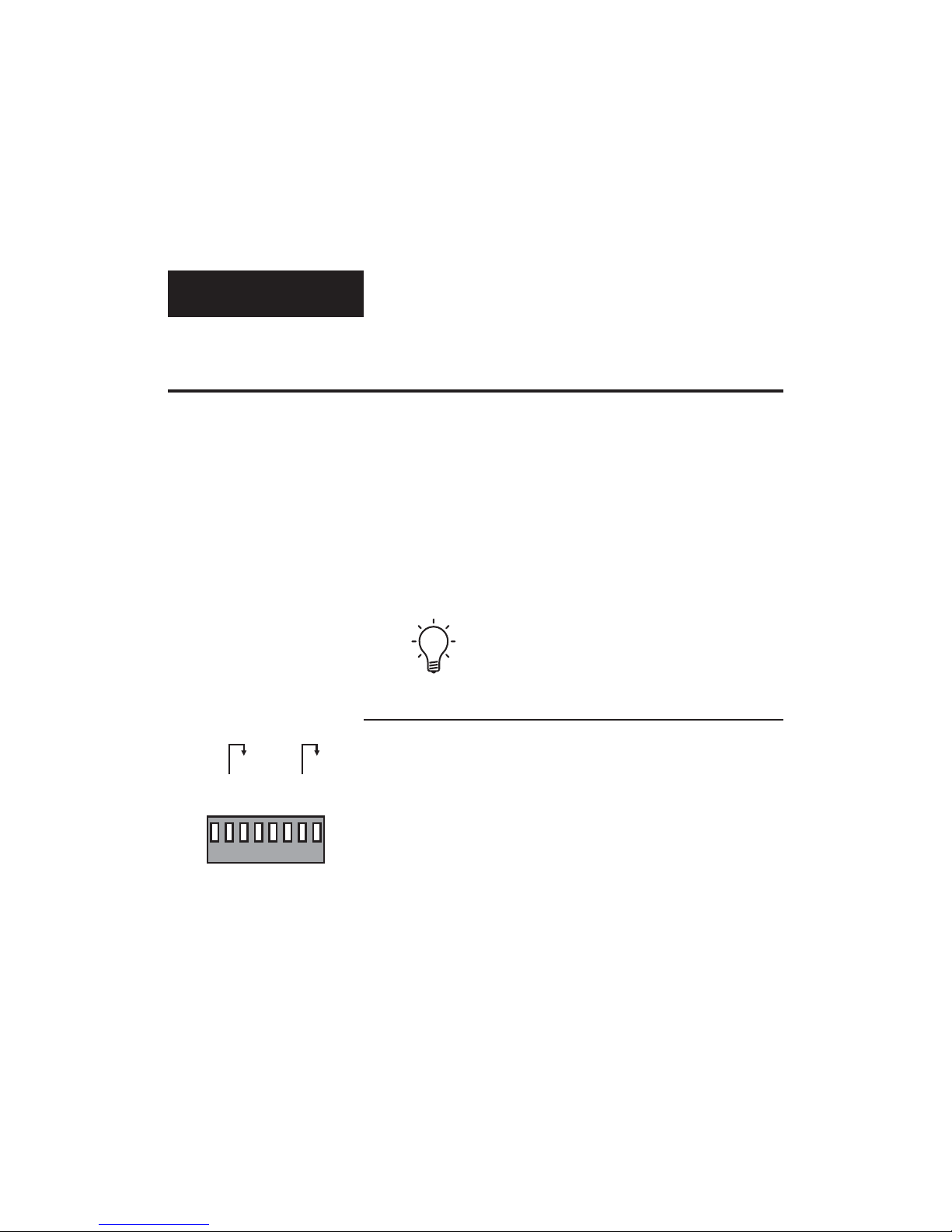
Next to the DVI connector on the rear panel of the
DVD player is a bank of eight small toggle
switches. These are used to configure the video
output signal to properly match your display device.
Two of these switches are used to configure the DVI
output, three are used for the component output,
and one is used for both the S-video and composite
outputs. Two switches are reserved for future use.
8
0255-
YCbCr
Rsrv B
Rsrv D
7. 5 %
Intrlc
YPbPr
SoG
16 235-
RGB
Rsrv A
Rsrv C
0%
Prog
RGB
HVSync
Table of contents