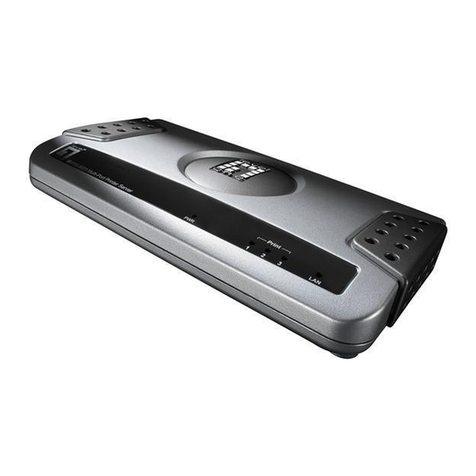
Axis 27978R1 User manual

AXIS OfficeBasic User’s Manual 1
AXIS OfficeBasic
Network Print Server
User’s Manual

2AXISOfficeBasicUser’sManual
Safety Notices Take some time to read through the safety notices before installing the print server. Please observe all safety markings and
instructions when using this product.
Important: Observe “Important:” in the text to avoid operational impairment. Do not proceed until you have fully understood the
implications.
Electromagnetic Compatibility
(EMC)
USA This equipment has been tested and found to comply with the limits for a Class B digital device, pursuant to Part 15 of the FCC
Rules. These limits are designed to provide reasonable protection against harmful interference in a residential installation. This
equipment generates, uses and can radiate radio frequency energy and, if not installed and used in accordance with the
instructions, may cause harmful interference to radio communications. However, there is no guarantee that interference will not
occur in a particular installation. If this equipment does cause harmful interference to radio or television reception, which can be
determined by turning the equipment off and on, the user is encouraged to try to correct the interference by one or more of the
following measures:
- reorient or relocate the receiving antenna
- increase the separation between the equipment and receiver
- connect the equipment into an outlet on a circuit different from that to which the receiver is connected
- consult the dealer or an experienced radio/TV technician for help. Shielded (STP) network cables must be used with this unit to
ensure compliance with the class B limits.
Europe This digital equipment fulfils the requirements for radiated emission according to limit B of EN55022, and the requirements
for immunity according to EN55024 residential, commercial, and light industry. Compliance is not valid for unshielded
network cables.
Japan This is a class B product based on the standard of the Voluntary Control Council for Interference from Information
Technology Equipment (VCCI). If this is used near a radio or television receiver in a domestic environment, it may cause radio
interference. Install and use the equipment according to the instruction manual. Compliance is not valid for unshielded
network cables.
Australia This electronic device meets the requirements of the Radio communications (Electromagnetic Compatibility) Standard 1998
AS/NZS CISPR22:1997. Compliance is not valid for unshielded network cables.
Liability Every care has been taken in the preparation of this manual; if you detect any inaccuracies or omissions, please inform your
local Axis office, which can be found on the cover of this document. Axis Communications AB cannot be held responsible for
any technical or typographical errors and reserves the right to make changes to the product and manuals without prior
notice. Axis Communications AB makes no warranty of any kind with regard to the material contained within this document,
including, but not limited to, the implied warranties of merchantability and fitness for a particular purpose. Axis
Communications AB shall not be liable nor responsible for incidental or consequential damages in connection with the
furnishing, performance or use of this material.
Axis’ Trademarks AXIS Print Monitor, AXIS AddPrinter.
Other Trademark
Acknowledgments
Adobe Acrobat Reader, Apple, Ethernet, Internet Explorer, Macintosh, Microsoft, Mozilla, NetScape, Windows, are registered
trademarks of the respective holders.
Support Services Should you require technical assistance, please contact your Axis dealer. If your questions cannot be answered immediately,
your Axis dealer will forward your queries through the appropriate channels to ensure you a rapid response. If you are
connected to the Internet, you can find online manuals, technical support, software updates, application software, corporate
information, etc. at http://www.axis.com/techsup/
Patent information Axis AB has intellectual property rights relating to technology embodied in the product that is described in this document. In
particular, and without limitation, these intellectual property rights may include one or more of the patents listed at
http://www.axis.com/patent.htm and one or more additional patents or pending patent applications in the US and other
countries.
USER’S MANUAL AXIS OfficeBasic
Part No: 27978, Revision 1.5
Date: November 2006 — Copyright © Axis Communications AB
This manual applies to the AXIS OfficeBasic with firmware version 7.10 or
higher.

AXIS OfficeBasic User’s Manual 3
Table of Contents
Section 1 Introduction . . . . . . . . . . . . . . . . . . . . . . . . . . . . . . . . . . . . . . 5
About this Manual . . . . . . . . . . . . . . . . . . . . . . . . . . . . . 5
Support Services . . . . . . . . . . . . . . . . . . . . . . . . . . . . . . 5
Supported Environments . . . . . . . . . . . . . . . . . . . . . . . . 5
Section 2 Product Overview . . . . . . . . . . . . . . . . . . . . . . . . . . . . . . . . . . 6
Package Contents . . . . . . . . . . . . . . . . . . . . . . . . . . . . . 6
AXIS Network Product CD . . . . . . . . . . . . . . . . . . . . . . . 7
Physical Description . . . . . . . . . . . . . . . . . . . . . . . . . . . . 8
Installation Methods . . . . . . . . . . . . . . . . . . . . . . . . . . 10
Features and Benefits . . . . . . . . . . . . . . . . . . . . . . . . . 11
Section 3 Basic Installation . . . . . . . . . . . . . . . . . . . . . . . . . . . . . . . . . 12
Connecting the Hardware . . . . . . . . . . . . . . . . . . . . . . 12
Mounting AXIS OfficeBasic . . . . . . . . . . . . . . . . . . . . . 13
Methods for Setting the IP Address . . . . . . . . . . . . . . . 13
Dynamic IP Address Assignment . . . . . . . . . . . . . . . . . 15
Static IP Address Assignment . . . . . . . . . . . . . . . . . . . . 15
Adding a Network Printer to your Workstation . . . . . . 17
Section 4 Adding Printers in Windows . . . . . . . . . . . . . . . . . . . . . . . . . 18
Adding Printers in Windows 2000 / XP / 2003 using AXIS
AddPrinter Wizard . . . . . . . . . . . . . . . . . . . . . . . . . . . . 19
Adding Printers in Windows 2000 / XP / 2003 using
Windows Add Printer Wizard . . . . . . . . . . . . . . . . . . . . 22
Adding Printers in Windows NT using the Microsoft LPR
Monitor . . . . . . . . . . . . . . . . . . . . . . . . . . . . . . . . . . . . 24
Adding Printers in Windows using AXIS Print Monitor . 25
Adding NetBIOS/NetBEUI Printers in Windows 2000 using
AXIS Print Monitor . . . . . . . . . . . . . . . . . . . . . . . . . . . . 26
Adding NetBIOS/NetBEUI Printers in Windows NT using
AXIS Print Monitor . . . . . . . . . . . . . . . . . . . . . . . . . . . . 27
Adding Printers in Windows 98, Me over TCP/IP using AXIS
Print Monitor . . . . . . . . . . . . . . . . . . . . . . . . . . . . . . . . 28
Adding Printers in Windows NT over TCP/IP using AXIS Print
Monitor . . . . . . . . . . . . . . . . . . . . . . . . . . . . . . . . . . . . 29
Adding Printers in Windows 98 and Me over
NetBIOS/NetBEUI using AXIS Print Monitor . . . . . . . . . 30
Section 5 Adding Printers in Macintosh . . . . . . . . . . . . . . . . . . . . . . . . 31
Bonjour Printing in Mac OS X . . . . . . . . . . . . . . . . . . . 31
Installation in Mac OS X using AppleTalk . . . . . . . . . . . 34
Installation of LPR printing in MAC OS X . . . . . . . . . . . 34
Installation on an Mac OS 9.1 or older, using AppleTalk .
35
Choosing a Printer . . . . . . . . . . . . . . . . . . . . . . . . . . . . 35
Section 6 Print Server Management Methods . . . . . . . . . . . . . . . . . . . 39

4AXISOfficeBasicUser’sManual
Using a Web Browser for Print Server Management . . 40
Using FTP for Print Server Management . . . . . . . . . . . 45
Section 7 Troubleshooting . . . . . . . . . . . . . . . . . . . . . . . . . . . . . . . . . . 49
Section 8 Updating the Firmware . . . . . . . . . . . . . . . . . . . . . . . . . . . . 51
Upgrading the Firmware . . . . . . . . . . . . . . . . . . . . . . . 51
Section 9 The Test Button . . . . . . . . . . . . . . . . . . . . . . . . . . . . . . . . . . 54
Section 10 Technical Specification . . . . . . . . . . . . . . . . . . . . . . . . . . . . 55
Section 11 The Parameter List . . . . . . . . . . . . . . . . . . . . . . . . . . . . . . . . 58
Section 12 Glossary . . . . . . . . . . . . . . . . . . . . . . . . . . . . . . . . . . . . . . . . 60
Index . . . . . . . . . . . . . . . . . . . . . . . . . . . . . . . . . . . . . . . . . . 63

Introduction
AXIS OfficeBasic User’s Manual 5
Section 1 Introduction
Thank you for purchasing the AXIS OfficeBasic. This product has been
developed to connect your printers anywhere in your network, allowing
all network users access to shared printer resources.
About this Manual
This manual is applicable for the AXIS OfficeBasic with firmware version
7.06 or higher, providing introductory information as well as detailed
instructions on how to set up and manage the print server in various
network environments. It is intended for everyone involved in installing
and managing the print server. To fully benefit from this manual, you
should be familiar with basic networking principles.
These instructions are based on the settings in a new and unconfigured
print server. To reload the default parameters, you can perform a Factory
Default, which will restore most of the settings. See “Performing a Factory
Default” on page 54.
Support Services
Should you require any technical assistance, please contact your Axis
reseller. If your questions cannot be answered immediately, your Axis
reseller will forward your queries through the appropriate channels to
ensure a rapid response.
If you are connected to the Internet, you can:
• Download user documentation and firmware updates
• Find answers to previously resolved problems in the FAQ database.
Search by product, category or phrase
• Report problems to Axis support staff by logging in to your private
support area
• Visit Axis support Web on www.axis.com/techsup
Supported Environments
Network Printing • Windows
•Macintosh

Product Overview
6AXISOfficeBasicUser’sManual
Section 2 Product Overview
Package Contents
Verify that nothing is missing from the print server package by using the
check list below. Please contact your dealer if anything is missing or
damaged. All packing materials are recyclable.
AXIS OfficeBasic
* The USB cable shipped with this product supports USB Low-Speed and Full-
Speed, Hi-Speed is not supported.
Hardware Model
Network Print Server
AXIS OfficeBasic print server
Adhesive Holder & Clip
ACC AXIS 5500 CLIPS KIT
USB Cable*
Length: 70 cm, 28 inches
Power Adapter
PS-H
Media Title
CD
AXIS Network Product CD
Warranty Sheet
Warranty Axis Servers
Printed Material
AXIS OfficeBasic Installation Guide
Ensure that the print server’s Power Adapter is marked with the correct
voltage! Refer to the tables above for details.

Product Overview
AXIS OfficeBasic User’s Manual 7
AXIS Network Product CD
The AXIS Network Product CD provides an easy-to-use electronic catalog,
that includes Axis software, firmware and user documentation. If your
computer is set to French, German, Italian or Spanish, the information
will automatically be presented in that language, otherwise you will see
the English version.
To read the PDF documents you need an Acrobat Reader, which can be
fetched at http://www.adobe.com/products/acrobat/readermain.html
Latest Versions The latest version of Axis documentation, software and firmware is
available on www.axis.com

Product Overview
8AXISOfficeBasicUser’sManual
Physical Description
AXIS OfficeBasic
Underside Label on
Print Server
Network Connector AXIS OfficeBasic is designed for 10 Mbps or 100 Mbps Ethernet networks
and connect to the network via a twisted pair category 5 cable (10baseT
or 100baseTX) or better.
Printer Ports
• One Low-Speed/Full-speed USB 1.1 port. The port also works with USB
v 2.0 in Low-Speed/Full-Speed.
Note: The USB cable shipped with the product supports Low-Speed and
Full-Speed. IMPORTANT! Hi-Speed is not supported.
• One high-speed IEEE 1284 compatible parallel port.
Power
Indicator
USB printer port (USB1)
Test button
Network
Indicator
Power Adapter
connector
Ethernet connector
Parallel printer port (LPT1)
Serial number MAC/Ethernet address:
00408c181cf0 = 00-40-8c-18-1c-f0 (Windows)
00:40:8c:18:1c:f0 (Macintosh)
Serial number

Product Overview
AXIS OfficeBasic User’s Manual 9
Test Button The test button is used for:
• Printing a test page to check the connection to the printer.
• Printing the parameter list showing the print server settings.
• Performing a Factory Default of the print server, which will restore the
parameters and settings to their factory default values.
See “The Test Button” on page 54 for details.
Network Indicator The network indicator flashes to indicate network activity.
Power Indicator The power indicator is lit while power is applied. If it is not lit, or if it
flashes, there is a problem with the print server or its Power Adapter. See
Troubleshooting, on page 49.
Printer Compatibility All printers can be used except host-based printers (also known as CAPT,
GDI, PPA or Windows-based printers).

Product Overview
10 AXIS OfficeBasic User’s Manual
Installation Methods
Installation and
Integration
Refer to the table below to select the appropriate installation method. All
Axis client software is available on www.axis.com
Configuration and
Management
The print server can be configured and managed from its internal Web
pages, using HTTP. These Web pages offer you a platform independent
management tool that is suitable for all supported network environments.
See Using a Web Browser for Print Server Management, on page 40 for
details.
Environment Method/Client Software Description
Windows
AXIS AddPrinter Wizard Used for adding network printers to your workstation
in Windows 2000, XP and 2003
AXIS Print Monitor Used for adding network printers to your workstation
in Windows 98/Me/NT
Macintosh
Bonjour and Macintosh
standard methods in na-
tive/classic mode
Used for installing network printers in Macintosh
This manual suits for next models
1
Table of contents
Other Axis Print Server manuals

Axis
Axis OfficeBasic USB Wireless User manual

Axis
Axis NPS 550 User manual

Axis
Axis 540 series User manual

Axis
Axis C1440AXIS - Axis 1440 Print Server Installation and operation manual

Axis
Axis AXIS 570 User manual

Axis
Axis 5600+ User manual

Axis
Axis 5470 User manual

Axis
Axis 5570e User manual

Axis
Axis 540 series User manual

Axis
Axis 1650 Manual