AVstumpfl fhd player P User manual

QUICK START GUIDE
Copyright © AV Stumpfl GmbH, recent amendment 09.06.2015, Version 1.0, Firmware 2.002.21
2
Quick Start Guide - Purpose and Target Group
This quick start guide oers instructions for a quick set-up of the FDH Player. It contains information for people with
a basic insight into Digital Signage solutions and network technology.
b Please read the entire quick guide very carefully.
b Please, read also the User Manual for save and proper usage.
Further information and the User Manual can be found at :
www.AVstump.com/FHDplayer

3
Table of content
S. 4 | Product Specication
S. 4 | Technical data
S. 5 | Scope of delivery
S. 5 | Ambient conditions and safety information
S. 5 | Files on SDHC card on delivery
S. 6 | Ports and components
S. 8 | Quick Start
S. 8 | Initialization le
S. 9 | Network connection
S. 9 | Connection via the Web Interface
S. 10 | Sync Mode
S. 10 | Loop mode
S. 11 | Selecting the output for an output device
S. 12 | RS232 control
S. 13 | UDP Control
S. 14 | 2-button GPIO mode
4
Product Specication
Article number: SCV-FHD
The FHD Player is a syncable media player for playback of all current video and audio formats. It supports full HD
resolution, seamless loop operation and network integration. Additionally, it also features various external control
options (e.g. via RS232/UDP) and data management via playlists.
Technical data
Video formats: MPEG1, MPEG2, MPEG4, VOB, AVI, JPEG, VCD, DVD, MKV, WMV, DivX, MOV, H264,
Program Stream, Elementary Stream, Transport Stream
Audio formats: WAV, WMA, MP3, OGG, AAC, AC3
Bit rate: max. 35 MBit/s
Frame rate: max. 30 fps
Resolution: max. 1920 x 1080 (full HD), max. 4096 P for JPEG
Storage media: SD card, USB stick, USB hard disk
SD card le system: NTFS, FAT32
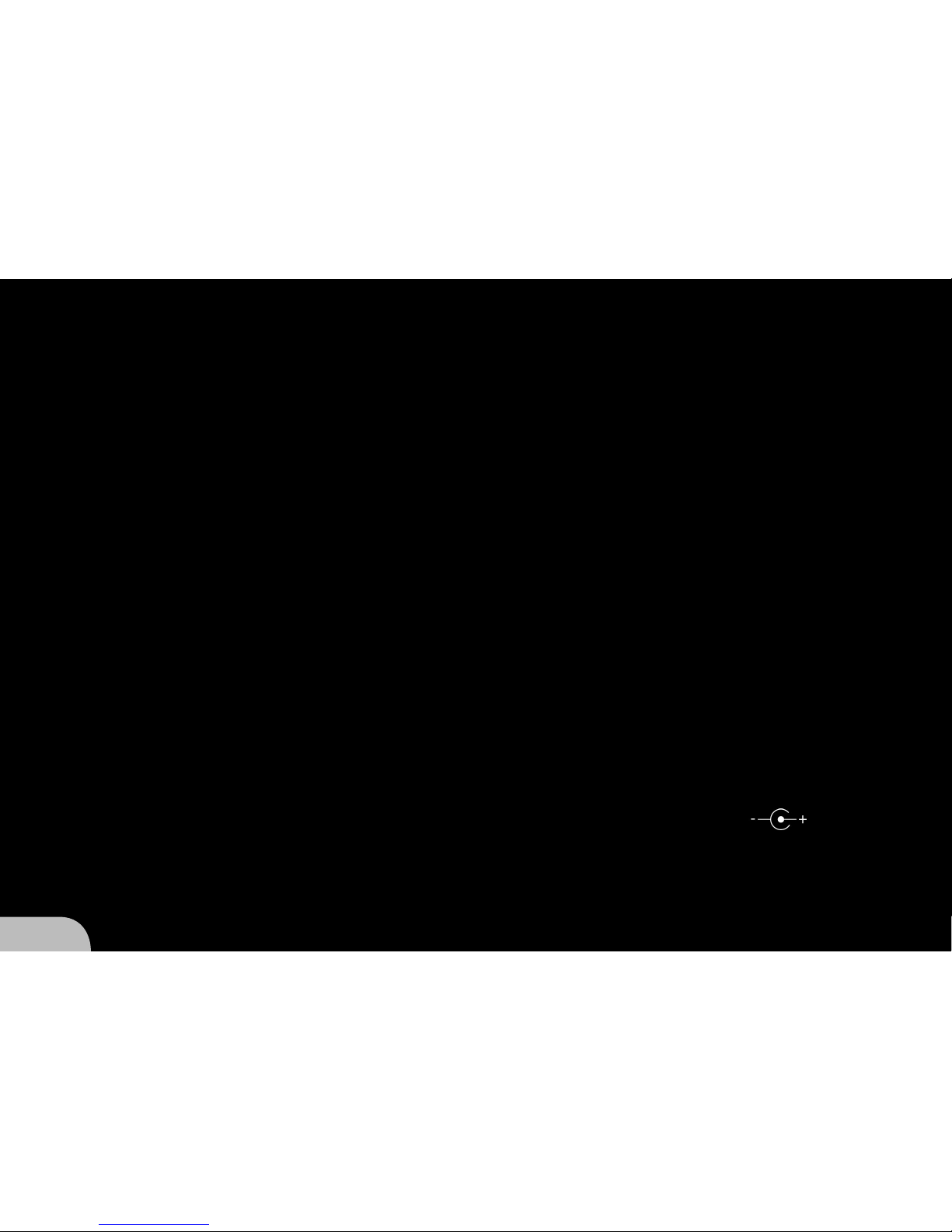
Power supply: 8V to 35V DC wide range input, 12W with SD card, DC polarity
Dimensions:: 205 mm / 122 mm / 32 mm (L/W/H)
Weight: 680 g, metal case

5
Scope of delivery
9FHD Player
912V Mains adapter/1.25A
9SDHC Card 8 GB
9Quick Start Guide
Files on SDHC card on delivery
9Sample media les (01.mp4 / 02.mp4 / 03.mp4)
9Initialization le (FHDPlayerSetting.ini)
9Sample playlist (PLAYLIST.txt)
9User Manual (User Manual.pdf)
Ambient conditions and safety information
Description Operating Nonoperation
Temperature -10 to +40 °C -20 to +60 °C
Relative Humidity 10 to 80 % RH max. 90 % RH
max. 27 °C wet bulb max. 35 °C wet bulb
Altitude max. 3 000 m max. 12 000 m
Vibration 0,08 G (Z-Axis) 0,30 G (Z-Axis)
0,06 G (X- and Y-Axis) 0,15 G (X- and Y-Axis)
5 to 500 Hz swept sine 5 to 500 Hz swept sine
Do not mount several FHD Players immediately on top of each other. They may overheat.
Avoid contact with liquids to prevent damage.
Stick to the connection values to ensure proper functioning.
6
12 3 45
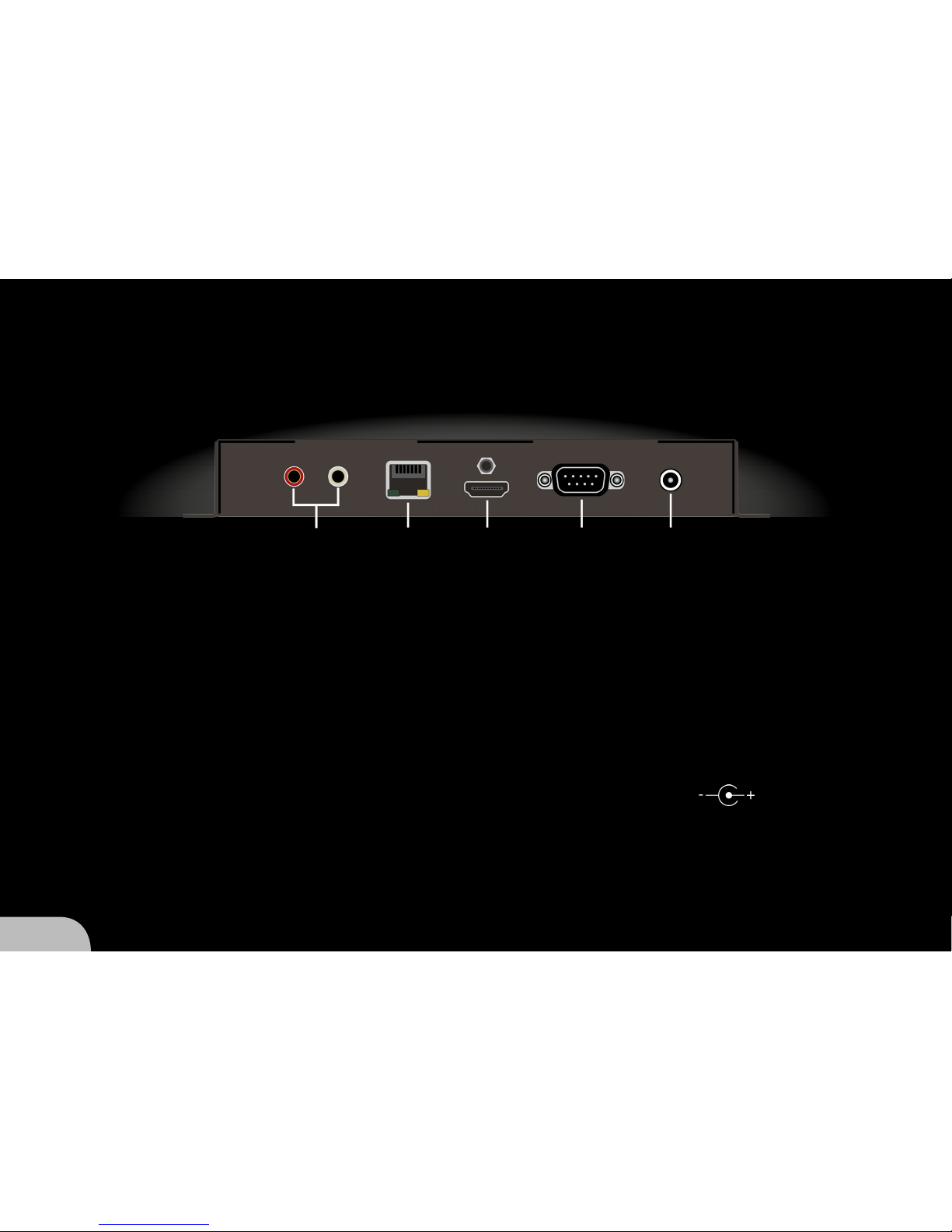
Ports and components
1 AUDIO Cinch port for analog audio transfer
2 LAN Port for network cable connection
(data transfer rate 100 Base-T)
3 HDMI Port for output devices for digital image
and audio transfer (e.g. monitor, TV, projector)
4 RS232 Serial communication interface for control purposes
5 POWER Mains adapter port, DC polarity

7
6 STATUS Status indication (red = booting, green = ready)
7 SD Card SD card slot
8 USB data USB port for data carriers
9 USB peripheral USB port for peripheral devices
10 VGA YPbPr Port for analog image transmission
11 SPDIF optical Port for digital audio transmission
678
9 10 11

8
Quick Start
Unpack the FHD Player.
Remove the SD card slot cover (7).
Using the mains adapter connect the FHD Player to the mains supply.
Via the HDMI port (3) connect an output device to the FHD Player.
Save the required media le to the SD card.
Plug the SD card into the corresponding FHD Player slot (7).
hThe media le is now played automatically.
b The FHD Player is designed for 24/7 operation. If you want to stop playback disconnect the power supply or
remove the SD card.
Initialization le
b The supplied SD card contains the initialization le FHDPlayerSetting.ini. This le includes the current FHD Player
conguration and all adjustable options; it can be edited using any possible text editor.
After plugging the SD card into slot (7) the FHD Player automatically accepts the changed conguration.
When changes to the conguration are aected via the Web Interface a new initialization le is automatically
saved to the SD card. The original SD card initialization le is automatically renamed to FHDPlayerSetting.old.
b If no data carrier is connected to the FHD Player the output device shows the current conguration.

9
Network connection
b If you would like to use several FHD Players in a network you need to assign individual IP addresses to each
FHDPlayer rst. The IP address can be changed in the SD card initialization le.
The FHD Player is precongured for [IP] 10.20.30.1, [Subnet] 255.0.0.0 and [Gateway] 10.0.0.253.
Using a network cable connect the FHD Player to the network via the LAN port (2).
hConnection with the network has now been established.
Connection via the Web Interface
b The FHD Player must be integrated into the network.
Determine the FHD Player IP address.
b If no data carrier is connected to the FHD Player the output device shows the IP address.
Enter the FHD Player’s IP address (e.g. 10.20.30.1) into the web browser’s address line.
hThe web interface main page is now displayed in the web browser.

10
Sync Mode
b For Sync Mode all FHD Player media files must have the same playing time.
The media files must contain audio tracks.
The playlists of all FHD Players must be harmonized or deleted.
The FHD Players must be integrated into the network.
For every group to be synced only one master must be used.
In the SD card initialization le change parameters [SYNCContol] to On and [SYNCType] to Master or Slave.
Plug the SD cards into the FHD Players.
hAll slaves will now automatically follow the master.
Loop mode
b Media files can be played in a loop with a seamless transition.
If the SD card does not contain a playlist the media files are sorted in an alphanumeric order.
In the initialization le on the SC card change parameter [PLAYMode] to the desired option.
Repeat All: All media les on the SD card are played in an endless loop.
Repeat Default: The rst media le on the SD card is played in an endless loop until some other media le
was chosen via external control (e.g. 2-button GPIO mode). Following this the endless loop
of the rst media le starts again.
Table of contents