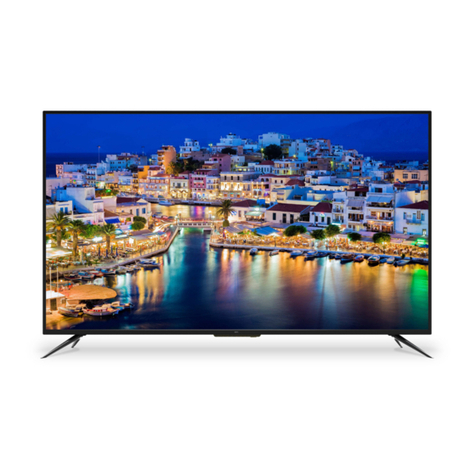
Avol AET55100UM User manual

Model No.: AET55100UM
55" Full HD 100/120Hz Multi System LED TV
Attention;
Please Kindly refer to "TV Broadcasting system"(Page 9 of User's manual) for choosing suitable
TV broadcasting system as per your living area when you use this unit firstly.TV Color system is
automatically searched regardless of your living area.


Contents
Contents
Caution
Safety Information
Accessories
Technical Specification
Product Introduction
Front View
Wall Mounting
OSD Menu
1. Channel menu
2. Picture menu
3. Sound menu
4. Time menu
5. OPTION menu
1
2
3
3
4
5
4
4
9-14
9-10
11
12
13
14
Connections
6-7
Remote Control
8
Basic Operation
Multimedia Operation 15-18
Simple Troubleshooting 19

Caution
Correct disposal of this Product
(Waste Electrical & Electronic Equipment (WEEE)
Your product is designed and manufactured with high quality materials and
components which can be recycled and reused.
This symbol means that electrical and electronic equipment, at their end-
of-life should be disposed of separately from your household waste.
Please dispose of this equipment at your local community waste collection/
recycling center.
In the USA there are separate collection systems for used electrical and
electronic products. Please help us to conserve the environment we live in!
1
Caution
The exclamation point within an equilateral triangle is intend to alert the
user to the presence of important operating and maintenance (servicing)
instructions in the literature accompanying the appliance.
The lightning flash with arrowhead symbol, within an equilateral triangle
is intended to alert the user to the presence of un-insulated “dangerous
voltage” within the products enclosure that may be of sufficient magnitude
to constitute a risk of electric shock to the persons.
directives.
This unit complies with The Restriction of the use of certain Hazardous
substances in Electnical and Electronic Equipment

Safety Information
To ensure reliable and safe operation of this equipment, please read carefully all the
instructions in this user guide, especially the safety information below.
Electrical safety
• The TV set should only be connected to a main supply which matches that stated on
the label on the mains adaptor.
• To prevent overload, don't share the same main supply socket with too many other
items of equipment.
- Do not place any connecting wires where they may be stepped on or tripped over.
- Do not place heavy items on the leads, which may damage them.
- Hold the Main plug, not the wires, when removing from a socket.
- During a thunderstorm or while leaving the TV for long periods, disconnect the aerial
(if outdoor) and mains adaptor from the supply.
- Do not allow water or moisture to enter the TV or mains adaptor. Do NOT use in wet
or moist areas such as Bathrooms, steamy kitchens or near swimming pools.
• Pull the plug out immediately, and seek professional help if:
- the main plug or cable is damaged.
- liquid is spilt onto the set, or if it is accidentally exposed to water or moisture.
- anything accidentally penetrates the ventilation slots.
- the set does not work normally.
- Do NOT remove the safety covers. There are no user serviceable parts inside.
You may invalidate the warranty. Qualified personnel only are permitted to service
this apparatus.
- To avoid battery leakage, remove exhausted batteries from the remote control
handset, or when not using for along period.
- Do NOT break open or throw exhausted batteries on a fire.
Physical safety
• Do NOT block ventilation slots in the back cover. You may place the TV in a cabinet,
but ensure at least 5cm (2") clearance all around the unit.
• Do NOT tap or shake the TV screen, you may damage the internal circuitry. Take good
care of the remote control, do not drop it or allow it to come into contact with liquids.
• To clean the TV use a soft dry cloth. Do NOT use solvents or petrol based fluids. For
stubborn stains, you may use a damp soft cloth with diluted detergent.
2
Safety Information

Accessories
3
Accessories & Technical Specification
Technical Specification
User’s Manual Remote control
* Note: The configuration of the components may look different from the following illustration
55 inch(diagonal)
1920X1080
2x8W
100-240V ~ 50/60Hz 200W
- Screen Size
- Resolution
- Aerial input
- Audio output power
- Power Consumption
- TV-System PAL/SECAM/NTSC
220V Power Socket
Din to F Connector
(Model no.: MA002)
PICTURE SOUND SLEEP DISPLAY
SOURCE
VOL+
VOL-
EXIT
MUTE
MENU
OK
CH+
CH-
123
456
789
0
CH.list
ROOT FAV
TV/TXT HOLD NICAM/A2
SIZEINDEX REVEALSUBPAGE
A-B
SUBTITLE
REPEAT
GOTO
SLOW
LANGUAGE
ZOOM
Converter cable for
AV
Converter cable for
YPbPr video

Product Introduction
Product Introduction
4
Front View
POWER to turn on and off.
Indicator on(Green) Power on mode
Led Indicator Remote Control window
(Keep clear)
SOURCE MENU CH+ CH- VOL+ VOL-
The TV is provided with mounting holes 400x400mm for a VESA approved wallmounting bracket (NOT
SUPPLIED). Remove the Posi screws holding the base to the base bracket and lift the base away (do not
remove the basemounting bracket).Mount the VESA bracket using 4xM6x12mm ISO metric threaded screws
(not supplied). Do not use screws longer than 12mm, it will occur damage to the internal parts. Fit the wall
bracket securely following themanufacturers instructions.
- Do not fasten the screws too tight for this may damage the TV or cause the TV to fall, resulting in personal
injury.
- Do not mount your TV at more than a 15 degree tilt.
- Always use two people to mount the TV to a wall.
- Do not install your Wall Mount Kit while your TV is turned on. It may result in personal injury due to electric
shock.
Wall Mounting
400mm
400mm
SOURCE:
MENU:
CH+/-:
Press to scan through channels.
VOL+/-:
POWER:

Connections
Connections
5
AC POWER IN : Connect to an earth 100-240V~ 50/60Hz outlet with the Power Cable.
USB: For service (software update) and MEDIA.
HDMI1/2/3 : Connect it to the HDMI output of the external devices.
VGA: For PC display.Connect it to the D-Sub 15 pins analog output connector of the PC.
PC in : Connect it to the audio output terminal of PC.
Coax: Digital audio output.
Headphone: Connect it to your headphone or other audio equipments.
MINI YPbPr : Connect them to the YPbPr video output terminal of the external devices with
MINI AV -VIDEO: Connect it to video output terminal of the external devices with the
RF: Connect antenna or cable 75 Ohm coaxial to receive TV signal.
MINI AV -R/L in: Connect them to the audio output terminal of the external devices with the
converter cable (shared with YPbPr).
USB HDMI3 HDMI2 HDMI1 SCART COAX
VGA PC-IN AV YPBPR Headphone RF
SCART˖Connect to the scart input / output of external devices.
the converter cable.
converter cable.
AC POWER IN

Remote Control
6
Remote Control
The remote control is using Infra-Red(IR). Point it towards the front of the TV. The remote
control may not work correctly if it is operated out of range or out of angle.
SOURCE : Source select.
POWER : Turn on/standby the TV
MUTE: Silence status
EXIT:Exit from the current menu
Cursor up/down keys in OSD menu
Cursor left/right keys in OSD menu
OK: Comfirm button
MENU : TV system menu
DISPLAY: Display playing status
PICTURE: Select the picture mode
SOUND : Select the sound mode
SLEEP: Time shutting down
PICTURE SOUND SLEEP DISPLAY
SOURCE
VOL+
VOL-
EXIT
MUTE
MENU
OK
CH+
CH-
123
456
789
0
CH.list
ROOT FAV
TV/TXT HOLD NICAM/A2
SIZEINDEX REVEALSUBPAGE
A-B
SUBTITLE
REPEAT
GOTO
SLOW
LANGUAGE
ZOOM
0-9,: Choose channel
: Go to program you latest program
CH/LIST: Display the p
ro
grams list.
CH+/-: Scan the channel.
VOL+/-:Volume up/down

Remote Control
7
Remote Control
: Play/Pause program
: Stop program
: fast reverse
: fast forward
: previous chapter
: next chapter
ROOT: Come back to the home page.
FAV: Display the favourite channel list.
ZOOM: Adjust picture size except USB mode.
LANGUAGE: Select USB disc language.
SLOW: Play USB programs at slow speed.
SUBTITLE: Turn on/off the subtitle display in USB mode.
GOTO : Play your favorite title/chapter/track.
REPEAT: Repeat playing the title or chapter.
A-B: Select and play the preferable paragraph of USB program
by pressing this key twice at the beginning and end of it.
PICTURE SOUND SLEEP DISPLAY
SOURCE
VOL+
VOL-
EXIT
MUTE
MENU
OK
CH+
CH-
123
456
789
0
CH.list
ROOT FAV
TV/TXT HOLD NICAM/A2
SIZEINDEX REVEALSUBPAGE
A-B
SUBTITLE
REPEAT
GOTO
SLOW
LANGUAGE
ZOOM
COLOUR BUTTONS : Short cuts-follow the coloured links in the text.
TV/TXT : Teletext on/off
REVEAL: Reveal any hidden text, for example-quiz answer.
NICAM/A2:NICAM/A2 select.
HOLD: Hold or carry on the current subpage
SIZE: Press to see top half of page double size, Press again to see the
bottom half of page double size.
Press again for normal size
INDEX: Direct recall of page 100
SUBPAGE: Go to subpage
Table of contents
Other Avol LED TV manuals

Avol
Avol AET50320FM User manual

Avol
Avol AET55200UN User manual

Avol
Avol AET58320UM User manual

Avol
Avol A3ET47100UN User manual

Avol
Avol AET3220M User manual

Avol
Avol AET28300N User manual

Avol
Avol AET32390FM User manual

Avol
Avol AET28300M User manual

Avol
Avol AET22390FM User manual

Avol
Avol AET55400UWD Instruction Manual