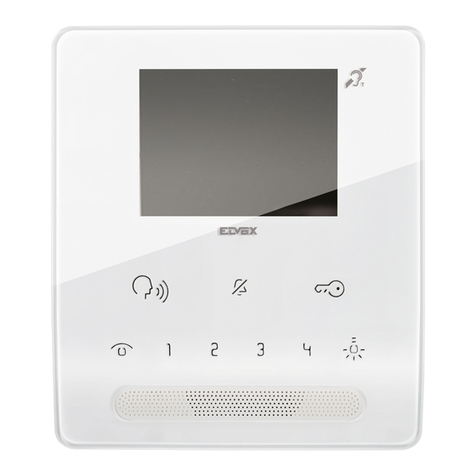
Avadesign V-Bell DP-104 SIP IP User manual

w w w . a v a d e s i g n . c o m . t w
2014
Installation and User Guide

1
WELCOME
Congratulations on purchasing the V-Bell DP-104 SIP IP Video Door Phone. This door phone
is suitable for all your business, and home, door entry communication needs. The DP-104
SIP IP Video Door Phone connects to your computer network and allows either peer to peer
(P2P) calls (calls direct to an IP address of another VoIP device) or calls to another number
via the SIP server, moreover, it is easily to setup and configuration via a web browser.
Manual version V1.0 21-10-2014
Avadesign Technology Co.
4F.-10, No.351, Sec. 2, Zhongshan Rd.,
Zhonghe Dist., New Taipei City 23504,
Taiwan R.O.C.
www.avadesign.com.tw

2
Table of Contents
Introduction . . . . . . . . . . . . . . . . . . . . . . . . . . . . . . . . . . . . . . . . . . . . . . . . . . . . . . . . . . . .. . 3
Features . . . . . . . . . . . . . . . . . . . . . . . . . .. . . . . . . . . . . . . . . . . . . . . . . . . . . . . . . . . . . . .. . . 3
Quick Install. . . . . . . . . . . . . . . . . . . . . . . . . . . . . . . . . . . . . . . . . . . . . . . . . . . . . . . . . . . . 4
The Qualia Service . . . . . . . . . . . . . . . . . . . . . . . . . . . . . . . . . . . . . . . . . . . . . . . . . . . . . . . . . . . 4
SIP server registration . . . . . . . . . . . . . . . . . . . . . . . . . . . . . . . . . . . . . . . . . . . . . . . . . . . . . . . . 5
Upgrade DP-104 Firmware . . . . . . . . . . . . . . .. . . . . . . . . . . . . . . . . . . . . . . . . . . . . . . . . . . . . . . 11
How to find the IP address of your DP-104 SIP IP Video Door Phone. . . . . . . . . .. . . . . . . . . . . 12
Mechanical dimensions . . . . . . . .. . . . . . . . . . . . . . . . . . . . . . . . . . . . . . . . . . . . . . . . . . . . . . . . . . . . 15
Applications . . . . . . . . . . . . . . . . . . . . . . . . . . . . . . . . . . . . . . . . . . . . . . . . . . . . . . . . . . . . . . 16

3
Introduction
The DP-104 SIP Video Door Phone is the new, elegant design and works as a video door
intercom with compact shape. By surface mounted, therefore easy to install. It works with SIP
based phone systems and compatible with most modern IPBX systems supporting both audio
and video.
If you want to identify who is at your door before you answer the phone or before letting them
in, then the door phone is available with a built-in IP camera supporting up to 1280 x 720 HD
video. This video can be viewed in a web browser and shows real-time video on a PC or a
mobile phone/a tablet that support iOS and Android.
Features
COMS 1280 x 720 HD Camera Sensor
Support H.264 , Motion-JPEG Video codec
Super High-Performance Echo Cancellation technology
The shortest voice delay (below 1~0.5 second)
Support VoIP technology and SIP (FRC3261) protocol
Support SIP Register mode and Peer to Peer mode
Compatible with most modern IPBX systems
Support most SIP Client compatibility
Support RTSP Protocol
Build-in One Relay output port (control door lock or siren)
Build-in One DI port ( for Door sensor, PIR, Emergency button)
COMS 1280 x 720 HD Camera Sensor
Lens : 112 degrees Wide Range Video View angle
Support G711u, AAC voice codec
Build-in Hardware AEC ( Acoustic Echo Cancellation )
Support Auto-answer
Build-in one Call Button
Options for single button which places a call to one number/group or two buttons which
call different numbers/groups
Build-in RFID Card Reader (option)
Build-in Power over Ethernet (PoE)(IEEE802.3af ) (option)

4
Quick Install
The V-Bell DP-104 SIP IP Video Door Phone requires minimal configuration for a typical
installation.
1. Open carton
Open the carton and take out the DP-104 Door Phone
2. Wiring and mounting on the wall:
Feed the Ethernet cable through the cable square hole which dimension 35 x 35mm
Surface-mount the DP-104 Door Phone at desired location
Fix the door phone to the wall using a roof or a panel and two screws as shown on the diagrams
below:
Fig. 1 Mounting on the wall with Roof Fig. 2 Mounting on the wall with Panel
3. Plug in
Connect the power supply and plug into an available AC outlet.
The Qualia service
The Qualia Service is the cloud service and free charge that provided by Avadesign Technology for
the DP-104 SIP IP Video Door Phone application.
4a. Access Qualia service
The V-Bell DP-104 SIP IP Video Door Phone will access the Qualia service directly and start to
work automatically.
Now, you can test the DP-104. The DP-104 SIP Video Door Phone allows entry with the simple
press of a key. Caller at the front door and press “CALL”button, person inside the building can
talk to callers, look at caller, then open the door.

5
User can choose either Qualia service or register to SIP server which is accessed via a
web browser.
SIP server registration
4b. Register to SIP server
When User register the DP-104 to SIP server, please open user’s chrome browse and point to an
IP address 192.168.1.xx of the door phone as shown as follows.
Please input with username: admin and password: admin then click “Login”button on the screen.
Then you can see the screen as below which show the device information:
Please key in 192.168.1.xx/DP104/ of your DP-104

6
You can also see the service status as below:
Now you can select “service” in the first level of menu then click on “Phone -> SIP”bar in the second
level of menu to register your DP-104 SIP IP video door phone to SIP server.
Disable Qualia Service. And input your data to each fields.
You can click on “Add”button to add more dial button for use.
Once you finishing the input data of each field, clicking on “save”button on the screen to save your
registration data. The screen is shown as follows.

7
If you would like to make SIP transport, local port…and so on advance setup, please move the cursor
to the arrow sign which at the end of “Advanced Settings”and click the left button of your mouse. Then
you can input data for advance setup as below:
Next step, you can setup the ring time and call duration for outgoing calls of the DP-104 SIP IP video
door phone by clicking on “Phone->Calls” bar in the second level of menu. You can also input a DTMF
code to unlock the door that shown as follows.

8
The Real Time Streaming Protocol (RTSP) enables you to watch live video from DP-104 SIP IP video
door phone connected to the RTSP server.
Now you can enable RTSP server by clicking on “Streaming” bar in the second level of menu for
real-time watching who is at the front door. You can also setup the resolution, video frame rate and
video quality for the live video of IP camera of the DP-104 door phone that shown as follows.
If you would like to change the account name and password, please click on “web server” bar in the
second level of menu as follows

9
If you would like to adjust the volume of speaker and microphone, please select “device” in the first
level of menu and click on “Volume Control”bar in the second level of menu as follows:
If you would like to adjust the brightness and contrast of IP camera of the DP-104 door phone, please
select “device” in the first level of menu and click on “Camera”bar in the second level of menu. You
can also decide to open or close the light of the camera LED that shown as follows:
Other manuals for V-Bell DP-104 SIP IP
1
Table of contents
Other Avadesign Intercom System manuals