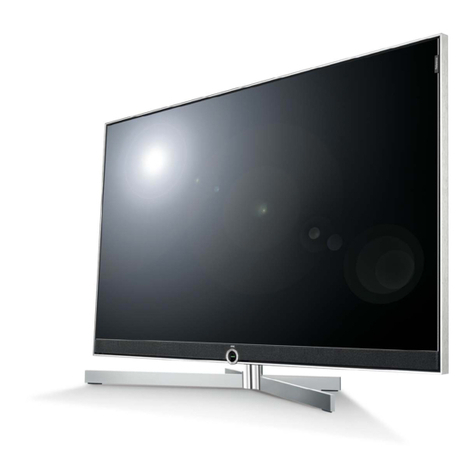
Auria Auria EQ1688 User manual

16" LCD HDTV
User Guide
MODEL EQ1688

Explanation of WARNING Symbols
The lightning flash with arrowhead symbol, within an equilateral triangle, is
intended to alert the user to the presence dangerous voltage within the
inside of the product that may be sufficient level to constitute a risk of electric
shock.
The exclamation point within an equilateral triangle is intended to alert the
user to the presence of important operating and servicing instructions.
Safety instructions
1) Read these instructions.
2) Keep these instructions.
3) Heed all warnings.
4) Follow all instructions.
5) Do not use this LCD TV near water.
6) Clean only with dry cloth. Do not use liquid, alcohol, or aerosol cleaners.
7) Do not block any ventilation openings. Install your LCD TV in a well ventilated
area.
8) Keep your LCD TV away from moisture, excessive dust and any heat sources,
such as radiators, heat registers, stoves, or any other apparatus (including
amplifiers) that produce heat.
9) Do not remove the back cover. There are no user-serviceable parts inside.
10) Do not defeat the safety purpose of the polarized or grounding-type plug. A
polarized plug has two blades with one wider than the other. A grounding type plug
has two blades and a third grounding prong. The third prong is provided for your
safety. If the provided plug does not fit into your outlet, consult an electrician for
replacement of the obsolete outlet.
11) Protect the power cord from being walked on or pinched particularly at plugs,
receptacles, and the point where they exit from the LCD TV.
12) Never rest objects on the power cord or place it in high traffic areas.
13) Only use attachments/accessories specified by the
manufacturer.
14) Use only with stand, tripod, bracket, or table specified by
the manufacturer, or sold with the LCD TV. When a cart is
used, use caution to avoid injury from tip-over.
15) Unplug this LCD TV during lightening storms or when
unused for long periods of time.
16) Refer all servicing to qualified service personnel--
Servicing may be required if the LCD TV has been damaged in any way, such as
power-supply cord or plug damage, liquid has been spilled or objects have fallen
into the LCD TV, the LCD TV has been exposed to rain or moisture, does not
operate normally, or has been dropped.

17) Do not expose your LCD TV to dripping or splashing, and do not place objects
filled with liquids on it.
18) The Shock Hazard Marking and Associated Graphical Symbol are provided on the
back panel of unit.
19) This product is only to perform the useful function of entertainment and visual
display tasks are excluded.
20) Wall or ceiling mounting: When mounting the product on a wall or ceiling, be sure
to install the product according to the method recommended by the manufacturer.
Use only the mounting hardware recommended by the manufacturer. This is a
safety feature.
21) The readily operable appliance coupler will serve as the disconnect device of this
apparatus.
22) The apparatus must be connected to a mains socket outlet with a protected
earthling connection.
23) Due to safety concerns, if the VESA mounting kit is purchased separately please
make sure the mounting kit is UL-Listed, and replaceable only by service
personnel.
WARNING: To reduce the risk of fire or electric shock, do not expose this
LCD TV to rain or moisture.
CAUTION: Any damage caused by incorrectly attempting to mount this
LCD TV is not covered under the terms of the manufacturers warranty.

Content
ACCESSORIES.................................................................................................................1
INSTALLING THE STAND .................................................................................................1
WALL-MOUNT INSTRUCTION .........................................................................................2
FRONT PANEL BUTTONS ................................................................................................3
BACK PANEL BUTTONS...................................................................................................4
REMOTE CONTROL.........................................................................................................5
INSTALLATION..................................................................................................................7
Connecting RF antenna and Cable TV .......................................................................7
Connecting to DVD / Set Top Box...............................................................................7
Connecting to the Headphone ....................................................................................9
Connecting to a Computer..........................................................................................9
Connecting with the power cord ...............................................................................10
BASIC OPERATION ........................................................................................................ 11
Turning on the LCD TV ............................................................................................. 11
Power On/Off ............................................................................................................ 11
Select input source ................................................................................................... 11
Volume Adjusting ...................................................................................................... 11
INFO ......................................................................................................................... 11
Electronic Program Guide (EPG)..............................................................................12
Channel Select .........................................................................................................12
List ............................................................................................................................12
Favorite Channels.....................................................................................................13
Sleep Time Setting....................................................................................................13
Zoom ........................................................................................................................13
MTS Selecting ..........................................................................................................13
C.C Mode .................................................................................................................13
Using the OSD function ............................................................................................13
ADVANCED OPERATION—OSD MENU ........................................................................14
PICTURE Menu........................................................................................................14
AUDIO Menu ............................................................................................................15
TIME Menu ...............................................................................................................16
OPTION Menu..........................................................................................................17
LOCK Menu..............................................................................................................19
CHANNEL Menu.......................................................................................................23
TECHNICAL SPECIFICATION ........................................................................................26
SAFETY PRECAUTIONS ................................................................................................27
CARE AND MAINTENANCE ...........................................................................................28
TROUBLESHOOTING.....................................................................................................28

1
ACCESSORIES
Thank you for purchasing this LCD-TV.
This LCD-TV package comes with:
LCD TV
User’s Guide book
Remote control
Battery AA x 2
Power Cord
RCA A/V Cable
INSTALLING THE STAND
1. Place the TV face down on a soft cloth or cushion on a table.
2. Install the stand base to the TV.

2
WALL-MOUNT INSTRUCTION
Preparing To Install The Optional Wall Mount Arm (not included)
This TV can be attached to a wall mounting arm you can purchase separately.
Turn the power OFF then disconnect the cables from the TV before performing the procedure
below.
1. Place the TV face down on a soft cloth or cushion on a table.
2. Remove the base.
3. Remove the 4 screws holding the stand to the hinge.
4. Remove the stand.
Attaching The Optional Wall Mount Arm (not supplied)
Follow these steps to finish installing the wall mounting arm:
1. Place the wall mounting arm onto the back of the TV. Line up the holes of the arm with the
holes in the back of the monitor.
2. Insert the 4 screws into the holes and tighten.
3. Reconnect the cables. Refer to the user’s manual that came with the optional wall mounting
arm for instructions on attaching it to the wall.
NOTE
75 x 75mm VESA high hole (n=4), M4, pitch =0.7 mm screw mounting kit not included.
Due to safety concerns, if the VESA mounting kit is purchased separately please make sure the
mounting kit is UL-Listed, and replaceable only by service personnel.

3
FRONT PANEL BUTTONS
Volume Down
Volume Up
On Screen Display Menu On/Off
CH Down
CH Up
Input Source Selection (Enter)
Power ON/OFF button
Power LED Indicator/ Remote Control Receiver

4
BACK PANEL BUTTONS
A BC DEF GH I J K
A Power (AC input)
B HDMI Input Terminal
C VGA signal input
D YPbPr signal input
E Composite Video input
F YPbPr/ DVI signal Audio input (left/right)
G Headphone Jack
H PC Audio input
I AV/ S-Video signal Audio input (left/right)
J S-Video input
K Cable/ Air TV input

5
REMOTE CONTROL

6
Remote control button function as follows:
1 INPUT Input source select
2 ENTER Confirm selection or enter selected menu
3 TV Direct to TV source
4 - VOL + Adjust volume UP/DOWN
5 LIST Select channel from program list
6 GUIDE Select electronic program guide (EPG)
7 0~9, - number Directly channel select
8 POWER Power ON/OFF
9 UP/ DOWN/ LEFT/
RIGHT
Move the cursor In OSD menu: UP/ DOWN for OSD function
select and LEFT/ RIGHT for function adjust
10 MENU On Screen Display (OSD) menu ON/OFF
11 ▼CH ▲Adjust channel UP/DOWN
12 FAV Select from preset Favorite Channels
13 ZOOM Adjust window size
14 MUTE Volume mute ON/OFF
15 INFO Display current information
16 SLEEP Set timer to turn off TV
17 MTS Select Mono, Stereo or SAP sound
18 C.C Select caption mode
19 LAST Return to previous channel
Table of contents
Other Auria TV manuals