
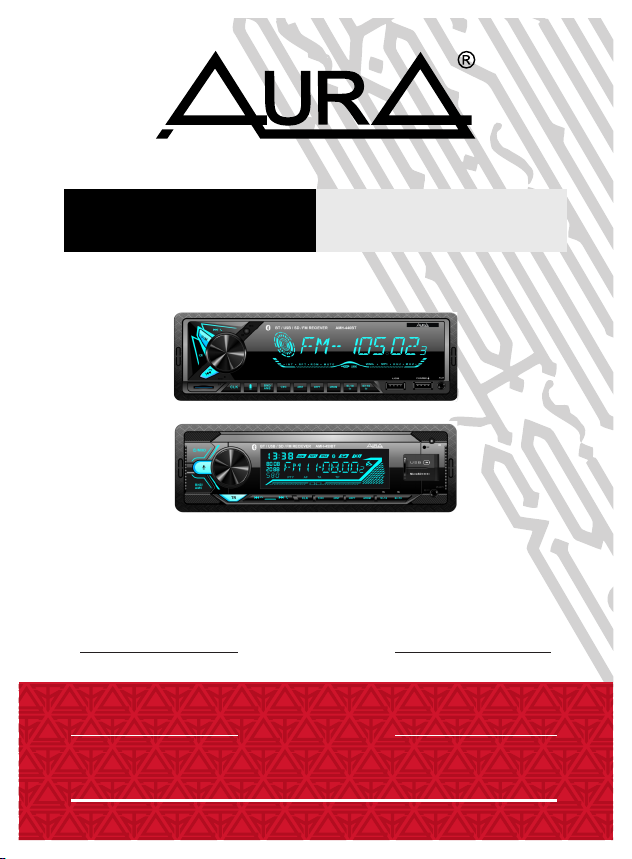
Aura AMH-440BT User manual
WARNING!
PLEASE READ CAREFULLY BEFORE USING
OWNER’S MANUAL
USB RECEIVER
AMH-440BT
AMH-450BT
is a registered trademark. All rights reserved. This
document in whole or in part may not be reproduced or copied without
the prior written permission of the manufacturer.
All brand and product names used in this document are trademarks or
registered trademarks of their respective companies.
Trademarks and product names are used for editorial purposes only
and for the benefit of such companies only.
The manufacturer does not accept any responsibility for the use of this
manual and decisions based on its use.
In order to improve product quality, product specifications and
features are subject to change without notice.
The Directive WEEE 2012/19/EU on waste electrical and electronic
equipment.
Waste electrical equipment should not be disposed of with your other
household waste. Please recycle it. Please contact your local authority
for the required information.
1
Copyright
All illustrations in this manual are schematic images of objects and may differ
slightly from their real appearance.
Product service life - 3 years.

2
Content
Precautions...........................................................................................
Package bundle and installation...........................................................
Connection............................................................................................
Appearance, control elements..............................................................
Overall size............................................................................................
Remote control......................................................................................
Main functions.......................................................................................
Radio.....................................................................................................
USB.......................................................................................................
Bluetooth...............................................................................................
Phone app.............................................................................................
Technical features..................................................................................
3
4
5
6
7
7
9
9
10
11
12
13

2. Make sure that the device and especially its installation accessories are out of
the reach of children.
8. The product is designed for use with 12-volt negative-grounded electrical
systems only. Using the device on systems with a positive ground and / or
voltage other than 12 volts may damage the vehicle and the device.
7. Avoid contact with liquids.
4. The manufacturer will not be held liable for any loss of data caused by device
damage, repairs or any other reason.
5. Do not disassemble the device yourself. This may void the warranty.
6. Do not use alcohol, solvents or gasoline for cleaning plastic parts and device.
Use only dry soft cloth for cleaning.
This user manual contains important safety advice and information on the correct
use of the device. Please follow all instructions in this manual carefully.
1. While installing the device, avoid places with high temperature, humidity, or
dusty places.
3. Do not drop the device and make sure do not hit it, as this may damage it.
3
Precautions
4
Open the package and make sure that inside include:
1. USB-receiver - 1piece
2. Remote control - 1 piece
3. Keys for receiver remove - 2 pieces
4. ISO - jack- 1 piece
5. Instruction
6. Guarantee
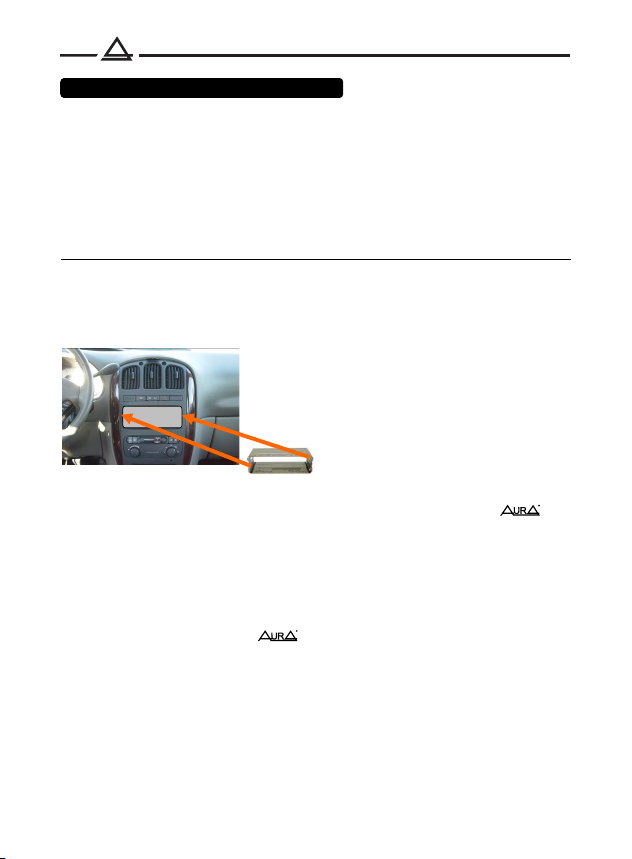
1DIN hole
If the car has a standard 1DIN hole for installing the head unit, use it as
described below.
Package bindle and installation
4. Connect the ISO connector to the device. And check the functionality of the
system before fixing it in the mounting box.
5. Insert the device into the mounting cover and slide it inward until it clicks into
place.
1. Install the mounting cover into the 1DIN hole provided by the manufacturer. If
the standard place has a 2DIN size, use adapter frames and adapters
brand
2. Use a screwdriver to pry out the metal tabs on the mounting cover to lock it
in place.
3. Check electrical connections, ISO connector or individual wires (depending
on the equipment of the specific car model).
If necessary, use ISO adapters brand
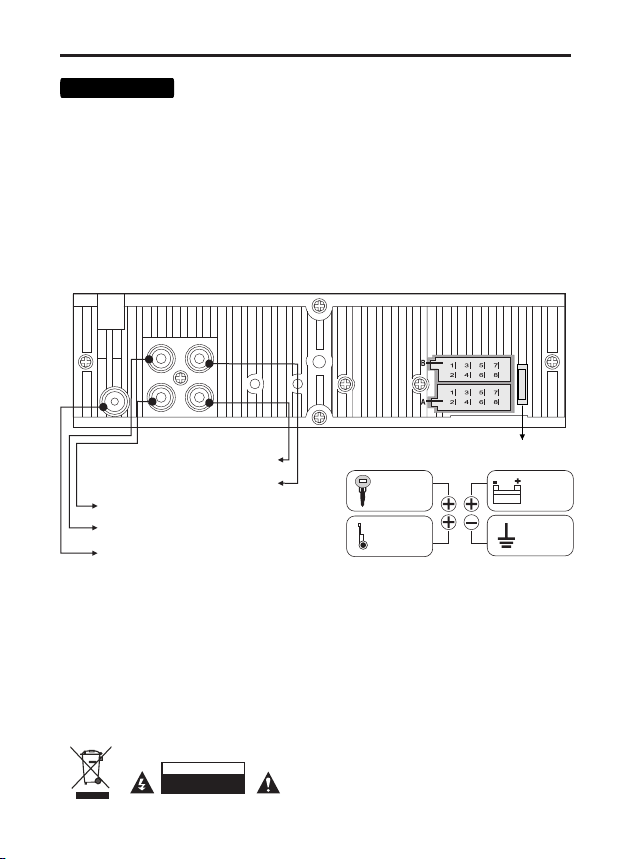
4. Connect the red wire (A7) to the ACC terminal of the ignition switch.
Note: every time the yellow wire is disconnected from the 12 volt power circuit or the battery
terminal is removed, the device will revert to the factory settings.
7. Connect the orange wire (A6) to the circuit where +12 volts appears when the dimensions
are turned on.
1. Make sure that the on-board voltage of your vehicle is +12 volts
3. Connect the yellow (A4) wire to the +12 Volt DC power circuit.
2. Remove the fuse from the device before connecting the wires.
5. Connect the black wire (A8) to the metal part of the car body.
6. Blue wire (A5) - Connect to the amplifier's remote turn-on input or the antenna motor
control input.
8. Connect the rest of the wires according to the diagram.
Back speakers
B2 Right channel – (purple-black)
B6 Left channel – (white-black)
B3 Right channel + (grey)
B4 Right channel – (grey-black)
B5 Left channel + (white)
B8 Left channel – (green-black)
Front speakers
B7 Left channel + (green)
B1 Right channel + (purple)
ATTENTION
DO NOT OPEN
5
Connection
Antenna connection input
radio receiver
RCA front – Left (white)
RCA back – Right (red)
RCA back – Left (white)
RCA front – Right (red)
10 A
fuse
A4 Battery + 12V DC
A8 Minus (ground) - connect to a metal part
A6 Dimmer. Connection to vehicle lighting control.
+12 VDC - connect to the remote turn-on input of the amplifier or
the antenna motor control input (no more than 100 mA, 12 V).
A7 ACC + 12V DC wire - Connect to a power source that can be
turned on and off from the vehicle's ignition switch.
car body or connect to the negative terminal of the battery.
A5 + 12V control wire to control the motorized antenna and
remotely turn on / off amplifiers or other active auxiliary devices.
RED
ACC +12V
YELLOW
constant
power
+12V
BLACK
ground
MINUS
BLUE
control
wire
+12V
6
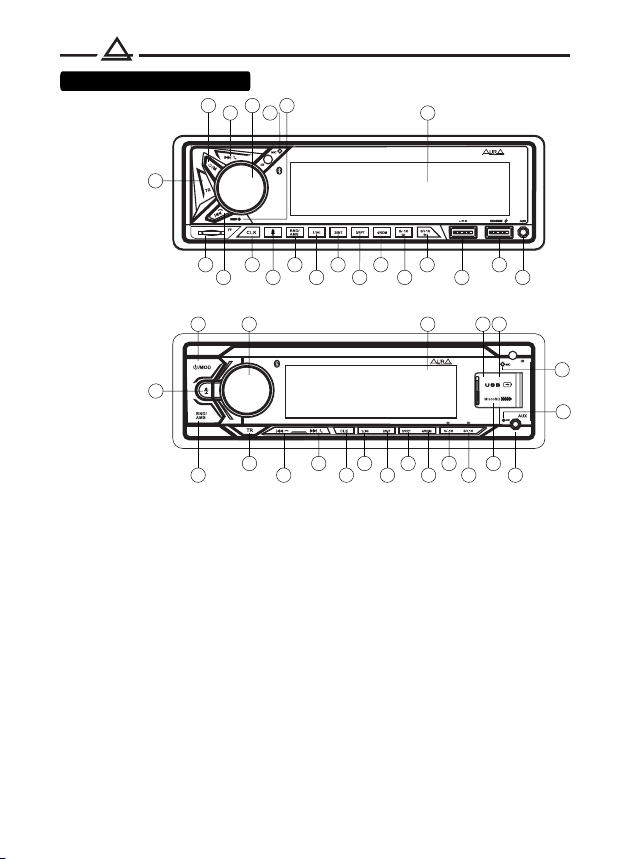
Control elements
AMH-450BT
AMH-440BT
1
1
BT / USB / SD / FM RECIEVER AMH-450BT
2
2
3
3
4
4
5
5
6
6
7
7
8
8
9
910
10
11
12
11
12
13
13
14
14
15
19
16
16
17
17
18
18
19
20
20
21
21
1. Button on. / off. power. Source selection.
2. Fast forward / select next song / pick up the handset.
3. Volume control / select button (SEL).
4. Preset button 1 / play / pause button.
5. Preset button 2 / Recording scan button.
6. Preset button 3 / repeat button.
7. Liquid crystal display.
8. Button for selecting radio frequency range / autosearch of stations (Bnd / Ams).
9. Button for fast reverse playback / select the previous track / hang up the handset.
10. Preset button 4 / Shuffle button.
11. Preset button 5 / Down button 10 songs.
12. Preset button 6 / Up button 10 songs.
13. Slot for microSD memory card.
14. AUX-IN socket.
15. USB port 1.
16. Clock setting button.
17. Backlight color selection button.
18. Call button for the voice assistant.
19. USB 2 port (only for charging mobile devices).
20. Button to reset the device to factory settings (Reset).
21. Built-in BT microphone.
15
AMH-440BT

7
84
32,5 38
188
178
182
53
50
58
Removing the battery protection (CR-2025).
Remote control supplied with battery protection.
The remote control will not work
until the protection is removed.
Battery replacement:
1. When the lithium battery has lost its capacity,
replace it as shown in the illustration.
2. Press and hold the latch in
direction indicated by arrow 1.
Pull the holder at the same time
from the remote control to
direction of arrow 2.
3. Replace the old battery with a new one.
Observe polarity! Make sure the (+) is on top!
4. Insert the battery holder into the remote
remote control.
12
4
3
Overall size
Remote control

8
Using the remote control (RC):
• Place the emitting window of the remote control in the direction of the sensor
window on the device.
• The working angle for receiving remote control signals is about 30 degrees.
• Distance between the emitting window of the remote control and the touch
window of the device should be less than 5 meters.
• A depleted battery can damage the remote control.
• Keep batteries out of the reach of children!
Remote control
1. Turn on / off the device
2. Source selection
3. Muting the sound (Mute)
4. Radio preset buttons
5. Track scan mode (INT)
6. Repeat Mode (RPT)
7. Random Play Mode (RDM)
8. Go to the previous folder (DIR-)
9. Go to the next folder (DIR +)
10. Volume control
11. Switching radio bands (BND)
/ Automatic search and memorization
stations (APS)
12. Function selection button
13. Previous track / Rewind
/ Radio setup
Next track / Fast forward
/ Radio setup
14. Pause
15. Clock setup
2

ONN / OFF Power
Press any button to turn on the device.
Press and hold the button (1) /SRC, to turn on the device.
Main functions
Source selection
Press the button (1) / SRC, to switch between playback sources:
Radio --> USB --> micro SD --> AUX in --> Bluetooth.
Press the button (18)
Voice assistant
Volume control
Rotate the volume knob (3) to set the desired level.
Adjusting the sound parameters
Press the (3) SEL button on the front panel to select sound adjustment options.
The parameters are selected in the following sequence:
Volume -> BASS (bass) -> TRE (treble)
-> BAL (left and right balance) -> FAD (front and rear balance) -> EQ (equalizer setting).
Turn the volume knob (3) to adjust the selected parameter.
9
EQ - equalizer setting
Equalizer Presets: JAZZ / CLASS / ROCK / POP / USER
In USER mode, manual adjustment of a 10-band equalizer is available
(from -12 dB to +12 dB).
Tuning is possible at frequencies: 31, 62, 125, 250, 500 Hz, 1, 4, 8, 12, 16 kHz
Radio
Range selection
press the button (8) BND/AMS, to select the broadcast range
radio stations: FM1, FM2, FM3.
This manual suits for next models
1
Table of contents
Other Aura Marine Audio manuals

Popular Marine Audio manuals by other brands


Nady Audio
Nady Audio M-Cab MC-15 Features, instructions & technical data

Fusion
Fusion MS-RA70 installation instructions

Garmin
Garmin Fusion APOLLO RV-RA770 owner's manual

Boss Audio Systems
Boss Audio Systems ATV25B user manual

Polk Mono
Polk Mono UM1 Installation and operation manual

Garmin
Garmin Fusion Apollo MS-RA670 installation instructions