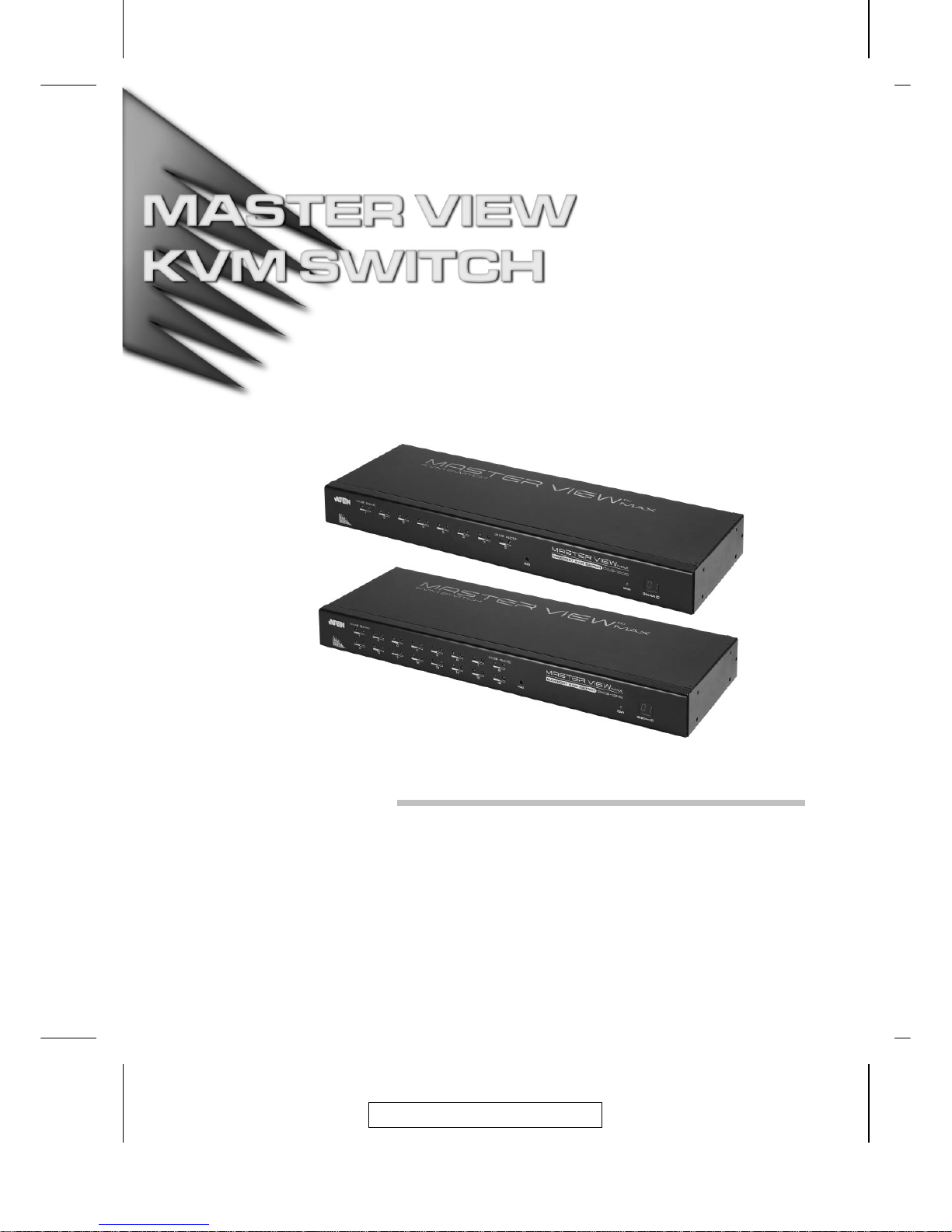
ATEN Master View ACS-1208A User manual

User Manual
ACS-1208A
ACS-1216A
2003-06-20

Note: This equipment has been tested and found to comply with
thelimitsforaClassBdigitaldevice,pursuanttoPart15oftheFCC
Rules. These limits are designed to provide reasonable protection
against harmful interference in a residential installation. This equip-
ment generates, uses and can radiate radio frequency energy, and
if not installed and used in accordance with the instruction manual,
may cause interference to radio communications. However, there
is no guarantee that interference will not occur in a particular
installation. If this equipment does cause harmful interference to
radio or television reception, which can be determined by turning
the equipment off and on, the user is encouraged to try to correct
the interference by one or more of the following measures:
MReorient or relocate the receiving antenna;
MIncrease the separation between the equipment and receiver;
MConnect the equipment into an outlet on a circuit different from
that which the receiver is connected;
MConsult the dealer or an experienced radio/television technician for
help.
2003-06-20

Packing List
The complete ACS-1208A / ACS-1216A package consists of:
M1 ACS-1208A or ACS-1216A KVM Switch
M2 Custom KVM Cable Sets (2L-5202P)
M1 Firmware Upgrade Cable
M1 Power Adapter
M1 Rack Mounting Kit
M1 User Manual
Check to make sure that all the components are present and thatnothing
got damaged in shipping. If you encounter a problem, contact your
dealer.
Read this manual thoroughly and follow the installation and operation
procedures carefully to prevent any damage to the unit, and/or any of
the devices connected to it.
© Copyright 2003 ATEN®International Co., Ltd.
Manual Part No. PAPE-0211-1AT
Printed in Taiwan 06/2003
All brand names and trademarks are the registered property of their respective owners.
2003-06-20
ACS-1208A / ACS-1216A User Manual
iii

Table of Contents
1. Introduction
Overview . . . . . . . . . . . . . . . . . . . . . . . . . . . . . . . 1-1
Features . . . . . . . . . . . . . . . . . . . . . . . . . . . . . . . . 1-3
Hardware Requirements . . . . . . . . . . . . . . . . . . . . . . . 1-4
Console . . . . . . . . . . . . . . . . . . . . . . . . . . . . . 1-4
Computers . . . . . . . . . . . . . . . . . . . . . . . . . . . . 1-4
Cables . . . . . . . . . . . . . . . . . . . . . . . . . . . . . . 1-5
ACS-1208A Front View . . . . . . . . . . . . . . . . . . . . . . . . 1-6
ACS-1216A Front View . . . . . . . . . . . . . . . . . . . . . . . . 1-8
ACS-1208A / ACS-1216A Rear View . . . . . . . . . . . . . . . . . 1-10
2. Installation
Before you Begin . . . . . . . . . . . . . . . . . . . . . . . . . . . 2-1
Single Stage Installation . . . . . . . . . . . . . . . . . . . . . . . 2-1
Daisy Chaining . . . . . . . . . . . . . . . . . . . . . . . . . . . . 2-2
Hot Plugging . . . . . . . . . . . . . . . . . . . . . . . . . . . . . 2-5
Port ID Numbering . . . . . . . . . . . . . . . . . . . . . . . . . . 2-6
Powering Off and Restarting . . . . . . . . . . . . . . . . . . . . . 2-6
3. Hotkey Operation
Hotkey Port Access . . . . . . . . . . . . . . . . . . . . . . . . . 3-1
Invoking Hotkey Mode . . . . . . . . . . . . . . . . . . . . . . 3-1
Selecting the Active Port . . . . . . . . . . . . . . . . . . . . . 3-2
Auto Scanning . . . . . . . . . . . . . . . . . . . . . . . . . . 3-3
Skip Mode . . . . . . . . . . . . . . . . . . . . . . . . . . . . 3-5
Hotkey Beeper Control . . . . . . . . . . . . . . . . . . . . . . . . 3-6
Hotkey Summary Table . . . . . . . . . . . . . . . . . . . . . . . . 3-6
2003-06-20
ACS-1208A / ACS-1216A User Manual
iv

4. OSD Operation
OSD Operation . . . . . . . . . . . . . . . . . . . . . . . . . . . . 4-1
OSD Overview . . . . . . . . . . . . . . . . . . . . . . . . . . 4-1
OSD Navigation . . . . . . . . . . . . . . . . . . . . . . . . . . 4-3
OSD Main Screen Headings . . . . . . . . . . . . . . . . . . . 4-3
OSD Functions . . . . . . . . . . . . . . . . . . . . . . . . . . 4-4
5. The Firmware Upgrade Utility
Introduction . . . . . . . . . . . . . . . . . . . . . . . . . . . . . . 5-1
Purpose . . . . . . . . . . . . . . . . . . . . . . . . . . . . . . 5-1
Before You Begin . . . . . . . . . . . . . . . . . . . . . . . . . 5-2
Performing the Upgrade . . . . . . . . . . . . . . . . . . . . . . . . 5-3
Starting the Upgrade . . . . . . . . . . . . . . . . . . . . . . . 5-3
Upgrade Succeeded . . . . . . . . . . . . . . . . . . . . . . . 5-6
Upgrade Failed . . . . . . . . . . . . . . . . . . . . . . . . . . 5-7
Firmware Upgrade Recovery . . . . . . . . . . . . . . . . . . . . . 5-8
Appendix
ACS-1208A /ACS-1216A - Connection Tables . . . . . . . . . . . . A-1
ACS-1208A . . . . . . . . . . . . . . . . . . . . . . . . . . . . A-1
ACS-1216A . . . . . . . . . . . . . . . . . . . . . . . . . . . . A-2
OSD Factory Default Settings . . . . . . . . . . . . . . . . . . . . . A-2
Clear Login Information . . . . . . . . . . . . . . . . . . . . . . . . A-3
Specifications . . . . . . . . . . . . . . . . . . . . . . . . . . . . . A-4
Rack Mounting . . . . . . . . . . . . . . . . . . . . . . . . . . . . . A-5
Troubleshooting . . . . . . . . . . . . . . . . . . . . . . . . . . . . A-6
Limited Warranty . . . . . . . . . . . . . . . . . . . . . . . . . . . A-6
2003-06-20
ACS-1208A / ACS-1216A User Manual
v

About This Manual
This User Manual is provided to help you get the most from your
ACS-1208A / ACS-1216A system. It covers all aspects of installation,
configuration and operation. An overview of the information found in
the manual is provided below.
Overview Chapter 1, Introduction, introduces you to the ACS-1208A / ACS-
1216A System. Its purpose, features and benefits are presented, and
its front and back panel components are described.
Chapter 2, Installation, explains how to set up your installation—from
a basic single stage hookup to a complete 32 switch daisy chained
operation.
Chapter 3, Hotkey Operation, details all of the concepts and proce-
duresinvolvedintheHotkeyoperationofyourACS-1208A/ACS-1216A
installation.
Chapter 4, OSD Operation, provides a complete description of the
ACS-1208A / ACS-1216A’s OSD (On Screen Display), and how to work
with it.
Chapter 5, The Firmware Upgrade Utility, explains how to use this
utilitytoupgradethe ACS-1208A / ACS-1216A’s firmwarewiththelatest
available versions.
An Appendix attheendofthemanualprovidesspecificationsandother
technical information regarding the ACS-1208A / ACS-1216A.
An Index followstheAppendix forconvenientreferencetothemanual’s
information.
2003-06-20
ACS-1208A / ACS-1216A User Manual
vi

Conventions Thefollowingtypographical conventionsareused throughoutthis manual:
MBullet lists provide information, but not procedural steps.
MNumbered lists represent procedures with sequential steps.
MAn indented typeface like the one below:
Key information in
indicates words and characters you key in. Unless otherwise
mentioned, you can use either upper or lower case.
MThe names of the keys you should press are placed inside of
square brackets, and appear just as they do on the keyboard (for
example, [Alt], [Enter], [Esc]).
Don’t type the brackets or anything that appears inside of them,
just press the key. For example, if a procedure tells you to type:
Install [Enter]
You should type the word Install, then press the Enter key.
MIf you need to hold down one key and, while you are holding it
down, press another key, the keys appear in square brackets with a
dash between them. For example, [Ctrl-Alt-Del] means to hold
down the Ctrl and Alt keys and, while they are being held down,
press the Del key and then release all the keys together.
MIf you are asked to Choose or Select an item listed on a menu,
Click it with the mouse. An alternate shortcut method is to press
the appropriate accelerator key combination indicated on the menu.
2003-06-20
ACS-1208A / ACS-1216A User Manual
vii

Notes:
2003-06-20
ACS-1208A / ACS-1216A User Manual
viii

Chapter 1.
Introduction
This chapter introduces you to the ACS-1208A / ACS-1216A KVM Switch. Its
purpose, features and benefits are presented, and its front and back panel compo-
nents are described.
Overview
The Master View ACS-1208A and ACS-1216A KVM Switches are
control units that allow access to multiple computers from a single
console (keyboard, mouse, and monitor). Before the development ofthe
Master View, the only way to control multiple computer configurations
fromasingleconsolewasthroughacomplexandcostlynetworksystem.
Now, with the ACS-1208A / ACS-1216A, you can easily access multi-
ple computers in a cost effective manner.
A single Master View can control up to eight (ACS-1208A) or 16
(ACS-1216A) computers. As many as 31 additional switches can be
added in a daisy chain configuration, allowing up to 512 computers to
be controlled from a single keyboard-monitor-mouse console.
An auto-sensing function recognizes the position of each station
(switch) on the chain, eliminating the need to manually set the position
with DIP switches. A seven segment front panel LED displays each
Station’s position for easy identification.
The ACS-1208A / ACS-1216A improves on previous models and
similar switches commonly found on the market with a custom ASIC
(patent pending) for increased reliability and enhanced performance,
and high density 15 pin CPU port connectors instead of theusual 25 pin
connectors. This space-saving innovation allows a full, 16 port switch,
to be installed in a 1U system rack.
2003-06-20
1-1

Your ACS-1208A / ACS-1216A investment is protected by an included
FirmwareUpgradeUtility.Youcanstaycurrentwiththelatestimprove-
mentsin functionalitybydownloadingthelatest firmwarefiles fromour
website and using the utility to quickly and conveniently perform the
upgrade.
Setup is fast and easy; plugging cables into their respective ports is all
that is entailed. The ACS-1208A / ACS-1216A intercepts keyboard
input directly, which means that there is no software to configure, no
complex installation routines, and no need to be concerned with incom-
patibility problems.
Access to any computer on the installation iseasily accomplished either
by entering Hotkey combinations from the keyboard, or by means of a
powerful menu driven OSD (On Screen Display) system. A convenient
Auto Scan feature also permits automatic scanning and monitoring of
the activities of all computers running on the installation one by one.
There is no better way to save time and money than witha Master View
ACS-1208A / ACS-1216A installation. By allowing a single console to
manage all of the attached computers, an ACS-1208A / ACS-1216A
installation: (1) eliminates the expense of having to purchase a separate
keyboard,monitor,andmouse foreach computer;(2) savesallthespace
those extra components would take up; (3) saves on energy costs; and
(4) eliminates the inconvenience and wasted effort involved in con-
stantly moving from one computer to another.
2003-06-20
ACS-1208A / ACS-1216A User Manual
1-2
This manual suits for next models
1
Table of contents
Other ATEN Switch manuals

ATEN
ATEN CS1942DP User manual

ATEN
ATEN CS-1742 User manual

ATEN
ATEN Altusen KN2124V User manual

ATEN
ATEN Slideaway CL1008 User manual

ATEN
ATEN CL-1758 User manual

ATEN
ATEN VS481 User manual

ATEN
ATEN US221A User manual

ATEN
ATEN CS1842 User manual

ATEN
ATEN US3310-AT User manual

ATEN
ATEN Altusen KH1508a User manual