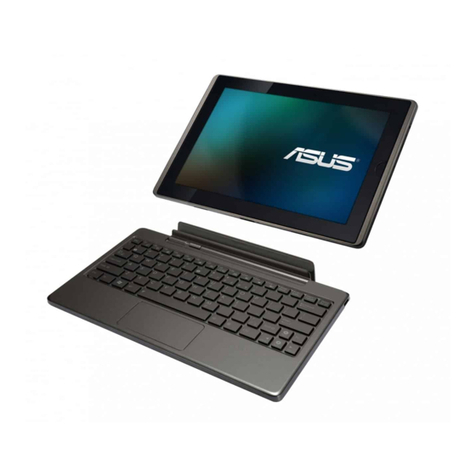
Asus Transformer Pad TF701T User manual

Mobile Dock
ASUS
ASUS Tablet
USER MANUAL
E8315
E8315_TF701T_UM.indd 1 8/15/13 9:49:13 AM

Charging your device
Ensure to fully charge your ASUS Tablet before using it in
battery mode for extended periods. Remember that the power
adapter charges your ASUS Tablet as long as it is plugged into
an AC power source. Be aware that it takes much longer to
charge the ASUS Tablet when it is in use.
IMPORTANT! Do not leave the ASUS Tablet connected to
the power supply once it is fully charged. ASUS Tablet is not
designed to be left connected to the power supply for extended
periods of time.
Airplane precautions
Contact your airline provider to learn about related inight
services that can be used and restrictions that must be followed
when using your ASUS Tablet in-ight.
IMPORTANT! You can send your ASUS Tablet through x-ray
machines (used on items placed on conveyor belts), but do not
expose them from magnetic detectors and wands.
Safety precautions
This ASUS Tablet should only be used in enviroments with
ambient temperatures between 0°C (32°F) and 35°C (95°F).
Long time exposure to extremely high or low temperature
may quickly deplete and shorten the battery life. To ensure the
battery’s optimal performance, ensure that it is exposed within
the recommended environment temperature.
E8315_TF701T_UM.indd 2 8/15/13 9:49:13 AM

ASUS Tablet
3
Package contents
NOTES:
• If any of the items is damaged or missing, contact your
retailer.
• The bundled power adapter varies with country or region.
USB Dock cable
ASUS Tablet Power adapter
ASUS Tablet
User manual Warranty card
E8315_TF701T_UM.indd 3 8/15/13 9:49:15 AM

ASUS Tablet
4
Your ASUS Tablet
Front view
Rear view
Ambient light sensor Front camera
Touch screen
panel
Microphone
Audio
speaker
Rear camera Power button
Volume
button
MicroSD
card slot*
Micro HDMI
port
Speaker/
Headset port
Dock portHinge hole Hinge hole
*The microSD card slot supports microSD, microSDHC, and microSDXC card formats.
E8315_TF701T_UM.indd 4 8/15/13 9:49:15 AM

ASUS Tablet
5
Charging your ASUS Tablet
To charge your ASUS Tablet:
Connect the USB Dock cable to the power adapter.
Plug the 36-pin connector into your ASUS Tablet.
Plug the power adapter into a grounded power outlet.
Charge your ASUS Tablet for eight (8) hours before
using it in battery mode for the rst time.
E8315_TF701T_UM.indd 5 8/15/13 9:49:17 AM

ASUS Tablet
6
IMPORTANT!
• Use only the bundled power adapter and the USB Dock cable
to charge your ASUS Tablet. Using a dierent power adapter
may damage your ASUS Tablet.
• Peel the protective lm o from the power adapter and USB
Dock cable before charging the ASUS Tablet to prevent risk or
injury.
• Ensure that you plug the power adapter to the correct power
outlet with the correct input rating. The output voltage of this
adapter is DC 15V, 1.2A.
• Ensure that the 36-pin connector is fully inserted into your
ASUS Tablet.
• When using your ASUS Tablet while plugged-in to a power
outlet, the grounded power outlet must be near the unit and
easily accessible.
• Do not place objects on top of your ASUS Tablet.
NOTES:
• Your ASUS Tablet can be charged via the USB port on a
computer only when it is in sleep mode (screen o) or turned
o.
• Charging through a USB port of a computer may take longer
time to complete.
• If your computer does not provide enough power for
charging your ASUS Tablet, charge your ASUS Tablet via the
grounded power outlet instead.
E8315_TF701T_UM.indd 6 8/15/13 9:49:17 AM

ASUS Tablet
7
Appendices
Federal Communications Commission
Statement
This device complies with FCC Rules Part 15. Operation is
subject to the following two conditions:
• This device may not cause harmful interference.
• This device must accept any interference received, including
interference that may cause undesired operation.
This equipment has been tested and found to comply with
the limits for a class B digital device, pursuant to Part 15 of the
Federal Communications Commission (FCC) rules. These limits
are designed to provide reasonable protection against harmful
interference in a residential installation. This equipment
generates, uses, and can radiate radio frequency energy and,
if not installed and used in accordance with the instructions,
may cause harmful interference to radio communications.
However, there is no guarantee that interference will not occur
in a particular installation. If this equipment causes harmful
interference to radio or television reception, which can be
determined by turning the equipment o and on, the user is
encouraged to try to correct the interference by doing one or
more of the following measures:
• Reorient or relocate the receiving antenna.
• Increase the separation between the equipment and
receiver.
• Connect the equipment into an outlet on a circuit dierent
from that to which the receiver is connected.
E8315_TF701T_UM.indd 7 8/15/13 9:49:17 AM

ASUS Tablet
8
• Consult the dealer or an experienced radio/TV technician for
help.
Changes or modications not expressly approved by the party
responsible for compliance could void the user‘s authority to
operate the equipment.
This device and it's antennas(s) must not be co-located or operating
in conjunction with any other antenna or transmitter except in
accordance with FCC multi-transmitter product procedures.
Operation on the 5.15-5.25 GHz frequency band is restricted for
indoor use only. The FCC requires indoor use for the 5.15-5.25
GHz band to reduce the potential for harmful interference to
co-channel Mobile Satellite Systems.
RF Exposure Information (SAR)
This device meets the government’s requirements for exposure
to radio waves. This device is designed and manufactured not
to exceed the emission limits for exposure to radio frequency
(RF) energy set by the Federal Communications Commission of
the U.S. Government.
The exposure standard employs a unit of measurement
known as the Specic Absorption Rate, or SAR.Tests for SAR are
conducted using standard operating positions accepted by the FCC
with the EUT transmitting at the specied power level in dierent channels.
Federal Communication Commission (FCC) Radiation Exposure Statement
This EUT is compliant with SAR for general population/uncontrolled exposure
limits in ANSI/IEEE C95.1-1999 and has been tested in accordance with the
measurement methods and procedures specified in OET Bulletin 65 Supplement
C.
E8315_TF701T_UM.indd 8 8/15/13 9:49:17 AM

ASUS Tablet
9
The FCC has granted an Equipment Authorization for this device
with all reported SAR levels evaluated as in compliance with the
FCC RF exposure guidelines. SAR information on this device is
on le with the FCC and can be found under the Display Grant
section of www.fcc.gov/oet/ea/fccid after searching on FCC ID:
MSQK00C.
Canada, Industry Canada (IC) Notices
CAN ICES-3 (B)/NMB-3(B).
Operation is subject to the This device complies with Industry Canada
license-exempt RSS standard(s). Operation is subject to the following
two conditions: (1) this device may not cause interference, and (2) this device
must accept any interference, including interference that may cause undesired
operation of the device.: (1) this device may not cause interference, and
(2) this device must accept any interference, including interference that
may cause undesired operation of the device. The IC ID for this device is
3568A-K00C.
Radio Frequency (RF) Exposure Information
The radiated output power of the Wireless Device is below
the Industry Canada (IC) radio frequency exposure limits. The
Wireless Device should be used in such a manner such that
the potential for human contact during normal operation is
minimized.
This device has been evaluated for and shown compliant with
the IC Specic Absorption Rate (“SAR”) limits when installed
in specic host products operated in portable exposure
conditions.
E8315_TF701T_UM.indd 9 8/15/13 9:49:17 AM

ASUS Tablet
10
Canada, avis d’Industrie Canada (IC)
CAN ICES-3 (B)/NMB-3(B).
Son Le pr?sent appareil est conforme aux CNR d'Industrie Canada
applicables aux appareils radio exempts de licence. L'exploitation est autoris?
e aux deux conditions suivantes : (1) l'appareil ne doit pas produire de
brouillage, et (2) l'utilisateur de l'appareil doit accepter tout brouillage
radio?lectrique subi, m?me si le brouillage est susceptible d'en compromettre
le fonctionnement. suivantes: (1) cet appareil ne doit pas causer d’interférence
et (2) cet appareil doit accepter toute interférence, notamment les
interférences qui peuvent aecter son fonctionnement. L’identiant IC de cet
appareil est 3568A-K00C.
Inf orma tions concernant l’ exp osition aux fr équences
radio (RF)
La puissance de sortie émise par cet appareil sans l est
inférieure à la limite d’exposition aux fréquences radio d’
Industrie Canada (IC). Utilisez l’appareil sans l de façon à
minimiser les contacts humains lors du fonctionnement normal.
Ce périphérique a été évalué et démontré conforme aux limites
SAR (Specic Absorption Rate – Taux d’absorption spécique) d’
IC lorsqu’il est installé dans des produits hôtes particuliers qui
fonctionnent dans des conditions d’exposition à des appareils
portables.
Canada’s REL (Radio Equipment List) can be found at the
following web address:
http://www.ic.gc.ca/app/sitt/reltel/srch/nwRdSrch.
do?lang=eng
Additional Canadian information on RF exposure also can be
found at the following web address:
http://www.ic.gc.ca/eic/site/smt-gst.nsf/eng/sf08792.html
E8315_TF701T_UM.indd 10 8/15/13 9:49:17 AM
Table of contents
Other Asus Tablet manuals
Popular Tablet manuals by other brands

Laser
Laser MID-1060 Quick operation guide

MUNBYN
MUNBYN IRT09J Easy setup guide

Motorola
Motorola MC3090R - Win CE 5.0 Professional 520 MHz quick start guide

Dell
Dell Latitude ST Setup and features information

Lenovo
Lenovo IdeaTab S6000L Hardware Maintenance Manual

Venturer
Venturer WT9L11 quick start guide