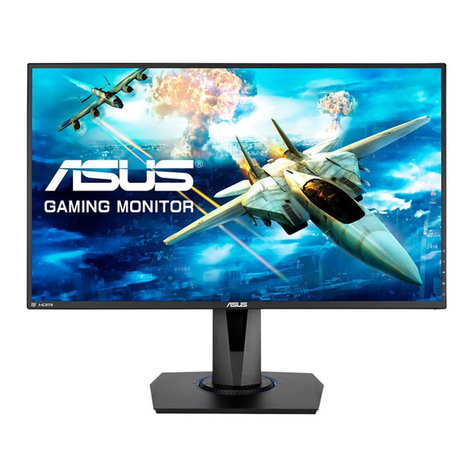
Asus VH203D User manual

VH203 Series
LCD Monitor
User Guide

ii
Contents
Notices......................................................................................................... iii
Safety information ...................................................................................... iv
Care & Cleaning........................................................................................... v
Chapter 1: Product introduction
1.1 Welcome! .................................................................................... 1-1
1.2 Package contents......................................................................... 1-1
1.3 Monitor introduction .................................................................... 1-2
1.3.1 Front view ....................................................................... 1-2
1.3.2 Back view........................................................................ 1-3
Chapter 2: Setup
2.1 Assembling the monitor base..................................................... 2-1
2.2 Adjusting the monitor.................................................................. 2-1
2.3 Detaching the arm/base (for VESA wall mount)........................ 2-2
2.4 Connecting the cables................................................................. 2-3
2.5 Turning on the monitor................................................................ 2-3
Chapter 3: General instructions
3.1 OSD (On-Screen Display) menu ................................................ 3-1
3.1.1 Howtorecongure.......................................................... 3-1
3.1.2 OSDFunctionIntroduction.............................................. 3-1
3.2 Specicationssummary.............................................................. 3-4
3.3 Troubleshooting (FAQ)................................................................ 3-8
3.4 Supported operating modes ....................................................... 3-9

iii
Notices
Federal Communications Commission Statement
ThisdevicecomplieswithPart15oftheFCCRules.Operationissubjecttothe
followingtwoconditions:
• Thisdevicemaynotcauseharmfulinterference,and
• Thisdevicemustacceptanyinterferencereceivedincludinginterferencethat
maycauseundesiredoperation.
Thisequipmenthasbeentestedandfoundtocomplywiththelimitsfora
ClassBdigitaldevice,pursuanttoPart15oftheFCCRules.Theselimitsare
designedtoprovidereasonableprotectionagainstharmfulinterferenceina
residentialinstallation.Thisequipmentgenerates,usesandcanradiateradio
frequencyenergyand,ifnotinstalledandusedinaccordancewithmanufacturer’s
instructions,maycauseharmfulinterferencetoradiocommunications.However,
thereisnoguaranteethatinterferencewillnotoccurinaparticularinstallation.If
thisequipmentdoescauseharmfulinterferencetoradioortelevisionreception,
whichcanbedeterminedbyturningtheequipmentoffandon,theuseris
encouragedtotrytocorrecttheinterferencebyoneormoreofthefollowing
measures:
• Reorientorrelocatethereceivingantenna.
• Increasetheseparationbetweentheequipmentandreceiver.
• Connecttheequipmenttoanoutletonacircuitdifferentfromthattowhichthe
receiverisconnected.
• Consultthedealeroranexperiencedradio/TVtechnicianforhelp.
Theuseofshieldedcablesforconnectionofthemonitortothegraphicscardis
requiredtoassurecompliancewithFCCregulations.Changesormodications
tothisunitnotexpresslyapprovedbythepartyresponsibleforcompliance
couldvoidtheuser’sauthoritytooperatethisequipment.
AsanEnergyStar® Partner,ourcompanyhasdeterminedthatthisproductmeets
theEnergyStar® guidelinesforenergyefciency.
Canadian Department of Communications Statement
ThisdigitalapparatusdoesnotexceedtheClassBlimitsforradionoiseemissions
fromdigitalapparatussetoutintheRadioInterferenceRegulationsofthe
CanadianDepartmentofCommunications.
ThisclassBdigitalapparatuscomplieswithCanadianICES-003.

iv
Safety information
• Beforesettingupthemonitor,carefullyreadallthedocumentationthatcame
withthepackage.
• Topreventreorshockhazard,neverexposethemonitortorainormoisture.
• Nevertrytoopenthemonitorcabinet.Thedangeroushighvoltagesinsidethe
monitormayresultinseriousphysicalinjury.
• Ifthepowersupplyisbroken,donottrytoxitbyyourself.Contactaqualied
servicetechnicianoryourretailer.
• Beforeusingtheproduct,makesureallcablesarecorrectlyconnectedandthe
powercablesarenotdamaged.Ifyoudetectanydamage,contactyourdealer
immediately.
• Slotsandopeningsonthebackortopofthecabinetareprovidedfor
ventilation.Donotblocktheseslots.Neverplacethisproductnearorovera
radiatororheatsourceunlessproperventilationisprovided.
• Themonitorshouldbeoperatedonlyfromthetypeofpowersourceindicated
onthelabel.Ifyouarenotsureofthetypeofpowersupplytoyourhome,
consultyourdealerorlocalpowercompany.
• Usetheappropriatepowerplugwhichcomplieswithyourlocalpower
standard.
• Donotoverloadpowerstripsandextentioncords.Overloadingcanresultin
reorelectricshock.
• Avoiddust,humidity,andtemperatureextremes.Donotplacethemonitorin
anyareawhereitmaybecomewet.Placethemonitoronastablesurface.
• Unplugtheunitduringalightningstormorifitwillnotbeusedforalongperiod
oftime.Thiswillprotectthemonitorfromdamageduetopowersurges.
• Neverpushobjectsorspillliquidofanykindintotheslotsonthemonitor
cabinet.
• Toensuresatisfactoryoperation,usethemonitoronlywithULlisted
computerswhichhaveappropriateconguredreceptaclesmarkedbetween
100-240VAC.
• Ifyouencountertechnicalproblemswiththemonitor,contactaqualied
servicetechnicianoryourretailer.
Thissymbolofthecrossedoutwheeledbinindicatesthattheproduct(electrical,
electronicequipment,andmercury-containingbuttoncellbattery)shouldnot
beplacedinmunicipalwaste.Pleasechecklocalregulationsfordisposalof
electronicproducts.

v
Care & Cleaning
• Beforeyouliftorrepositionyourmonitor,itisbettertodisconnectthecables
andpowercord.Followthecorrectliftingtechniqueswhenpositioningthe
monitor.Whenliftingorcarryingthemonitor,grasptheedgesofthemonitor.
Donotliftthedisplaybythestandorthecord.
• Cleaning.Turnyourmonitoroffandunplugthepowercord.Cleanthemonitor
surfacewithalint-free,non-abrasivecloth.Stubbornstainsmayberemoved
withaclothdampenedwithmildcleaner.
• Avoidusingacleanercontainingalcoholoracetone.Useacleanerintended
forusewiththeLCD.Neverspraycleanerdirectlyonthescreen,asitmaydrip
insidethemonitorandcauseanelectricshock.
The following symptoms are normal with the monitor:
• Thescreenmayickerduringtheinitialuseduetothenatureoftheuorescent
light.TurnoffthePowerSwitchandturnitonagaintomakesurethatthe
ickerdisappears.
• Youmayndslightlyunevenbrightnessonthescreendependingonthe
desktoppatternyouuse.
• Whenthesameimageisdisplayedforhours,anafterimageoftheprevious
screenmayremainafterswitchingtheimage.Thescreenwillrecoverslowlyor
youcanturnoffthePowerSwitchforhours.
• Whenthescreenbecomesblackorashes,orcannotworkanymore,contact
yourdealerorservicecentertoxit.Donotrepairthescreenbyyourself!
Conventions used in this guide
WARNING:Informationtopreventinjurytoyourselfwhentryingto
completeatask.
CAUTION:Informationtopreventdamagetothecomponentswhen
tryingtocompleteatask.
IMPORTANT:InformationthatyouMUSTfollowtocompleteatask.
NOTE:Tipsandadditionalinformationtoaidincompletingatask.

vi
Wheretondmoreinformation
Refertothefollowingsourcesforadditionalinformationandforproductand
softwareupdates.
1. ASUS websites
TheASUSwebsitesworldwideprovideupdatedinformationonASUS
hardwareandsoftwareproducts.Refertohttp://www.asus.com
2. Optional documentation
Yourproductpackagemayincludeoptionaldocumentationthatmayhave
beenaddedbyyourdealer.Thesedocumentsarenotpartofthestandard
package.

1-1ASUSVH203SeriesLCDMonitor
1.1 Welcome!
ThankyouforpurchasingtheASUS®VH203SeriesLCDmonitor!
The latest widescreen LCD monitor from ASUS provides a crisper, broader, and
brighterdisplay,plusahostoffeaturesthatenhanceyourviewingexperience.
Withthesefeatures,youcanenjoytheconvenienceanddelightfulvisual
experiencethattheVH203Seriesbringsyou!
1.2 Package contents
Checkyourpackageforthefollowingitems:
LCDmonitor
Quickstartguide
1xPowercord
1xVGAcable
1xDVIcable(VH203T/VH203Nonly)
1xAudiocable(VH203T/VH203Sonly)
Ifanyoftheaboveitemsisdamagedormissing,contactyourretailer
immediately.

1-2 Chapter1:Productintroduction
1.3 Monitor introduction
1.3.1 Front view
Base
1
2
3
4
5
6
1
2
3
4
5
6
(VH203T/S) (VH203N/D)
1. Button:
Use this hotkey to switch from ve video preset modes (Game Mode,•
NightView Mode,SceneryMode,StandardMode, TheaterMode)with
SPLENDID™VideoEnhancementTechnology.
ExittheOSDmenuorgobacktothepreviousmenuastheOSDmenu•
is active.
2. Button:(Forthosemodelswithspeakers)
Pressthisbuttontoincreasethevalueofthefunctionselectedormove•
right/uptothepreviousfunction.
ThisisalsoahotkeyforVolumeadjustment.•
Button:(Forthosemodelswithoutspeakers)
Pressthisbuttontoincreasethevalueofthefunctionselectedormove•
right/uptothepreviousfunction.
ThisisalsoahotkeyforContrastadjustment.•
3. MENUButton:
Pressthisbuttontoenter/selecttheicon(function)highlightedwhilethe•
OSDisactivated.
4. Button:
Pressthisbuttontodecreasethevalueofthefunctionselectedormove•
left/downtothenextfunction.
ThisisalsoahotkeyforBrightnessadjustment.•

1-3ASUSVH203SeriesLCDMonitor
5. Button:
Automaticallyadjusttheimagetoitsoptimizedposition,clock,andphase•
bypressingthisbuttonfor2-4seconds.(forVGAmodeonly)
6. Powerbutton/powerindicator
Pressthisbuttontoturnthemonitoron/off.•
Thecolordenitionofthepowerindicatorisasthebelowtable.•
Status Description
Blue ON
Amber Standbymode
OFF OFF
1.3.2 Back view
VGAAUDIO-IN
Stereo
speaker
Rear connectors
Stereo
speaker
Screw holes for
VESA Wall Mount
234
1
Rear connectors
Audio-in port1. .ThisportconnectsPCaudiosourcebythebundledaudiocable.
(VH203T/VH203Sonly)
AC-IN port2. . This port connects the power connector by the bundled power
cord.
DVI port3. .This24-pinportisforPC(PersonalComputer)DVI-Ddigitalsignal
connection.(VH203T/VH203Nonly)
VGA port4. .This15-pinportisforPCVGAconnection.
TheVESAwallmountkit(100mmx100mm)ispurchasedseparately.

1-4 Chapter1:Productintroduction
This manual suits for next models
5
Table of contents
Other Asus Monitor manuals

Asus
Asus VG24VQE User manual

Asus
Asus BE279QSKY Series User manual

Asus
Asus VZ22E Series User manual

Asus
Asus ROG STRIX XG43VQ User manual

Asus
Asus C620A Series User manual

Asus
Asus VG255 Series User manual

Asus
Asus VA24DQ User manual

Asus
Asus VS278 Series User manual

Asus
Asus VN248HA User manual

Asus
Asus VB191D User manual

Asus
Asus VA24EQSB Series User manual

Asus
Asus VP327Q Series User manual

Asus
Asus VG259QMY Series User manual

Asus
Asus VX279 Series User manual

Asus
Asus PQ321QE User manual

Asus
Asus VH198D User manual

Asus
Asus PW191A User manual

Asus
Asus ProArt PA328Q User manual

Asus
Asus VA32A Series User manual

Asus
Asus VG279QR Series User manual