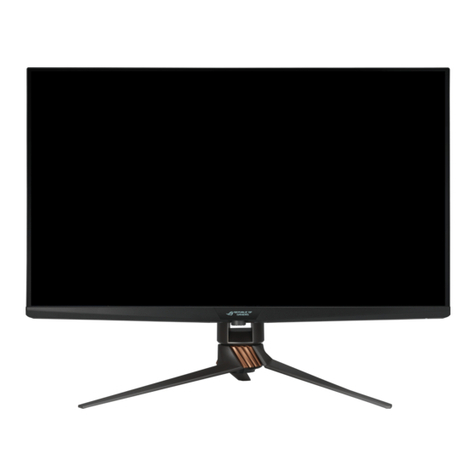
Asus VA247 Series User manual

VA247 Series
LCD Monitor
User Guide

ii
Copyright © 2021 ASUSTeK COMPUTER INC. All Rights Reserved.
No part of this manual, including the products and software described in it, may be reproduced,
transmitted, transcribed, stored in a retrieval system, or translated into any language in any form or by any
means, except documentation kept by the purchaser for backup purposes, without the express written
permission of ASUSTeK COMPUTER INC. (“ASUS”).
Product warranty or service will not be extended if: (1) the product is repaired, modied or altered, unless
such repair, modication of alteration is authorized in writing by ASUS; or (2) the serial number of the
product is defaced or missing.
ASUS PROVIDES THIS MANUAL “AS IS” WITHOUT WARRANTY OF ANY KIND, EITHER EXPRESS
OR IMPLIED, INCLUDING BUT NOT LIMITED TO THE IMPLIED WARRANTIES OR CONDITIONS OF
MERCHANTABILITY OR FITNESS FOR A PARTICULAR PURPOSE. IN NO EVENT SHALL ASUS, ITS
DIRECTORS, OFFICERS, EMPLOYEES OR AGENTS BE LIABLE FOR ANY INDIRECT, SPECIAL,
INCIDENTAL, OR CONSEQUENTIAL DAMAGES (INCLUDING DAMAGES FOR LOSS OF PROFITS,
LOSS OF BUSINESS, LOSS OF USE OR DATA, INTERRUPTION OF BUSINESS AND THE LIKE),
EVEN IF ASUS HAS BEEN ADVISED OF THE POSSIBILITY OF SUCH DAMAGES ARISING FROM ANY
DEFECT OR ERROR IN THIS MANUAL OR PRODUCT.
SPECIFICATIONS AND INFORMATION CONTAINED IN THIS MANUAL ARE FURNISHED FOR
INFORMATIONAL USE ONLY, AND ARE SUBJECT TO CHANGE AT ANY TIME WITHOUT NOTICE,
AND SHOULD NOT BE CONSTRUED AS A COMMITMENT BY ASUS. ASUS ASSUMES NO
RESPONSIBILITY OR LIABILITY FOR ANY ERRORS OR INACCURACIES THAT MAY APPEAR IN THIS
MANUAL, INCLUDING THE PRODUCTS AND SOFTWARE DESCRIBED IN IT.
Products and corporate names appearing in this manual may or may not be registered trademarks or
copyrights of their respective companies, and are used only for identication or explanation and to the
owners’ benet, without intent to infringe.
Table of contents
Notices......................................................................................................... iii
Care & Cleaning.......................................................................................... vi
Takeback Services..................................................................................... vii
1.1 Welcome! ...................................................................................... 1-1
1.2 Package contents......................................................................... 1-1
1.3 Assembling the monitor.............................................................. 1-2
1.4 Connect cables............................................................................. 1-3
1.4.1 Rear of the LCD monitor ................................................. 1-3
1.4.2 Sixsidesgure................................................................ 1-4
1.5 Monitor introduction .................................................................... 1-5
1.5.1 UsingtheControlsbutton .............................................. 1-5
2.1 Detachingthearm/stand(forVESAwallmount) ............ 1-6
2.2 Adjusting the monitor.................................................................. 2-1
3.1 OSD (On-Screen Display) menu ................................................. 2-2
3.1.1 Howtorecongure.......................................................... 2-2
3.1.2 OSDFunctionIntroduction.............................................. 3-1
3.2 Specications............................................................................. 3-11
3.3 Troubleshooting (FAQ).............................................................. 3-12
3.4 Supported Timing List............................................................... 3-13

iii
Notices
Federal Communications Commission Statement
ThisdevicecomplieswithPart15oftheFCCRules.Operationissubject
tothefollowingtwoconditions:
• Thisdevicemaynotcauseharmfulinterference,and
• Thisdevicemustacceptanyinterferencereceivedincluding
interferencethatmaycauseundesiredoperation.
Thisequipmenthasbeentestedandfoundtocomplywiththelimitsfora
ClassBdigitaldevice,pursuanttoPart15oftheFCCRules.Theselimits
aredesignedtoprovidereasonableprotectionagainstharmfulinterference
inaresidentialinstallation.Thisequipmentgenerates,usesandcan
radiateradiofrequencyenergyand,ifnotinstalledandusedinaccordance
withmanufacturer’sinstructions,maycauseharmfulinterferencetoradio
communications.However,thereisnoguaranteethatinterferencewill
notoccurinaparticularinstallation.Ifthisequipmentdoescauseharmful
interferencetoradioortelevisionreception,whichcanbedeterminedby
turningtheequipmentoffandon,theuserisencouragedtotrytocorrect
theinterferencebyoneormoreofthefollowingmeasures:
• Reorientorrelocatethereceivingantenna.
• Increasetheseparationbetweentheequipmentandreceiver.
• Connecttheequipmenttoanoutletonacircuitdifferentfromthatto
whichthereceiverisconnected.
• Consultthedealeroranexperiencedradio/TVtechnicianforhelp.
Canadian Department of Communications Statement
ThisdigitalapparatusdoesnotexceedtheClassBlimitsforradio
noiseemissionsfromdigitalapparatussetoutintheRadioInterference
RegulationsoftheCanadianDepartmentofCommunications.
ThisclassBdigitalapparatuscomplieswithCanadianICES-003.

iv
Safety information
• Beforesettingupthemonitor,carefullyreadallthedocumentationthat
camewiththepackage.
• Topreventfireorshockhazard,neverexposethemonitortorainor
moisture.
• Nevertrytoopenthemonitorcabinet.Thedangeroushighvoltages
insidethemonitormayresultinseriousphysicalinjury.
• Ifthepowersupplyisbroken,donottrytofixitbyyourself.Contacta
qualifiedservicetechnicianoryourretailer.
• Beforeusingtheproduct,makesureallcablesarecorrectlyconnected
andthepowercablesarenotdamaged.Ifyoudetectanydamage,
contactyourdealerimmediately.
• Slotsandopeningsonthebackortopofthecabinetareprovidedfor
ventilation.Donotblocktheseslots.Neverplacethisproductnearor
overaradiatororheatsourceunlessproperventilationisprovided.
• Themonitorshouldbeoperatedonlyfromthetypeofpowersource
indicatedonthelabel.Ifyouarenotsureofthetypeofpowersupplyto
yourhome,consultyourdealerorlocalpowercompany.
• Usetheappropriatepowerplugwhichcomplieswithyourlocalpower
standard.
• Donotoverloadpowerstripsandextensioncords.Overloadingcan
resultinfireorelectricshock.
• Avoiddust,humidity,andtemperatureextremes.Donotplacethe
monitorinanyareawhereitmaybecomewet.Placethemonitorona
stablesurface.
• Unplugtheunitduringalightningstormorifitwillnotbeusedfora
longperiodoftime.Thiswillprotectthemonitorfromdamagedueto
powersurges.
• Neverpushobjectsorspillliquidofanykindintotheslotsonthe
monitorcabinet.
• Toensuresatisfactoryoperation,usethemonitoronlywithULlisted
computerswhichhaveappropriateconfiguredreceptaclesmarked
between100~240VAC.
• Thesocket-outletshallbeinstalledneartheequipmentandshallbe
easilyaccessible
• Ifyouencountertechnicalproblemswiththemonitor,contacta
qualifiedservicer.
• Provideanearthingconnectionbeforethemainsplugisconnectedto
themains.And,whendisconnectingtheearthingconnection,besure
todisconnectafterpullingoutthemainsplugfromthemains.

v
WARNING
Usageofotherthanspeciedhead-orearphonescanresultinhearing
lossduetoexcessivesoundpressures.
Pleaseconrmthedistributionsysteminbuildinginstallationshallprovide
thecircuitbreakerrated120/240V,20A(maximum).
Ifprovidedwitha3-pinattachmentplugonthepowercord,plugthecord
intoagrounded(earthed)3-pinoutlet.Donotdisablethepowercord
groundingpin,forexample,byattachinga2-pinadapter.Thegrounding
pinisanimportantsafetyfeature.
Declaration of Conformity
ThisdevicecomplieswiththerequirementssetoutintheCouncil
DirectiveontheApproximationoftheLawsoftheMemberStates
relatingtoElectromagneticCompatibility(2014/30/EU),Low-voltage
Directive(2014/35/EU),ErPDirective(2009/125/EC)andRoHSdirective
(2011/65/EU).Thisproducthasbeentestedandfoundtocomplywith
theharmonizedstandardsforInformationTechnologyEquipment,these
harmonizedstandardspublishedunderDirectivesofOfcialJournalofthe
EuropeanUnion.
WEEE Symbol Statement
Thissymbolontheproductoronitspackagingindicatesthatthisproduct
mustnotbedisposedofwithyourotherhouseholdwaste.Instead,itis
yourresponsibilitytodisposeofyourwasteequipmentbyhandingitover
toadesignatedcollectionpointfortherecyclingofwasteelectricaland
electronicequipment.Theseparatecollectionandrecyclingofyourwaste
equipmentatthetimeofdisposalwillhelptoconservenaturalresources
andensurethatitisrecycledinamannerthatprotectshumanhealthand
theenvironment.Formoreinformationaboutwhereyoucandropoffyour
wasteequipmentforrecycling,pleasecontactyourlocalcityofce,your
householdwastedisposalserviceortheshopwhereyoupurchasedthe
product.

vi
Care & Cleaning
• Beforeyouliftorrepositionyourmonitor,itisbettertodisconnectthe
cablesandpowercord.Followthecorrectliftingtechniqueswhen
positioningthemonitor.Whenliftingorcarryingthemonitor,graspthe
edgesofthemonitor.Donotliftthedisplaybythestandorthecord.
• Cleaning.Turnyourmonitoroffandunplugthepowercord.Cleanthe
monitorsurfacewithalint-free,non-abrasivecloth.Stubbornstains
mayberemovedwithaclothdampenedwithmildcleaner.
• Avoidusingacleanercontainingalcoholoracetone.Useacleaner
intendedforusewiththeLCD.Neverspraycleanerdirectlyonthe
screen,asitmaydripinsidethemonitorandcauseanelectricshock.
The following symptoms are normal with the monitor:
• Thescreenmayflickerduringtheinitialuseduetothenatureofthe
fluorescentlight.TurnoffthePowerSwitchandturnitonagainto
makesurethattheflickerdisappears.
• Youmayfindslightlyunevenbrightnessonthescreendependingon
thedesktoppatternyouuse.
• Whenthesameimageisdisplayedforhours,anafterimageofthe
previousscreenmayremainafterswitchingtheimage.Thescreenwill
recoverslowlyoryoucanturnoffthePowerSwitchforhours.
• Whenthescreenbecomesblackorflashes,orcannotworkanymore,
contactyourdealerorservicecentertofixit.Donotrepairthescreen
byyourself!
Conventions used in this guide
WARNING:Informationtopreventinjurytoyourselfwhentryingto
completeatask.
CAUTION:Informationtopreventdamagetothecomponents
whentryingtocompleteatask.
IMPORTANT:InformationthatyouMUSTfollowtocompletea
task.
NOTE:Tipsandadditionalinformationtoaidincompletingatask.

vii
Wheretondmoreinformation
Refertothefollowingsourcesforadditionalinformationandforproduct
andsoftwareupdates.
1. ASUS websites
TheASUSwebsitesworldwideprovideupdatedinformationonASUS
hardwareandsoftwareproducts.Refertohttp://www.asus.com
2. Optional documentation
Yourproductpackagemayincludeoptionaldocumentationthatmay
havebeenaddedbyyourdealer.Thesedocumentsarenotpartof
thestandardpackage.
Takeback Services
ASUSrecyclingandtakebackprogramscomefromourcommitmenttothe
higheststandardsforprotectingourenvironment.Webelieveinproviding
solutionsforourcustomerstobeabletoresponsiblyrecycleourproducts,
batteriesandothercomponentsaswellasthepackagingmaterials.
Pleasegotohttp://csr.asus.com/english/Takeback.htmfordetailrecycling
informationindifferentregion.

1-1
ASUS LCD Monitor VA247 Series
1.1 Welcome!
ThankyouforpurchasingtheASUS®LCDmonitor!
ThelatestwidescreenLCDmonitorfromASUSprovidesacrisper,
broader,andbrighterdisplay,plusahostoffeaturesthatenhanceyour
viewingexperience.
Withthesefeatures,youcanenjoytheconvenienceanddelightfulvisual
experiencethatthemonitorbringsyou!
1.2 Package contents
Checkyourpackageforthefollowingitems:
LCDMonitor
MonitorBase
MonitorColumn
QuickStartGuide
WarrantyCard
1xPowerCord*
1xHDMICable(optional)
1xVGACable(optional)
1xDVICable(optional)
1xMiniPCKit(optional)
• Ifanyoftheaboveitemsisdamagedormissing,contactyourretailer
immediately.

1-2 Chapter 1: Product Introduction
1.3 Assembling the monitor
To assemble the monitor:
1. Placethedisplayatonaclothonthetable,Thenattachthebase
tothearmandxwiththescrewtojointhemtightly.Youcaneasily
tightenthescrewbyngers.
2. Adjustthemonitortotheanglethatismostcomfortableforyou.
-5 ~ 23

1-3
ASUS LCD Monitor VA247 Series
1.4 Connect cables
1.4.1 Rear of the LCD monitor
5
24
31
HDMI VGA
DVI
1. AC-INPort
2. HDMIPort
3. DVIPort
4. VGAPort
5. KensingtonLock
Table of contents
Other Asus Monitor manuals

Asus
Asus ROG STRIX XG17AHPE User manual

Asus
Asus PA27A Series User manual

Asus
Asus ST467 User manual

Asus
Asus MG24UQ User manual

Asus
Asus VW192D User manual

Asus
Asus ZenScreen Touch MB16AMT User manual

Asus
Asus VB198TL User manual

Asus
Asus VY279HE User manual

Asus
Asus 22T1EH User manual

Asus
Asus VG236H User manual

Asus
Asus VA27ECPSN Series User manual

Asus
Asus MX34VQ Series User manual

Asus
Asus VX238H User manual

Asus
Asus ROG SWIFT 360HZ PG27AQN User manual

Asus
Asus VP227HE Series User manual

Asus
Asus VP229 Series User manual

Asus
Asus ROG SWIFT PG27U User manual

Asus
Asus ROG STRIX XG27UQ User manual

Asus
Asus VW199TL User manual

Asus
Asus PQ22U Series User manual