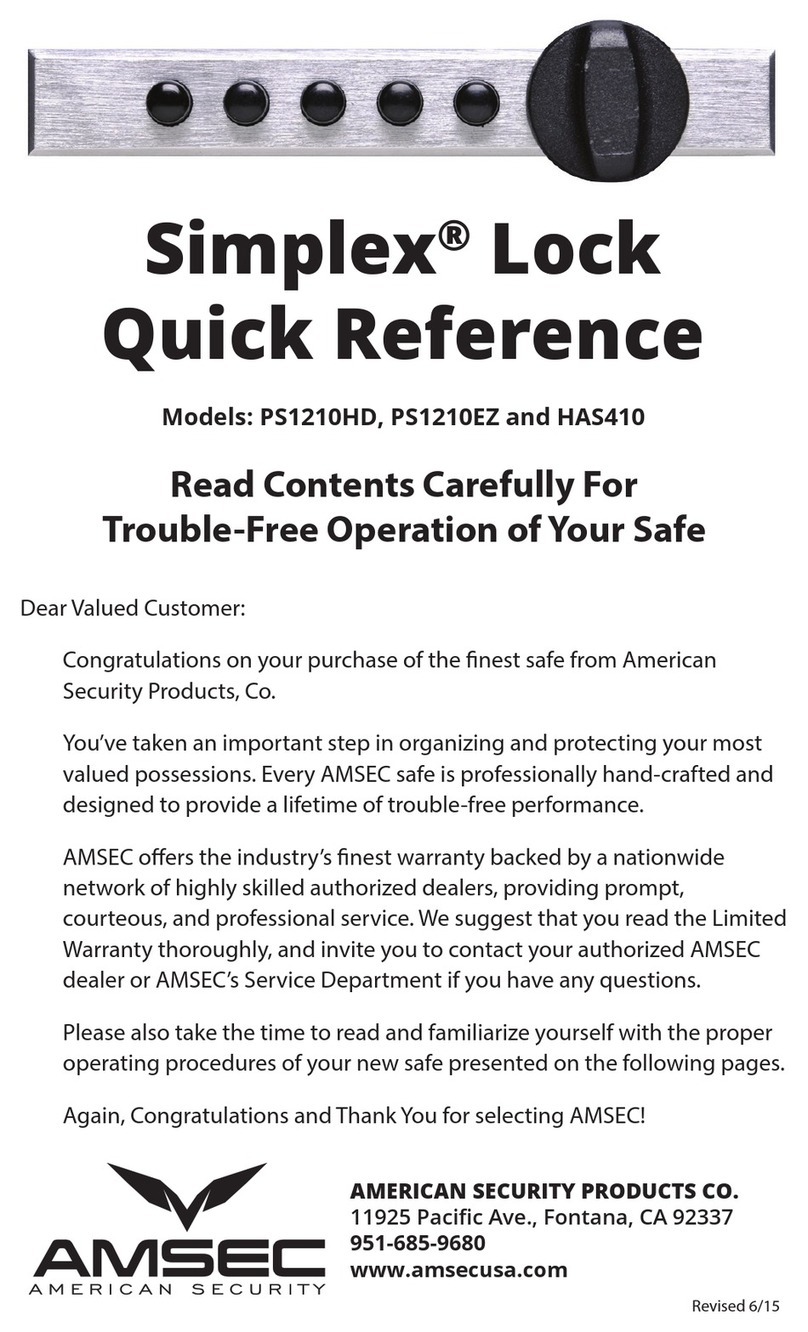
AMSEC BSL-0601A-W User manual

Biometric Safe Lock
Operating and Installation
Instructions
Part #4305278 Revised 02/10

Biometric Entry Pad Electronic Actuator
1. Fingerprint Reader Window
2. LCD Screen
3. Digital Pad
4. “Reset” Button

American Security Products Co Part #4305278
AMSEC Biometric Safe Lock Operating Instructions
02/10 3
ATTENTION:
• For indoor use only.
• Use one 9V alkaline battery. Manufacturer recommends to use Duracell™ or
Energizer® Alkaline batteries. Always use an alkaline battery for high quality
performance, otherwise controller might not work well.
• Battery Low Voltage: 5.4 ± 0.2V. The display will alert low battery when battery voltage
reaches 5.4±0.2V. PLEASE REPLACE THE BATTERY IMMEDIATELY.
Note: The voltage is checked during each time the entry pad is verifying ngerprints. In
the case of low battery, when the LCD screen light is o, i.e. the entry pad is not working;
the battery voltage will be a little higher than 5.4±0.2V. In this case, the battery does not
have enough power for operations other than ngerprint verication to unlock.
• When the display alerts low battery, the Biometric Entry Pad can only be operated to lock
or unlock. Operations, such as enrolling, deleting or time-delay setting, are not permitted.
Security level classication
Level 1: Entry pad can be operated by a code. (Factory Default)
Level 2: Entry pad must be operated by a ngerprint and its bound code. It is a higher
security level. Factory default security level is Level 2.
Level 3: Entry pad must be operated by a ngerprint or a code.
Note: Security Level 3 is a“Non-U.L. Certicated Operating Mode”.
For safety and security, all codes will be automatically deleted when security level is
changed. ID No. 01 code will be default code 1234567890.
Battery Replacement Instructions
In the back of Entry Pad you will see one 9 V alkaline battery. Take the battery out of the
battery compartment. Gently pull on the battery until it drops out.
Gently remove the connector by unsnapping it from the two terminals on the top of the
battery.
Never Pull on the Battery Leads.
Connect a new 9 V alkaline battery to the battery clip.
Put the battery and the leads completely back into the battery compartment.
For mounting and wiring information refer to the installation instructions in this manual.

American Security Products Co Part #4305278
AMSEC Biometric Safe Lock Operating Instructions
4 02/10
Contents
1. Enroll the rst ngerprint and its bound code for quick start (level 2) ................5
2. Enroll the second ngerprint and its bound code (level 2) ...........................5
3. Enroll additional ngerprint and its bound code (Level 2) ...........................7
4. Set time delay (Level 2) ............................................................7
5. Unlock by an enrolled ngerprint and its bound code (Level 2) ......................7
6. Set/Change code (Level 2) .........................................................9
7. Disable User (Level 2) ..............................................................9
8. Enable User (Level 2)..............................................................10
9. Wrong try penalty (Level 2) .......................................................10
10. Delete one user (Level 2)..........................................................11
11. Delete all users (Level 2) ..........................................................11
12. Set Security Level.................................................................12
13. Set/Change the rst code for quick start (Level 1) (Factory Default) .................13
14. Enroll the second and additional codes (Level 1) ...................................13
15. Enroll the rst ngerprint for quick start (Level 3)..................................14
16. Enroll the second and additional ngerprints (Level 3) .............................14
17. Set/Change code (Level 1 & Level 3) ..............................................15
18. Set time delay (Level 1 & Level 3) ..................................................15
19. Unlock by an enrolled user (Level 1 & Level 3)......................................15
20. Disable /Enable user (Level 1) .....................................................17
21. Delete one user (Level 1 & Level 3) ................................................17
22. Delete all users (Level 1 & Level 3) .................................................17
23. Set number of doors ..............................................................17
24. Authorize Unlocking Doors .......................................................18
25. System INFO. .....................................................................19

American Security Products Co Part #4305278
AMSEC Biometric Safe Lock Operating Instructions
02/10 5
1. Enroll the rst ngerprint and its bound code for quick start (Level 2)
Install Battery: In the back of entry pad, you will nd a battery case. Install a brand new
9V alkaline battery.
12/11:34 8.6V
Capacity: 30 Users
Used: 00 User(s)
9.20071105-23
12/11:34 8.6V
Enroll
New User
12/11:34 8.6V
Place
Finger
Place your nger on the ngerprint reader window and hold.
12/11:34 8.6V
Enrolling
12/11:34 8.6V
Checking
12/11:34 8.6V
ID: 01
Enrolled
Note: Hold your nger on the reader window until the above displays nish one by one.
The rst ngerprint with an ID No. 01 is enrolled.
12/11:34 8.6V
New Code
__ Enter a code (10 digits).
12/11:34 8.6V
Repeat
__ Enter the same code again.
12/11:34 8.6V
ID: 01
Code Saved
The rst ngerprint and its bound code with ID No. 01 are enrolled successfully.
Note: The default password (1234567890) will be deleted automatically after the rst
ngerprint and code are enrolled successfully.
2. Enroll the second ngerprint and its bound code (Level 2)
Place the rst enrolled nger on the reader window and hold.
12/11:34 8.6V
Verifying
12/11:34 8.6V
ID: 01
Veried
12/11:34 8.6V
Enter Code
__
Enter the code (ID No. 01).

American Security Products Co Part #4305278
AMSEC Biometric Safe Lock Operating Instructions
6 02/10
12/11:34 8.6V
User Code
Veried
12/11:34 8.6V
Lock Open
06 sec
Now the actuator is unlocked.
12/11:34 8.6V
Select
Menu Press “Menu/OK”.
Press “” or “” to select “Enroll New User”.
12/11:34 8.6V
Enroll
New User Press “Menu/OK” again.
Place your nger (dierent from the rst one) on the ngerprint reader window and
hold.
12/11:34 8.6V
Enrolling
12/11:34 8.6V
Checking
12/11:34 8.6V
ID: 02
Enrolled
The second ngerprint, with an ID No. 02, is enrolled
12/11:34 8.6V
New Code
__ Enter a code (10 digits).
12/11:34 8.6V
Repeat
__ Enter the same code again.
12/11:34 8.6V
ID: 01
Code Saved
The second ngerprint and its bound code with ID No. 02 are enrolled successfully.
Note: The rst two enrolled ngerprints and codes with ID No. 01 and 02 are administrators’
ngerprints and codes.

American Security Products Co Part #4305278
AMSEC Biometric Safe Lock Operating Instructions
02/10 7
3. Enroll additional ngerprint and its bound code (Level 2)
Place an enrolled administrator’s nger (ID No. 01 or 02) on the reader window and hold.
After the ngerprint and its bound code are veried successfully, the LCD screen shows
“Select Menu”. Follow the same steps as to enroll the second administrator’s ngerprint
and code to complete the enrollment.
4. Set time delay (Level 2)
Place an enrolled administrator’s nger (ID No. 01 or 02) on the reader window and hold.
After the ngerprint and its bound code are veried successfully, then the LCD screen
shows “Select Menu”, press “Menu/OK”. Press “” or “” to select “Set/Cancel Time Delay”.
12/11:34 8.6V
Set/Cancel
Time Delay Press “Menu/OK”.
12/11:34 8.6V
Time Delay
00 min
Press “” or “” to set time delay (1 to 99 min). Press “Menu/OK”
12/11:34 8.6V
Time Window
01 min
Press “” or “” to set Time Window (0 to 15 min). Press “Menu/OK”.
ATTENTION:
During Time Delay period, user can operate the entry pad, such as enrolling deleting etc.,
but the actuator will not be unlocked.
After the original time delay is changed successfully, the time delay for the rst time
unlocking is the same as the original one. The new time delay will be eective afterwards.
When changing time delay, if the period is longer than the previous one, the new time
delay will be eective in the next unlocking. If the period is shorter than the previous one,
the new time delay will be eective after the next unlocking.
5. Unlock by an enrolled ngerprint and its bound code (Level 2)
Place an enrolled ngerprint on the ngerprint reader window and hold until the LCD
shows“ID No. Veried”. Enter its bound code. After the bound code is veried, the entry
pad will be unlocked after Time Delay ends.

American Security Products Co Part #4305278
AMSEC Biometric Safe Lock Operating Instructions
8 02/10
For example:
Time Delay is set 20 minutes and Time Window 10 minutes. Place an enrolled nger
(e.g. ID 03) on the ngerprint reader window and hold. After successful ngerprint’s
verication, enter its bound code. Then, the LCD will show:
12/11:34 8.6V
Time Delay
Start
The entry pad will start counting up. The LCD screen ashes every 15 seconds for the
past time. When time delay nishes counting, two beeps will sound and the LCD screen
will show:
12/11:34 8.6V
TM Window
10:00
The entry pad will start counting down again. The LCD screen ashes every 15 seconds
for remaining time.
During the 10 minute time window, user can verify an enrolled ngerprint and enter
code again to unlock the entry pad with the LCD showing:
12/11:34 8.6V
Lock Open
06 sec The entry pad is unlocked.
Note: When the entry pad starts its Time Delay process, user can operate the entry pad, but
the actuator will not be unlocked even if the verication is successful.
If no enrolled ngerprint or code is successfully veried during Time Window period, the
actuator will be locked to the end and the LCD will show:
12/11:34 8.6V
TM Window
End
Note: If the Time Window is set 0 minutes, there is no need to verify second time. When
Time Delay ends, the actuator will be unlocked automatically.

American Security Products Co Part #4305278
AMSEC Biometric Safe Lock Operating Instructions
02/10 9
6. Set/Change code (Level 2)
Unlock with the enrolled ngerprint and its bound code that you want to set/change
code (e.g. ID No. 03). The LCD will show “ID: 03 Veried” and“Lock Open 06 sec”, followed
by “Select Menu” and:
12/11:34 8.6V
Set/Change
Code Press “Menu/OK”.
12/11:34 8.6V
New Code
__ Enter a code (10 digits).
12/11:34 8.6V
Repeat
__ Enter the same code again.
12/11:34 8.6V
ID: 03
Code Saved
Now the user code with an ID No. 03 is enrolled successfully.
7. Disable user (Level 2)
Unlock with an administrator’s ngerprint and code (ID No. 01 or 02). When the LCD
shows“Select Menu”, press “Menu/OK”. Press“ ” or “” to select Disable User.
12/11:34 8.6V
Disable
User Press “Menu/OK”.
Press “” or “” to select the ID No. to disable (e.g. ID 03).
12/11:34 8.6V
ID: 03 User
Disable? Press “Menu/OK”.
12/11:34 8.6V
ID: 03 User
Disable? Now the user (ID No. 03) is disabled.

American Security Products Co Part #4305278
AMSEC Biometric Safe Lock Operating Instructions
10 02/10
Note: Administrators cannot be disabled.
8. Enable User (Level 2)
Unlock by an administrator. When the LCD shows “Select Menu”, press “” or “” to
select “Enable User”.
12/11:34 8.6V
Enable
User Press “Menu/OK”.
Press “” or “” to select the ID No. to enable (e.g. ID 03).
12/11:34 8.6V
ID: 03 User
Enable? Press “Menu/OK”.
12/11:34 8.6V
ID: 03 Code
Enabled
Now the user (ID No. 03) is enabled. Repeat these steps for each user, (ID No. 4 and so on.
9. Wrong entry penalty
Four (4) consecutive invalid code entries initiate a 4-minute delay period with the LCD
showing:
12/11:34 8.6V
Device
Locked
The entry pad is shut down and no operation is permitted.
Then, the entry pad will start counting down with the LCD ashing the remaining time
every 15 seconds. e.g.
12/11:34 8.6V
Locked
03:45
After the count down is nished, the entry pad is ready to use again.
Table of contents
Other AMSEC Lock manuals