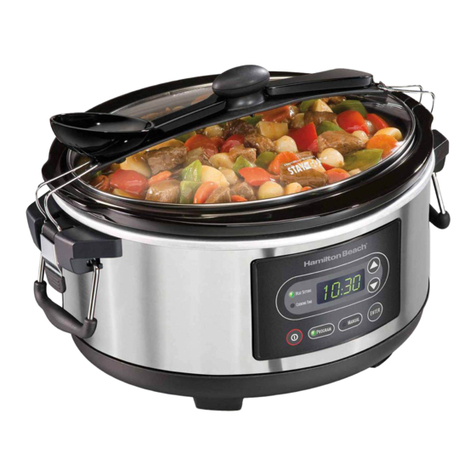
TO SET THE COOKING MODE AND TIME
• Push
Pow r
, the power light and the readout will now illuminate.
• Push
S t
to choose between the HIGH, LOW and WARM settings.
- HIGH mode from 2 to 8 hours.
- LOW mode from 4 to 20 hours.
• Push
Up
or
Down
to select your cooking time. When you have selected the correct cooking mode
and the correct cooking time, push
Start
, a single beep will sound.
COOKING
• Now, the cook light illuminates and the cooking begins. The readout indicates time left, the remaining time
decreases by the minute.
NOTE
During the initial use of this appliance, some slight smoke and/or odor may be detected.
This is normal and will stop after a few uses.
END OF COOKING
• When the cooking cycle is complete, the slow cooker will automatically shift to WARM mode.
The WARM light illuminates.
- The KEEP WARM mode can be used for up to 6 hours.
• When the WARM mode is finished, the slow cooker will shut off.
• If you want to extend the KEEP WARM mode, push
Pow r
, press
S t
until the WARM mode appears and press
Start
.
• DO NOT USE THIS FUNCTION TO REHEAT FOODS.
AFTER COOKING
• Push
Pow r
to turn the slow cooker off. The digital readout goes out.
Be sure to unplug the unit from the wall outlet when finished cooking and before cleaning.
8
U S I N G Y O U R S L O W C O O K E R
CLAD-65QTESC-NC00117935_CLAD-65QTESC-NC00117935 21/02/13 16:34 Page8