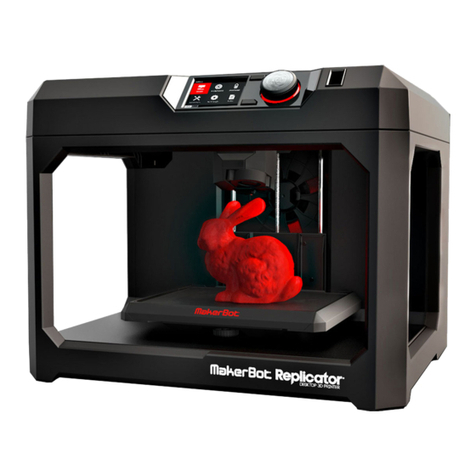
Airwolf 3D AW3D HD User manual

2 | P a g e
Table of Contents
Specifications .............................................................................................................................................. 4
Unboxing the Printer................................................................................................................................... 5
Box Contents ........................................................................................................................................... 5
Part Directory.............................................................................................................................................. 6
How it Works............................................................................................................................................... 7
Extruder Assembly .................................................................................................................................. 7
Hot End and Heat Bed Motion ................................................................................................................ 7
Plug In & Turn On........................................................................................................................................ 8
Pre-Printing Steps ....................................................................................................................................... 9
Quick Start Guide .................................................................................................................................... 9
Quick Start Guide (contd.)..................................................................................................................... 10
1) Leveling the Heat Bed ....................................................................................................................... 11
First Print & Calibration......................................................................................................................... 12
First Print & Calibration (contd.) ........................................................................................................... 13
2) Loading Filament............................................................................................................................... 14
E G O‘ GOO........................................................................................................................ 15
4) The First Layer ................................................................................................................................... 15
5) LED Lights .......................................................................................................................................... 15
VIKI LCD Screen ......................................................................................................................................... 16
VIKI: Introduction .................................................................................................................................. 16
VIKI: Home Screen................................................................................................................................. 16
VIKI: Layout............................................................................................................................................ 17
VIKI: How To .......................................................................................................................................... 18
RAMBo Driver ........................................................................................................................................... 19
Setup (Windows 8 Only)........................................................................................................................ 19
Installation (PC Only)............................................................................................................................. 20
5 Steps to Printing..................................................................................................................................... 23
1) Download or Design a 3D Model ...................................................................................................... 24
2) Convert to STL File Type.................................................................................................................... 25
3) Netfabb: Layout (STL Clean Up) ........................................................................................................ 25
3) Netfabb: How To (STL Clean Up)....................................................................................................... 26
4) Slicing ................................................................................................................................................ 27

3 | P a g e
Slicing: Breakdown ................................................................................................................................ 28
4-5) MatterControl PRO: How To.......................................................................................................... 29
4-5) MatterControl PRO: How To (contd.) ............................................................................................ 30
4-5) Repetier Host: Setup...................................................................................................................... 31
4-5) Repetier Host: The Basics .............................................................................................................. 32
4-5) Repetier Host: How To................................................................................................................... 33
4-5) Repetier Host: How To (contd.) ..................................................................................................... 34
Material Selection..................................................................................................................................... 35
Materials: Comparison.......................................................................................................................... 35
Materials: Comparison (contd.) ............................................................................................................ 36
Materials: Settings................................................................................................................................. 37
Materials: Settings (contd.)................................................................................................................... 38
Post Processes........................................................................................................................................... 39
Acetone Vapor....................................................................................................................................... 39
Two Part Epoxy...................................................................................................................................... 40
Firmware ................................................................................................................................................... 41
Maintenance ............................................................................................................................................. 42
Belt Tensioning...................................................................................................................................... 43
Rod Alignment (X-axis) .......................................................................................................................... 44
Rod Alignment (Y-axis) .......................................................................................................................... 45
Rod Lubrication ..................................................................................................................................... 46
Inserting Filament ................................................................................................................................. 46
Wiring Diagram ..................................................................................................................................... 47
Clogged Nozzle ...................................................................................................................................... 48
Changing the Nozzle.............................................................................................................................. 49
Trouble Shooting....................................................................................................................................... 50
Glossary of Terms ..................................................................................................................................... 51
Hardware............................................................................................................................................... 51
Software ................................................................................................................................................ 51
Contact List ............................................................................................................................................... 51
Notes......................................................................................................................................................... 52
Notes......................................................................................................................................................... 53

4 | P a g e
Specifications
Copyright 2013 ©
Designed and
Manufactured In:
12 x 8 x 12 inch
300 x 200 x 300 mm
24 x 17.5 x 18 inch
610 x 445 x 460 mm
38 lbs
17 kg
Material that can
be printed:
Filament
Diameter
Nominal: 3.00mm
Actual: 2.85 ± 0.1mm
mm
Nozzle Diameter 0.5 and 0.35 mm
0.06 mm
0.0024 inch
150 mm/s
5.91 inch/s
400 mm/s
15.75 inch/s
Circuit Board
Bed
Frame
Display
Power Supply
File Format
System
Compatibility
Matter Control & Repetier-Host
Cura & Slic3r
RAMBo
Temp Controlled Heated Bed
Comp.
Software
Netfabb & MeshLab
Windows, Mac, Linux
STL & GCODE
General
Partially Enclosed Acrylic
VIKI LCD Screen
Hard
ware
Printer Size
(LxWxH)
Internal auto-switching 13.5V DC, 300W
Weight
USA
ABS, PLA, Soft PLA, PLA 4043D, BendLay,
LayWOO D-3, Laybrick, HIPS, T-Glase,
PVA, Nylon, TPE & more to come!
Build Volume
(LxWxH)
Minimal Layer
Thickness
Max Speed-
Perimeter
Max Speed-
Travel
Specs.

5 | P a g e
Unboxing the Printer
Box Contents

6 | P a g e
Part Directory

7 | P a g e
How it Works
Extruder Assembly
Hot End and Heat Bed Motion

8 | P a g e
Plug In & Turn On

9 | P a g e
Pre-Printing Steps
Quick Start Guide

10 | P a g e
Quick Start Guide (contd.)
This manual suits for next models
1
Table of contents
Other Airwolf 3D 3D Printer manuals