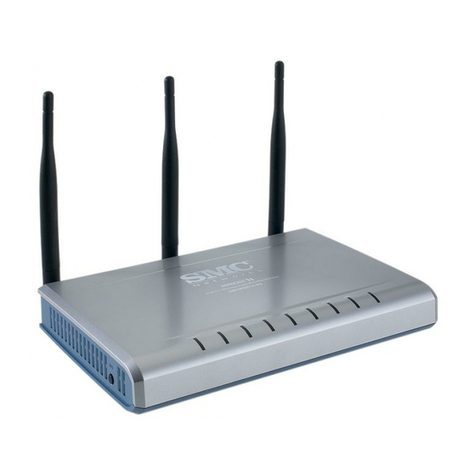
Airlinkplus ASOHO4P User manual

Internet BroadBand Router
User Guide


FCC Warning
This equipment has been tested and found to comply with the
regulations for a Class Bdigital device, pursuant to Part 15 of the FCC
Rules. These limits are designed to provide reasonable protection
against harmful interference when the equipment is operated in a
commercial environment. This equipment generates, uses, and can
radiate radio frequency energy and, if not installed and used in
accordance with this user’s guide, may cause harmful interference to
radio communications. Operation of this equipment in a residential
area is likely to cause harmful interference, in which case the user will
be required to correct the interference at his own expense.
CE Mark Warning
This is a Class Bproduct. In a domestic environment, this product
may cause radio interference, in which case the user may be required
to take adequate measures.
P/N: 1907SROUTER7051
Rev.A1-01

2

TABLE OF CONTENT
About This Guide........................................................................................1
Purpose...................................................................................................1
Overview of this User’s Guide.................................................................1
Introduction.................................................................................................3
Applications:...........................................................................................3
Features:.................................................................................................4
Unpacking and Setup...................................................................................5
Unpacking...............................................................................................5
Setup.......................................................................................................5
Hardware Installation...................................................................................7
Front Panel..............................................................................................7
Rear Panel...............................................................................................8
Hardware connections .............................................................................9
Connect the Internet Broadband Router................................................9
Check the installation ........................................................................10
PC Network TCP/IP Setting.......................................................................11
Windows 95/98/ME...............................................................................11
Windows 2000......................................................................................13
Windows NT4.0....................................................................................14
Windows XP.........................................................................................15
Internet Broadband Router Configuration...................................................17
Login to the Internet Broadband Router..................................................17
Quick Setup ..........................................................................................18
Advance Setup......................................................................................22
Technical Specifications ............................................................................37


1
ABOUT THIS GUIDE
Congratulations on your purchase of this 4/8-port Broadband Router.
This device integrates 100Mbps Fast Ethernet and 10Mbps Ethernet
network capabilities in a highly flexible desktop package. It provides a
complete solution for Internet surfing and office resources sharing,
and it is easy to configure and operate for even non-technical users.
Purpose
This manual discusses how to install the 4/8-port Broadband Router.
Overview of this User’s Guide
Introduction. Describes the Broadband Router and its features.
Unpacking and Setup. Helps you get started with the basic
installation of the Router.
Identifying External Components. Describes the front panel, rear
panel and LED indicators of the Router.
Connecting the Router.Tells how you can connect the Router to
your xDSL/Cable Modem.
Technical Specifications. Lists the technical (general, physical and
environmental, performance and Routers settings) specifications of the
Broadband Router.


3
INTRODUCTION
With the explosive growth of the Internet, accessing information and
services at any time, day or night has become a standard requirement
for most people. The era of the standalone PC is waning. Networking
technology is moving out of the exclusive domain of corporations and
into homes with at least two computers.
Broadband network access is also gaining ground. However, allowing
more than two computers to access the Internet at the same time
means less affordable, higher costs. Thus, there is a need to share one
legal IP address over a single Internet connection to link the home
with the Internet.
The scarcity of IP addresses and using a shared Internet connection
through an Internet sharing device can solve high network access costs.
All linked computers can make full use of broadband capabilities over
such a device.
This device not only comes equipped with a wide range of features,
but also can be installed and configured right out of the box. This
device supports a simple local area network and Internet access share,
offering great cost savings.
The local area network connects up home computers while also
allowing any of the computers to access the Internet, share resources,
or play online games—the basis of the family computing lifestyle.
Applications:
Broadband Internet access:
Several computers can share one high-speed broadband connection
(LAN and WAN-Internet).

4
Resource sharing:
Share resources such as printers, scanners and other peripherals.
File sharing:
Exchange data, messages, and distribute files thus making good use of
hard disk space.
Online gaming:
Through the local area network, online gaming and e-commerce
services can be easily setup.
Firewall:
Abuilt-in firewall function —for security and anti-hack system.
Features:
ØSupports NAT for share 1 IP address to all LAN user.
ØSupports PPPoE and PPTP protocol for Dial-Up ADSL.
ØSupports DHCP Server / Client.
ØSupports UPnP (Universal Plug and Play).
ØSupports virtual server mapping.
ØSupports packet filtering.
ØSimple Firewall protection.
ØUpgradeable firmware for future function.
ØSimple setting using Quick Setup.
ØEasy configuration via WEB Browser.
Table of contents
Other Airlinkplus Wireless Router manuals