- OR - - OR -
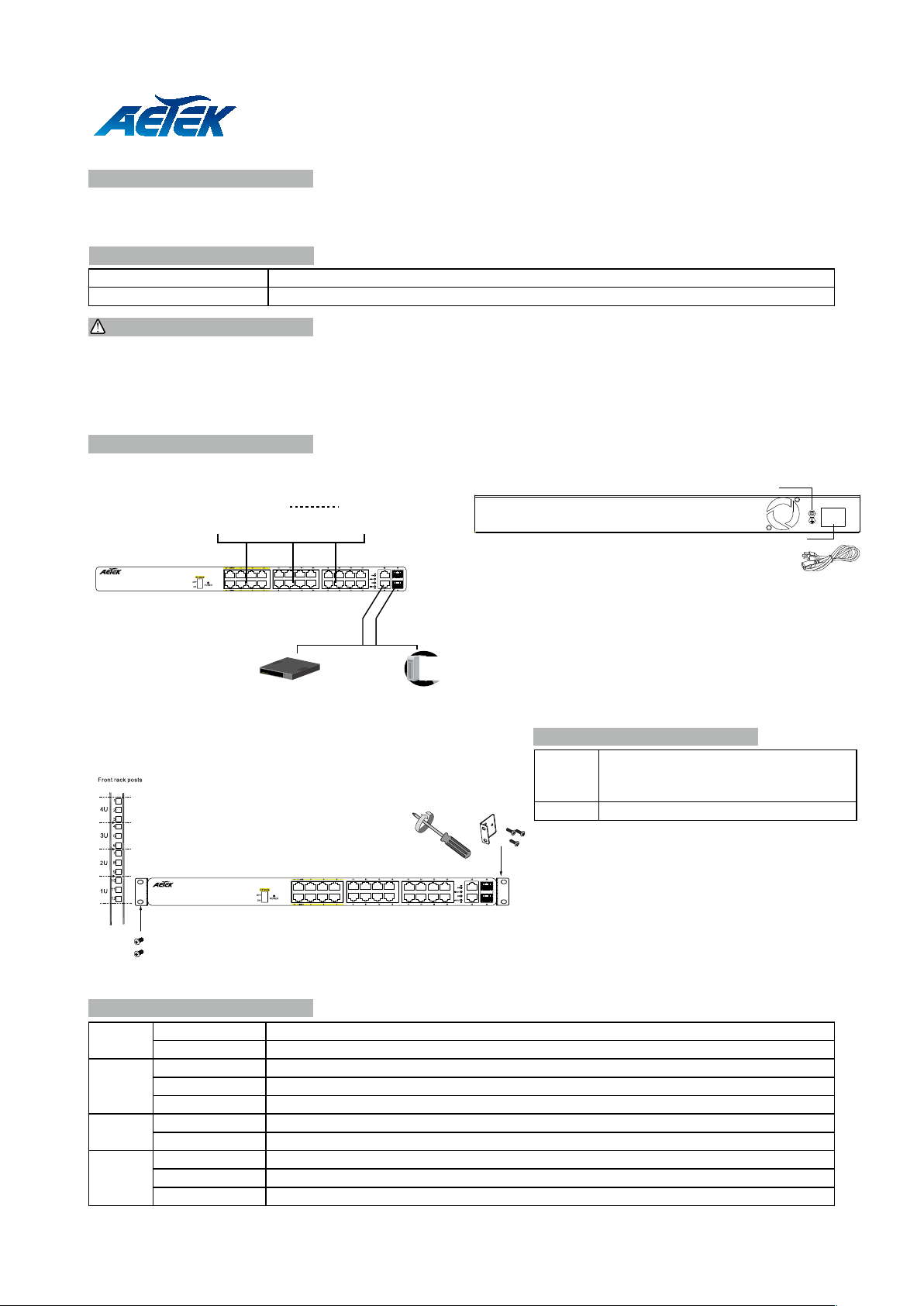
ConsoleNVRRouter / switch
24xFE PoE+2xCombo GbE EXPoE Switch
100-240VAC
Power socket
Grounding screw
1. Install the PoE switch in a ventilated and dry place that is free of electromagnetic source, vibration, moisture, and dust.
2. Make sure the ventilation openings on the switch are not blocked.
3. Use CAT5 or 6 UTP/STP cables.
4. AC input (100~240V/AC, 50~60Hz, 5A)
C11-242-30-380 PoE Switch
Quick Installation Guide
The C11-242-30-380 is a 24 port 10/100BaseT unmanaged PoE switch capable of feeding 15.4/30W (54V max. per port)
power to Power over Ethernet (PoE) devices. It comes with another 2 GbE combo SFP ports.
IMPORTANT:
INTRODUCTION
CONNECTION
* 1x PoE switch * 1x Quick Installation Guide
* 2x rack mount ears * 1x power cord (type by the shipped-to area)
PACKAGE CONTENTS
Front Panel Rear Panel
16xFE PoE+2xCombo GbE EXPoE Switch
EX ON Ports 1 ~ 8 up to 250m PoE distance.
When enabled, each port is isolated, but
is linked to the uplink ports.
EX OFF Normal communication for ports 1 ~ 24
• EX mode in 802.3af(15.4): camera connection up to
250m@10Mbps via EXPoE ports
• EX mode in 802.3at(24W): camera connection up to
200m@10Mbps via EXPoE ports
Restart the switch after changing the Extensive
mode.
EX mode DIP switch
The switch already comes with lightning protection mechanism.
You can also gorund the switch. through the PE (Protecting
Earth) cable of AC cord or with Ground Cable.
LED DEFINITIONS
POWER Orange ON Power is on and normal.
Orange Off Power is off.
Link/Act Green ON Ethernet port is connected.
Green Off No connection
Green Blinking Data is being transmitted or received.
GbE Green ON Link speed at 1000Mbps.
Green Off Link speed at 10/100Mbps.
PoE Orange ON Port is linked to a powered device.
Orange Off No device is connected.
Orange Blinking Abnormal power supply is detected.