AccuBANKER AB7500 User manual
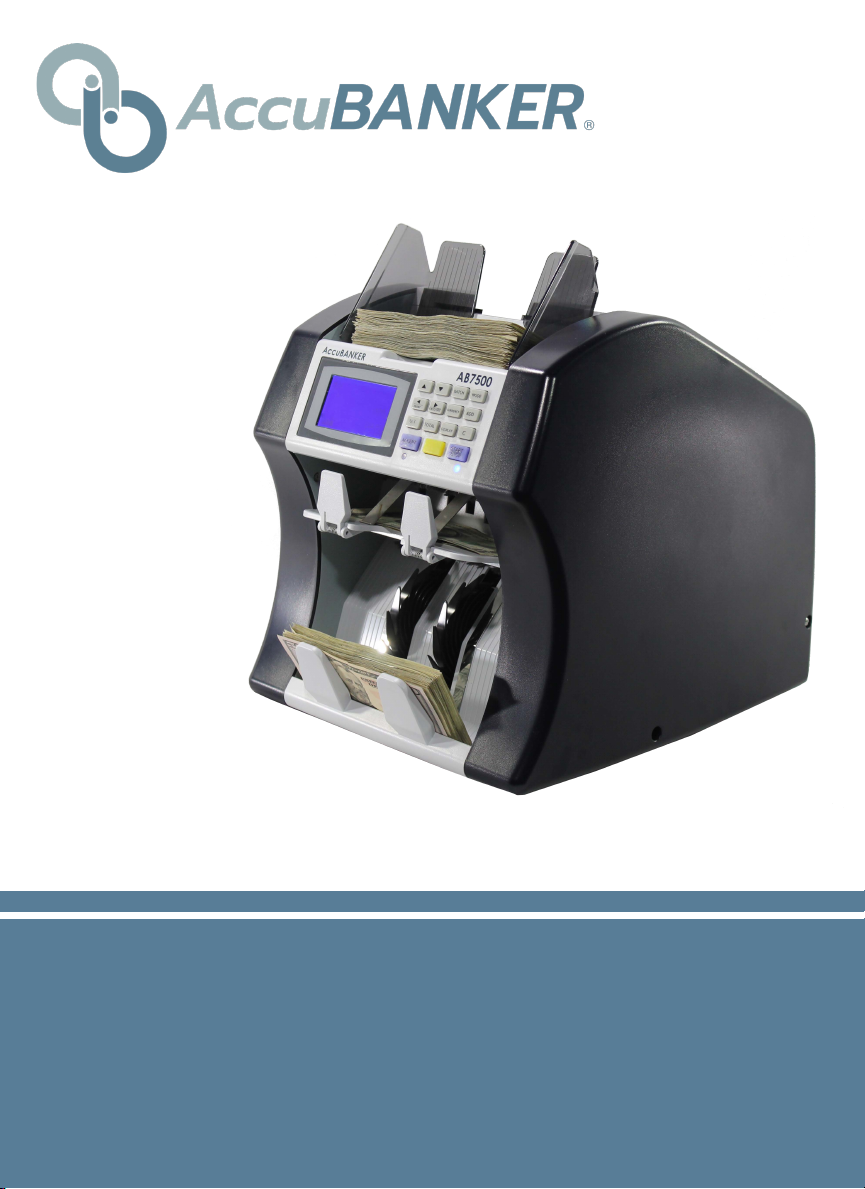
AB7500
Dual Pocket Mixed Bill Counter
USER GUIDE www.AccuBANKER.com

Thank you for trusting AccuBANKER with your cash
handling needs. In order to optimize the performance
of your equipment, we encourage you to thoroughly
read this user guide prior to use.
®

3
Table of Contents
Table of Contents .............................................................................................1
1. Introduction ..................................................................................................4
2. Safety Instructions........................................................................................4
3. Equipment Overview....................................................................................6
3.1 Part Description ......................................................................................6
3.2 Control Panel Description ......................................................................7
4. Configurations Menu Description................................................................9
5. Bill Rejection Codes Descriptions .............................................................14
6. Warning and Error Messages .....................................................................15
7. Unit Maintenance .......................................................................................16
7.1 Periodic Cleaning Routines ..................................................................16
8. Software Updates .......................................................................................17
9. Specifications .............................................................................................18
4
!
!
1. Introduction
The AB7500 is a double pocket bill counter designed to accelerate the cash
counting process, as it does not stop its operation when a suspicious bill is
detected; instead, it is sent directly into the rejection pocket. The final count
result shows the total value as well as the number of bills counted.
2. Safety Instructions
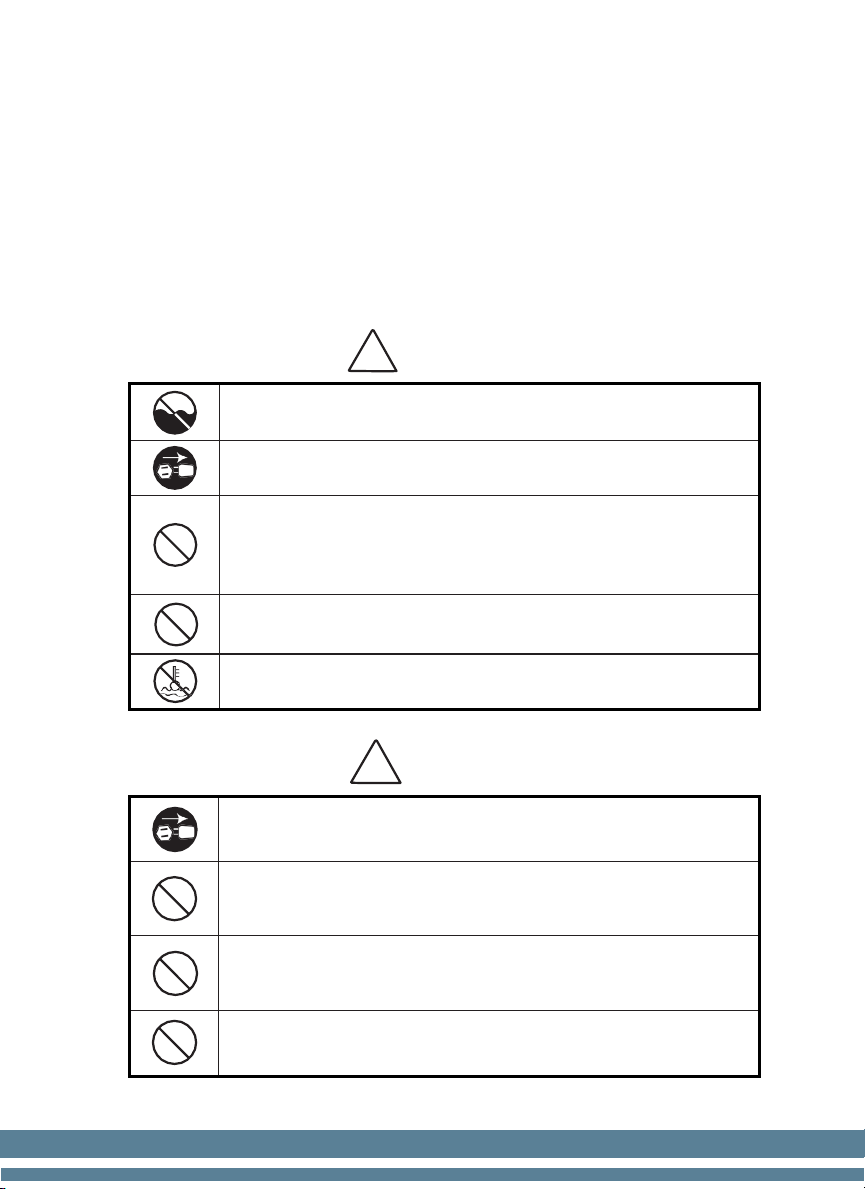
Warning
Do not use this product in areas where it may be exposed to water or other
liquids.
Unplug this product from the electric outlet before cleaning. Do not use liquid
oraerosol cleaners. To clean, use a damp cloth.
To reduce the risk of electric shock, do not disassemble this product. Take
it to qualified service personnel when service or repair work is required.
Opening or removing covers may expose you to dangerous voltages or other
risks. Incorrect reassembly can cause electric shock when the appliance is
subsequently used.
Only use the cable provided with the unit. The use of other cables may result
in electric shock, fire, or cause serious damage to the unit.
Do not operate the unit in areas with high temperature or high humidity sinceit
may prevent it from working correctly.
Caution
When unplugging the power cord, do not pull it by the cord, but rather grip the
plug to pull it out. Not following these instructions may result in electricshock,
fire, or damage to the unit.
Do not use the unit if the power cord is damaged or if the plug socket contactis
loose. Not following these instructions may result in electric shock, fire, or
other hazards.
Do not place heavy objects over the cord and do not bend it excessively since
it could get damaged. Not following these instructions may result in electric
shock, fire, or other hazards.
When not using the unit for a long time, remove the power plug from the electric
outlet.

5
2. Safety Instructions (continued)
•Read and understand all of the safety instructions.
•Follow all warnings and instructions marked on the unit.
•This product is meant to be operated in an indoor environment with
proper ventilation.
•Do not place near direct sunlight, heat sources, or air conditioners.
•This product should only be operated with the power cord supplied and
the type of power source indicated in this user guide. If you are not sure
of the type of power supply in your location, consult your vendor or local
power company.
•To avoid the risk of fire or electric shock, never push objects into the unit
through the case slots or openings, since they may touch dangerous
voltage points or shortcut parts. Do not disassemble the unit.
•Never spill liquids of any kind on the product.
•Unplug this product from the wall outlet and refer servicing to qualified
service personnel under the following conditions:
- When the power supply cord or plug is damaged or frayed*
- If liquid has been spilled into the unit, or it has been exposed to rain
or water*
- If the product has been dropped or the case has been damaged*
- If the product shows a noticeable change in performance
*Not covered under warranty
NOTE:Do not remove the "ground" prong from the power cord. It is a safety
feature meant to protect the user from harm and the equipment from damage.
!
If the unit does not operate normally while following the
instructions, adjust only those controls covered by the operating
instructions. Improper adjustment of other controls may result in
damage and will often require extensive work by a qualified
technician to restore the product to normal operation.
6
3. Equipment Overview
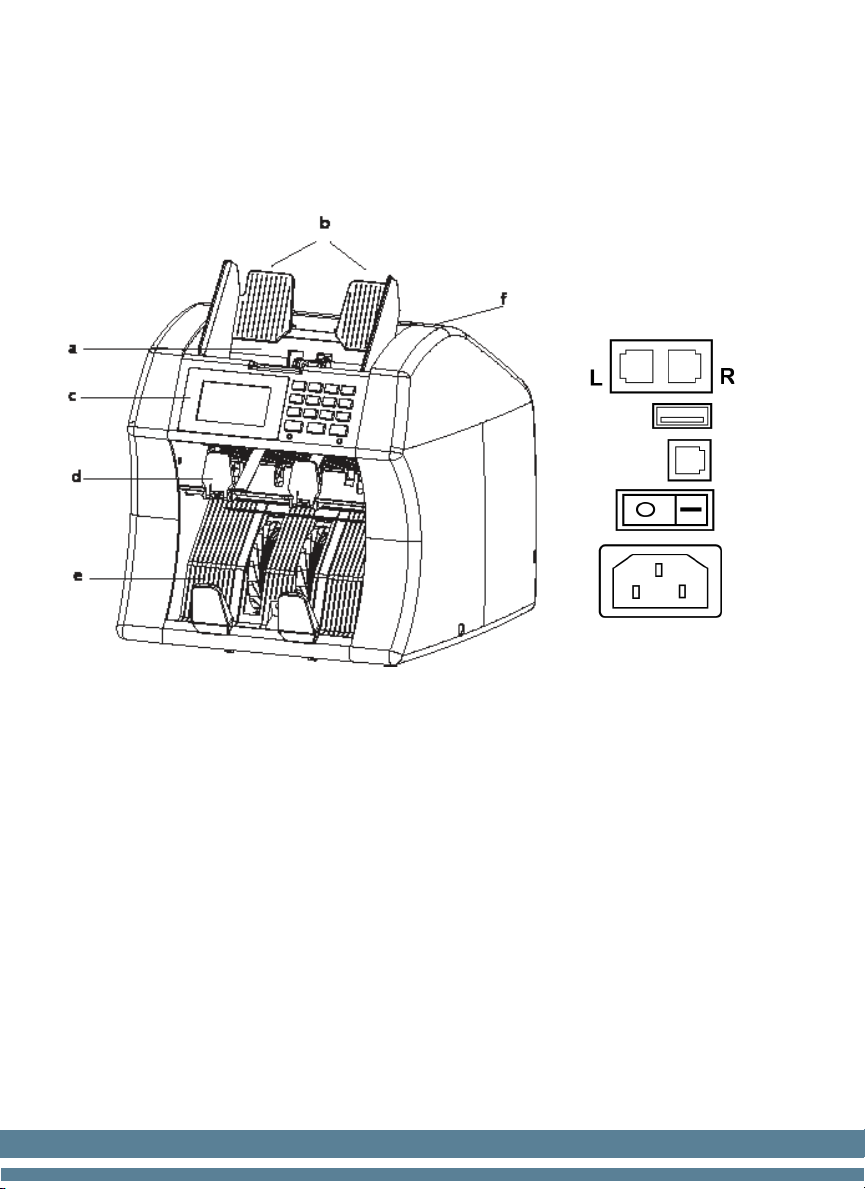
3.1 Part Description
a- Hopper
b- Bill Guiders
c- Control Panel
d- Rejection Pocket
e- Stacker
f- Bill Thickness Adjustment
Screw
g- Serial ports
R- For printer
L- For service
h- USB port for updates
i- External display port
j- Power switch
k- Power Jack
g
h
i
j
k
7
3. Equipment Overview (continued)
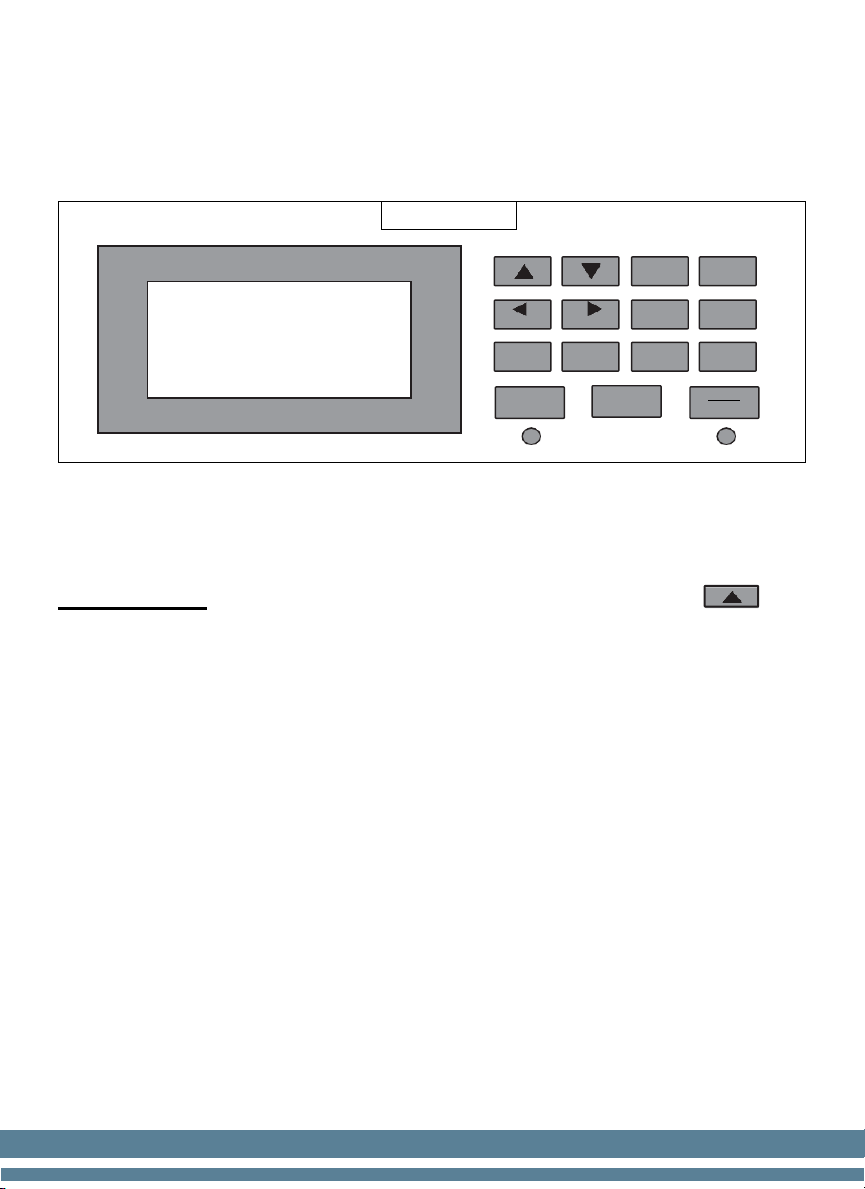
3.2 Control Panel Description
AccuBANKER
AB7500
Up / Down / Left / Right BUTTONS
Used to move the cursor in the configuration menu.
IMPORTANT: When there are bills in the rejection pocket, press to
see why a bill was rejected. A rejection code will appear on the screen. For a
brief description of what each code means, see Section 5.
BATCH
Select the desired batch quantity (5-10-20-25-50-100-200).
MODE
MDC- Mixed: Used for counting mixed denominations all together.
SDC- Sort: Memorizes the first denomination counted and all others will be
rejected; only the denomination counted first will be accepted by the
machine.
CNT- Count: basic bill count; counts the number of bills but does not
calculate the total count value. Used for currencies not programmed on the
unit.
MODE
BATCH
FACE/ORT
PRINT
ADD
CURRENCY
TOTAL
SET
C
DISPLAY
ACCEPT
START
STOP

8
3. Equipment Overview (continued)
3.2 Control Panel Description (continued)
PRINT
Prints detailed count reports.
FACE/ORT
Organizes the bills FACE UP, FACE DOWN, LEFT, or RIGHT.
CURRENCY
Used to change the currency that will be counted.
ADD
Activates ADDING function.
TOTAL
Shows the TOTAL VALUE COUNT.
DISPLAY
Displays the breakdown details of the counting.
C
Erases data on the screen or erases error messages.
ACCEPT
Confirms any changes made to the “Configurations” screen as well as count
results.
START / STOP
Starts and stops counting operations.
SET
Enters the “Configurations” menu. Keep the key pressed down for 6 sec.

9
4. Configurations Menu Description
The user menu allows the operator to configure the unit based on their
working preferences. The different points to be defined are described below:
a- Press the SET key until the menu appears on the screen.
b- Use the “direction” keys to select and change the parameters.
c- Always press “ACCEPT” to save each change made.
d- Press C (one or more times) to exit the User Menu.
REJECT LED
Used to activate/deactivate the notification light of the machine’s rejection
pocket.
CURRENCY SELECT
Used to activate/deactivate currencies programmed into the unit.
DEFAULT
Restores unit to its original factory settings.
DUAL USAGE: NOT AVAILABLE.
AUTO-START
Used to set the unit to MANUAL start mode, or to vary the machine’s start
time after the first bills are detected by the Hopper sensor.
REPEAT START
Used in BATCH mode to set the unit to AUTO / MANUAL mode during the
batching process.
BUZZER
Used to Activate / Deactivate the notification buzzer when working with the
unit’s keypad.

10
4. Configurations Menu Description (continued)
OFF LCD LIGHT
Enables / Disables the display standby function when the unit is not in use for
long periods of time.
MODE KEY SWITCH
Used to select the operation mode (MDC, SCD, or CNT).
SPEED
Allows varying the counting speed of the machine between 800/900/1000
bills/min. The speed variation applies only to CNT mode.
REJECT FULL
To set the maximum amount allowed in the rejection pocket; Once this
quantity is reached, the unit stops (25/50/75/100).
REJECT CHECK
When this function is enabled (ON), the unit automatically stops when at
least one bill enters the rejection pocket and requires to be removed to
continue the counting.
CNT MODE
Enables / Disables the CNT (basic count) mode.
CNT CF CHECK
Enables / Disables the verification of banknote security features in CNT
(basic count) mode.
ASSIGN OPERATOR: NOT AVAILABLE.
Other manuals for AB7500
1
Table of contents
Other AccuBANKER Cash Counter manuals

AccuBANKER
AccuBANKER AB630 User manual

AccuBANKER
AccuBANKER SILVER S6500 User manual

AccuBANKER
AccuBANKER D585 User manual

AccuBANKER
AccuBANKER LED420 User manual

AccuBANKER
AccuBANKER AB550 User manual

AccuBANKER
AccuBANKER AB7500 User manual

AccuBANKER
AccuBANKER D585 User manual

AccuBANKER
AccuBANKER AB610 User manual

AccuBANKER
AccuBANKER AB4000 User manual

AccuBANKER
AccuBANKER AB5200 User manual