Uclear HBC 100 User manual
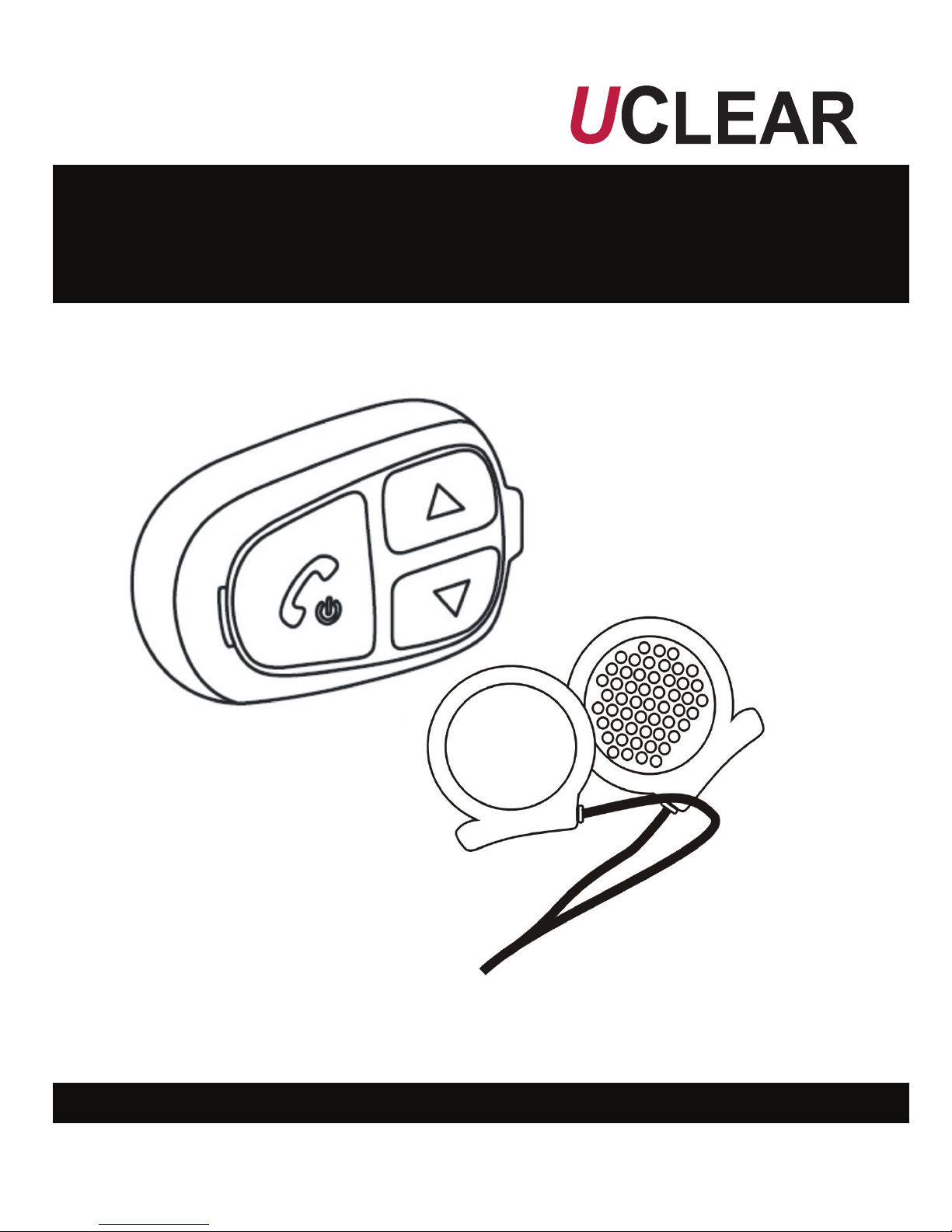
HBC 100
User Manual
Helmet Communicator
1
Welcome to
HBC100
Helmet Communicator User Manual
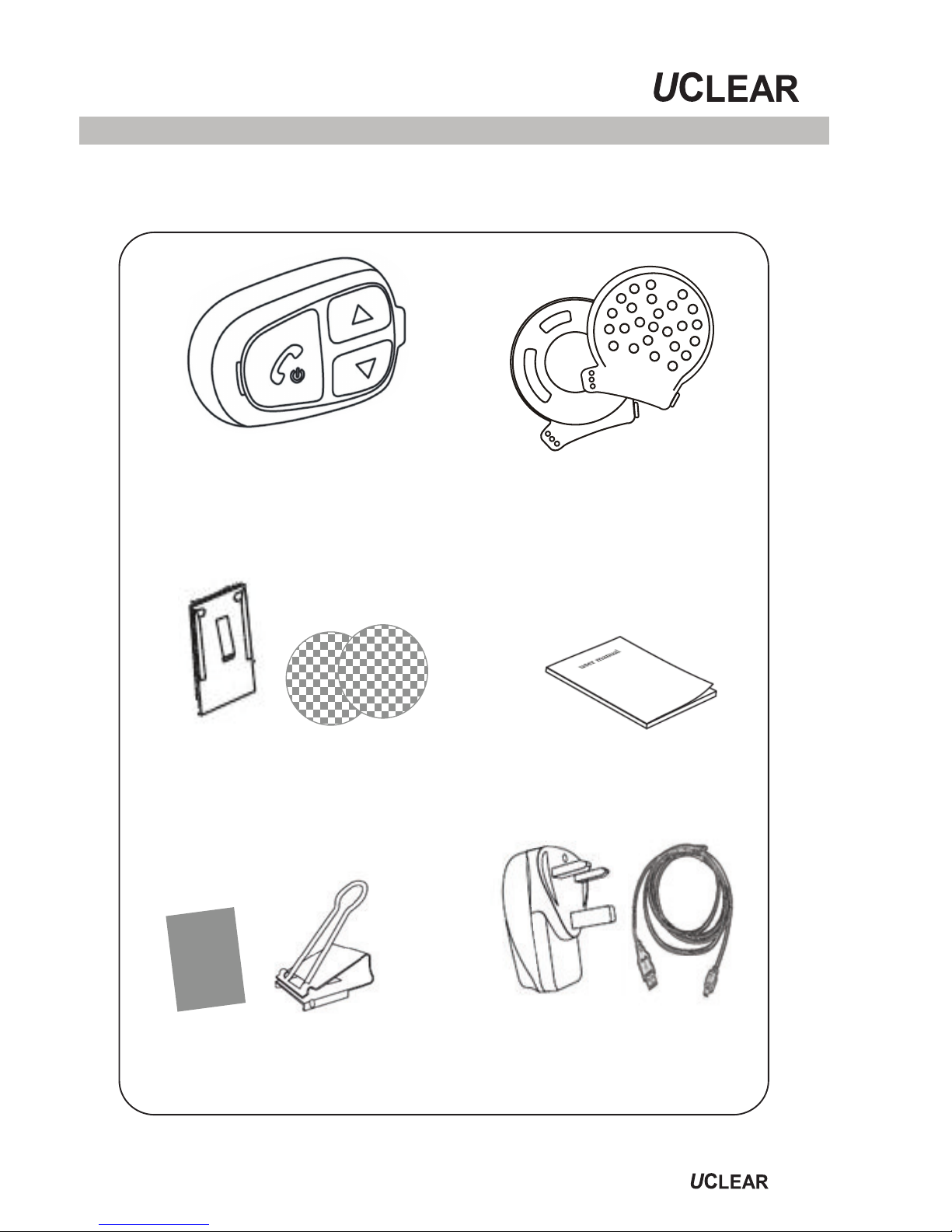
HBC100 helmet communicator
control unit
Hi-fi stereo headset
User manual
A clip bracket and
anti slip rubber patch
An AC charger and
USB charging cable
velcros for speakers
Metal mounting bracket and

2
Contents
Contents --------------------------------------------- 2
Quick User Guide ------------------------------------ 3
Warnings and Safety Instructions ------------------ 7
Features --------------------------------------------- 9
Installation ------------------------------------------ 10
General Operations --------------------------------- 14
Mobile Phone Operations --------------------------- 16
Music Streaming Operations ----------------------- 18
Intercom Operations ------------------------------- 19
Button Configurations Summary ------------------ 20
Status Indicator Configurations Summary -------- 21
Technical Data -------------------------------------- 22
Troubleshooting Operational Tips ------------------ 23
Notices ---------------------------------------------- 24
Quick User Guide
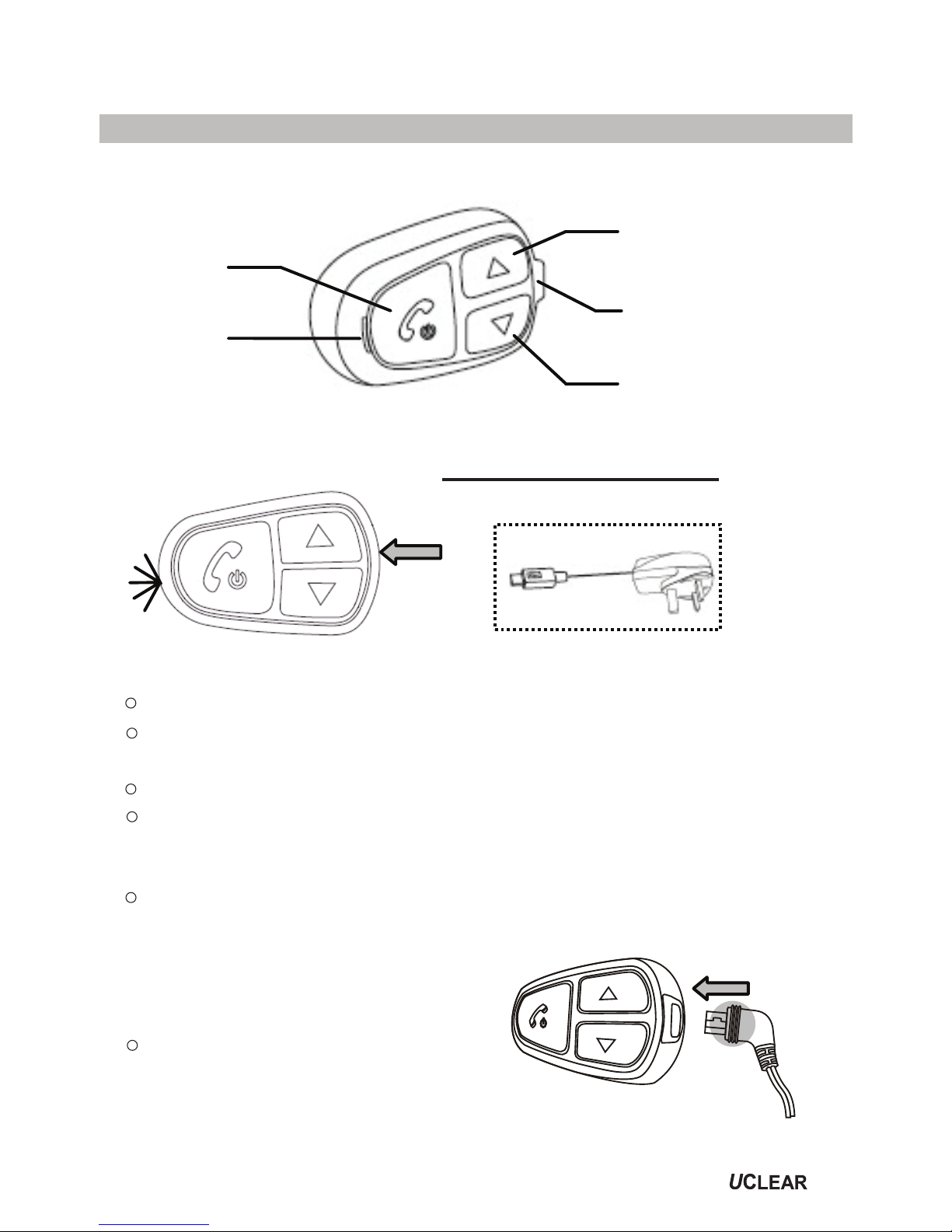
Your HBC100 at a glance
Up button
Speaker /
charging socket
Down button
Status
indicator
Answer
button
Charge
Check Bluetooth phone capabilities before use
To charge, use the provided charging cable by connecting
it either to a USB port or to the adaptor provided.
While charging, the status indicator light will be red.
Upon fully charged, the status indicator light will be blue.
Low Battery Indicator
You need to charge the helmet communicator when the
status indicator light blinks red twice every 2 seconds
with a beep every minute.
Charger
Attach
G
ENERAL
F
UNCTIONS
Before using your HBC100
please charge it first!
3
Make sure the speaker wire
is inserted into the main unit.
lnsert the speaker wire into the control unit until you
can no longer see the 3 ribs on the speaker wire plug.
Install Speakers
4
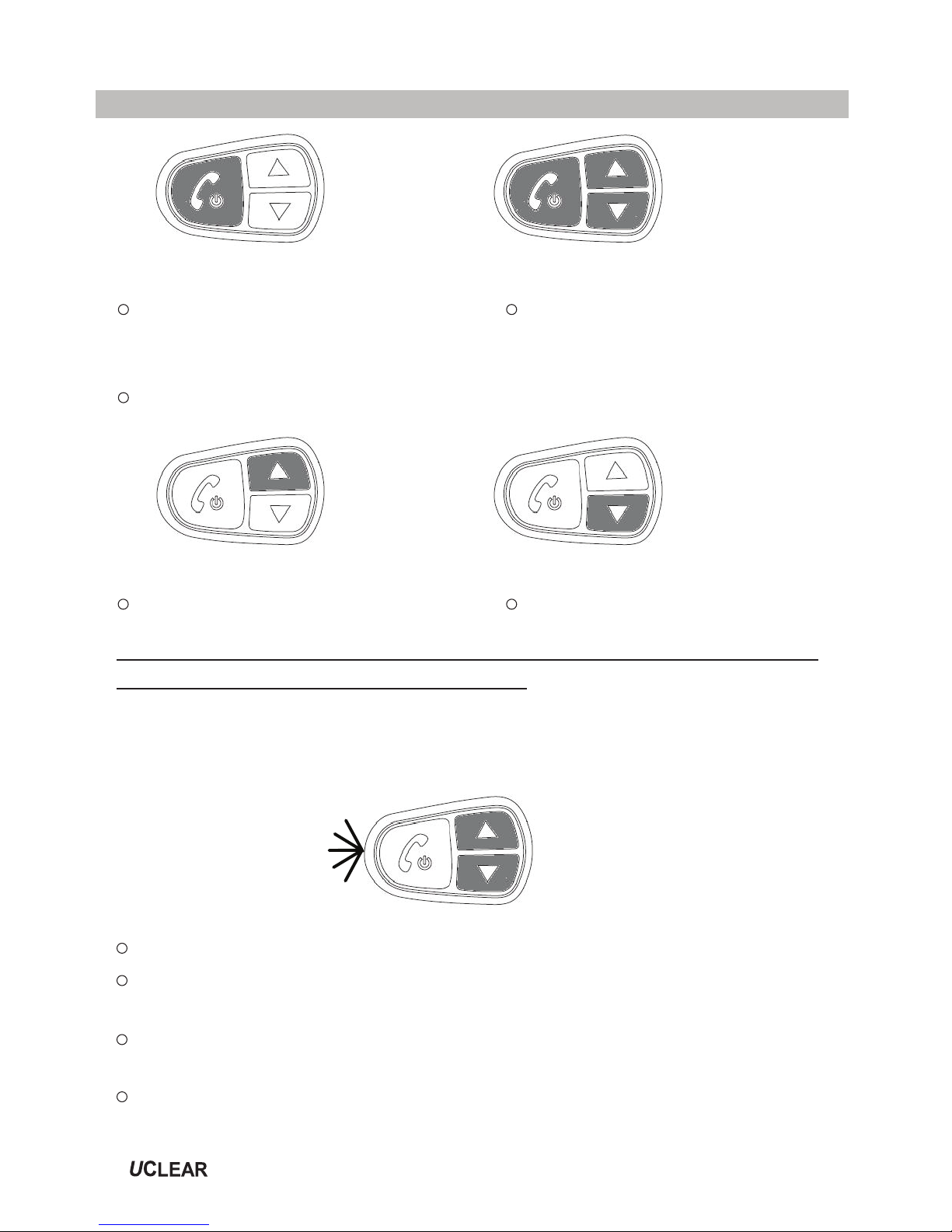
Power On
Hold Answer for 2 seconds.
Power Off
Hold Answer for 5 seconds.
Reset
Press all 3 buttons
together.
Volume Up
Press Up once.
*NOTE: The volumes for mobile phone, music and intercom
functions are controlled separately.
M
OBILE PHONE FUNCTIONS
Pairing your HBC100 with your mobile phone
Volume Down
Press Down once.
Pairing
Check Bluetooth phone capabilities before use.
Hold Up and Down buttons together for 2 seconds. The
status indicator light will blink blue then red.
From your mobile phone Bluetooth menu, search for
‘UCLEAR HBC100’.
If your phone requires a password, enter ‘0000’.
Quick User Guide
Quick User Guide
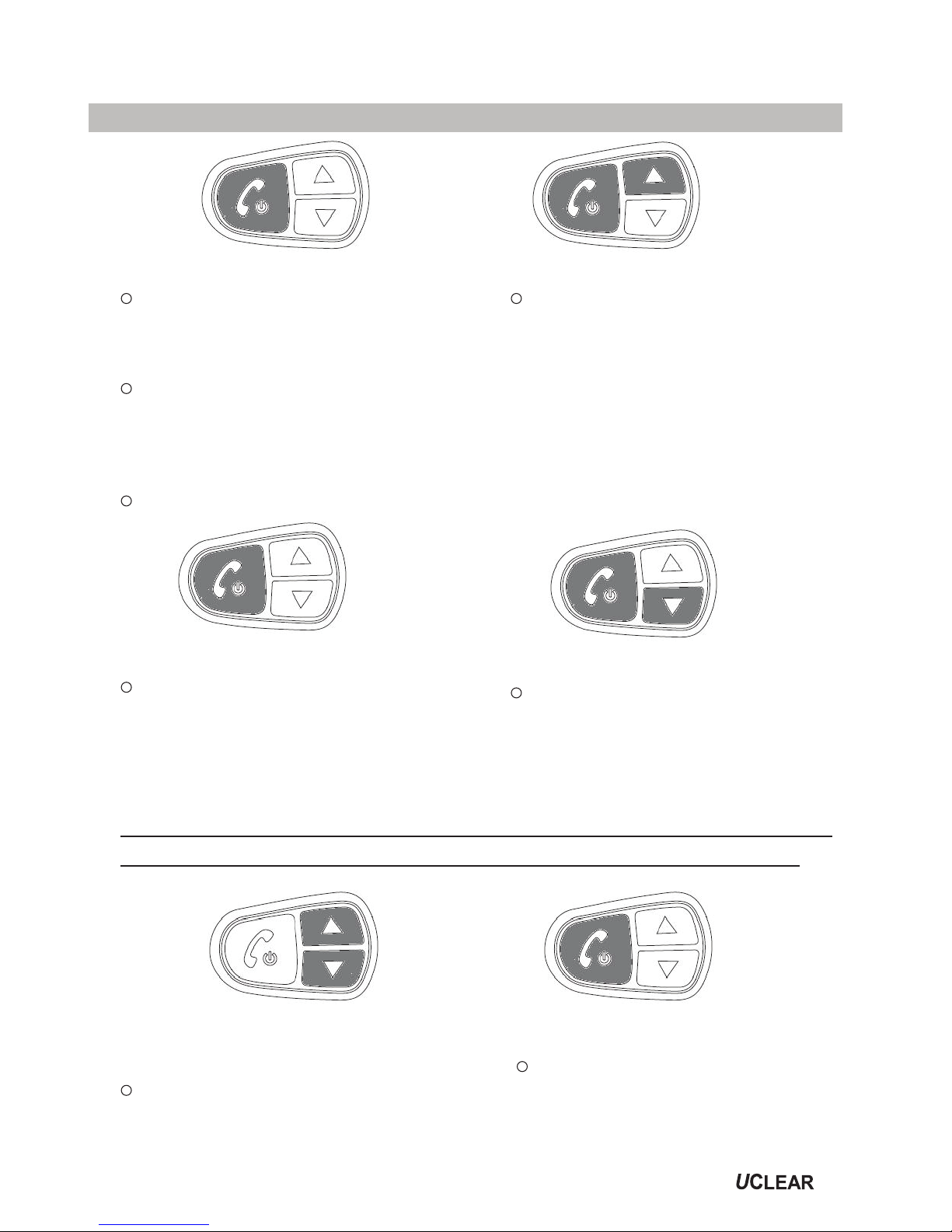
Answer Incoming Call
Use voice pickup, say ‘hello’
or ‘pickup’.
OR
Manually press Answer
button once.
Voice Dial
Hold Answer and Down
button for 2 second.
Last Number Redial
Hold Answer and Up
button for 2 second.
3 Way Calling
To swap between 2
concurrent calls, press
the Answer button once.
M
USIC
S
TREAMING
F
UNCTIONS
*NOTE: For music Bluetooth adaptor you would need to pair
Reject/ End Incoming Call
Hold Answer button for 2 seconds.
the music Bluetooth adaptor before using it with HBC100.
Play/ Stop (Quick Mute)
Press the Answer button
2 times.
Pairing (for Music
Bluetooth adaptor Only)
Hold Up and Down buttons
together for 2 seconds.
5
Quick User Guide
6
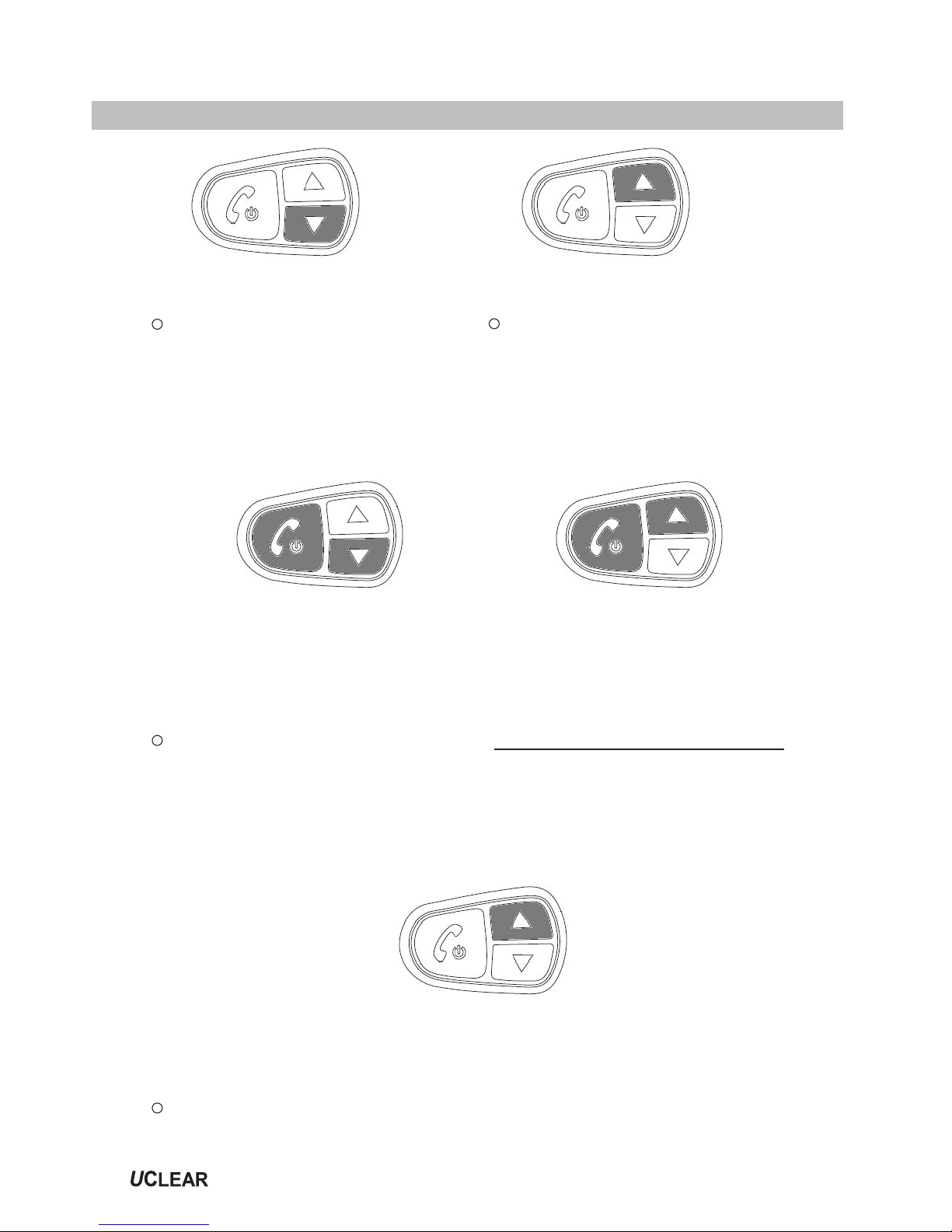
Fast Forward
Press the Up button 2
times.
Backtrack
Press the Down button
2 times.
INTERCOM FUNCTIONS
Pairing your HBC100 to another HBC100
Helmet 1
(Master Unit) Helmet 2
(Secondary Unit)
Pairing (Needs to be done once)
The helmet communicator needs to be switched off
before performing the following steps:
Press Answer and Down buttons for 5 seconds on
helmet 1 & press Answer and Up buttons for 5
seconds on helmet 2.
Initiate or Terminate Conversation
(Toggle Functions)
Hold the Up button for 2 seconds.
Warnings and Safety Instructions
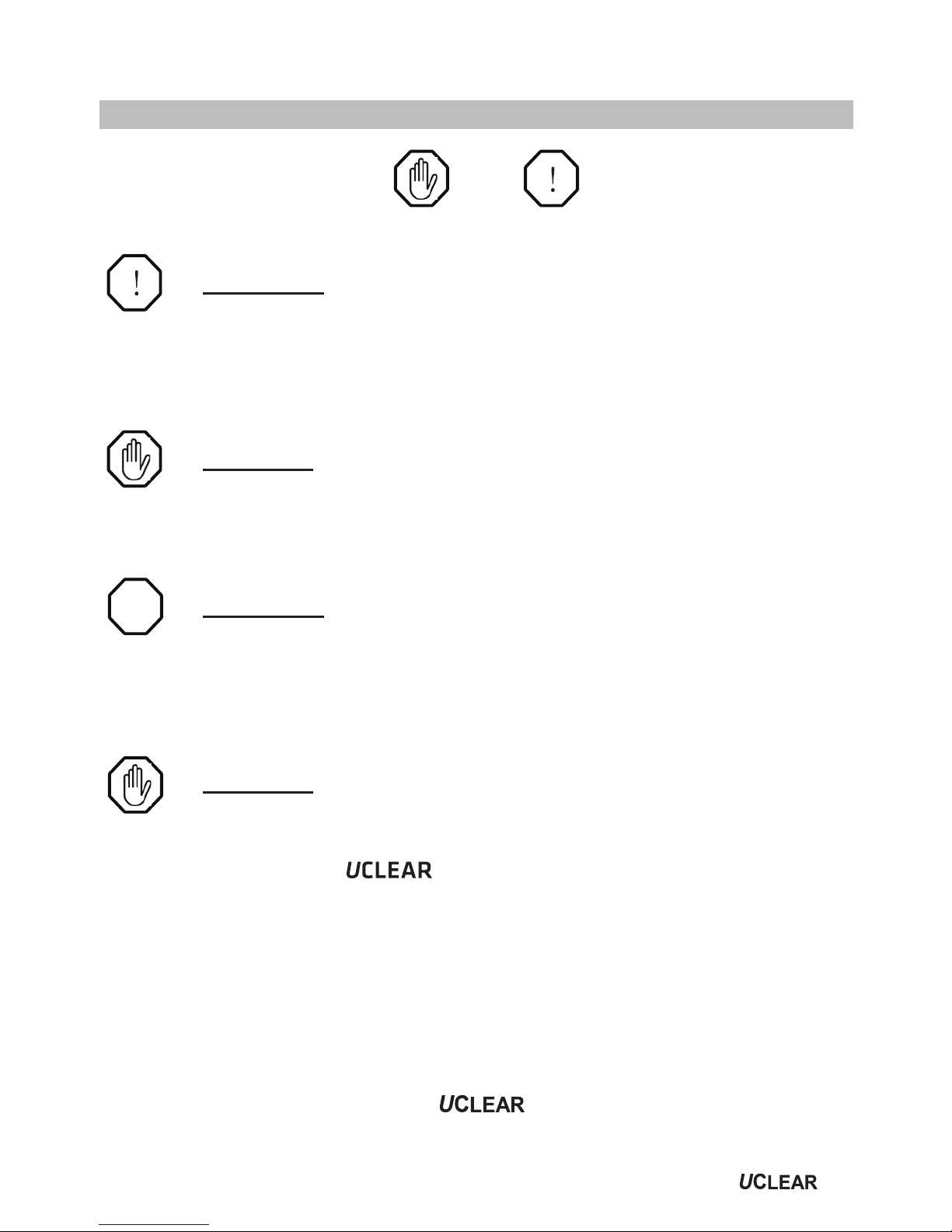
This manual uses the and icons to highlight
certain instructions. Below is an explanation of the icons.
Attention
- This icon highlights special instructions and precautions intended
to avoid damage to the system. Non-compliance may void the
product warranty.
Warning
- This icon provides precautions important to prevent injuries to
the user.
Attention
- Please read through the operating instructions to understand
how to operate the system, in particular the safety instructions.
Warning
!
- Please note that there are some countries that by law disallow
the rider to set the helmet communicator to a volume
that prevents you from perceiving the surrounding.
- Please note that in some countries the use of both speakers
simultaneously is authorized only out of pubic traffic
conditions.
- Please check with the relevant authorities for local safety
legislation before using the helmet communicator on
the road.
7

8
- Prolonged exposure to loud sounds may lead to permanent
hearing damage.
- Do not attempt to place an outgoing call through the mobile
phone while riding on the motorcycle at any point of time.
-
Please do not use the helmet communicator in any
way that may distract you or hinder your judgment while on
the move.
Never ever compromise your safety and the safety
of others.
Attention
- Charging and handling rechargeable battery products incorrectly
may cause them to overheat, catch fire or explode. To prevent
this please follow the instructions below:
i) Never change the batteries yourself, always bring it to an
authorised dealer to perform the replacement for you.
ii)When charging, use the charging cable provided or
areplacement cable from the dealer. Using similar,
compatible or any other cables may lead to permanent
product damage and will void the product warranty.
ONLY
- Never make any modifications to any parts of the
helmet communicator in any way as it may cause the system
to malfunction causing hurt to you.
- Do not modify your helmet to use with this system – it is not
necessary to do so.
!
Warnings and Safety Instructions

Features
•
•
Voice controlled incoming call answering.
•
The helmet communicator has three main functions:
to make mobile phone calls, to listen to music and intercom
communication.
Mobile Phone Functions
Bluetooth phone audio capabilities, HFP & HSP Profile.
•Voice activated call pick up.
Music Streaming Functions
•Bluetooth music streaming with hi-fi and stereo capabilities,
A2DP Profile.
•Bluetooth Audio/Video Remote Control capability, AVRCP
profile.
Intercom Functions
Motorcycle to motorcycle or rider to passenger connection via
two helmet communicator up to 10m range.
Advanced Product Features
•
Self adaptive intelligent noise cancellation algorithms ensure
conversations on the go are clear even in noisy environments.
•
The weather resistant engineered design ensures the possibility
of communication rain or shine.
•
The integrated microphone array technology allows you to
communicate without the hassle of using boom microphones.
9
Other manuals for HBC 100
2
Table of contents
Other Uclear Motorcycle Accessories manuals