
Nexxt Solutions Smart Wi-Fi body scale User manual

WARRANTY
nexxtsolutions.com/warranty
YEAR
2
Smart Wi-Fi body scale
English
User guide
Thank you for purchasing the Smart Wi-Fi body scale from
Nexxt Solutions. We are excited to be part of making your
life easier, safer and bringing peace of mind inside and
outside your home.
Carefully read this manual prior to setting up and using this
product.
Package content
• Smart Wi-Fi body scale (1)
• Quick start guide (1)
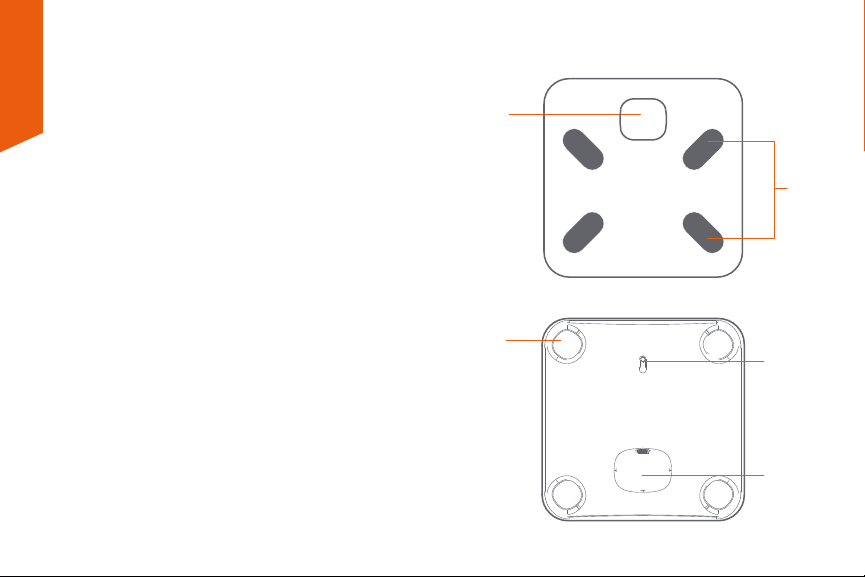
Product overview
1. LCD display
2. Electrode (each side, top and bottom )
3. Anti-slip feet
4. Unit reset button
5. Battery compartment
Top view
Bottom view
4
5
3
1
2
BMI
ft
cm
kg
St
lb
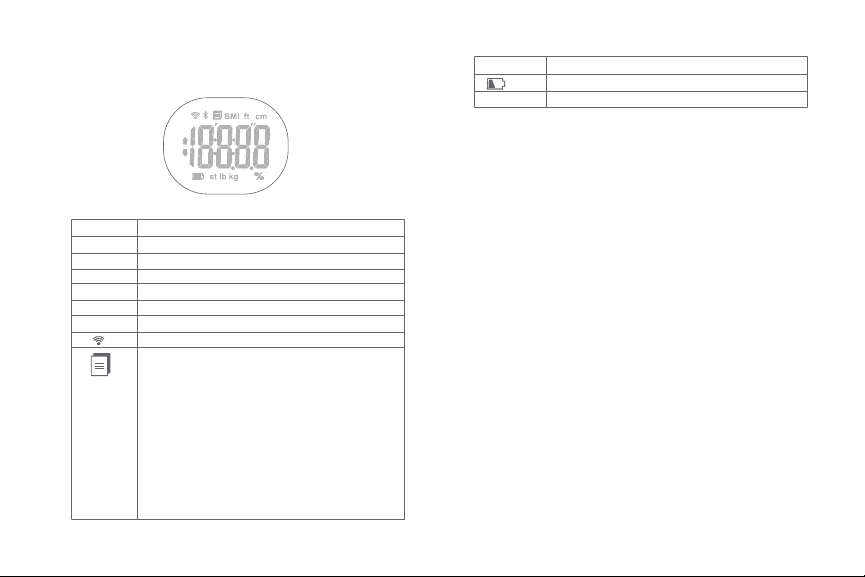
Symbol Description
LCD display indicators
Body Mass Index
Feet
Centimeter
Kilogram
Stone
Pound
Wi-Fi connection
Data is ready to be transmitted to the app:
- If the data transmission fails, the symbol will
remain. The pending measurement data will
be temporarily kept in the scale and
transmitted to your smartphone when the
next measurement is complete.
- The symbol will disappear after successful data
transmission, and you may check your
personal health data stored in your
smartphone.
%
Symbol Description
Low battery indicator
Percentage
Preliminary steps
Battery installation
1. Turn the scale over and place it on a hard surface.
2. Open the battery compartment on the bottom of the
scale.
3. Insert three AAA batteries (not supplied) observing the
correct polarity inside the compartment.
4. Replace the battery cover and wait until 0.0kg are
displayed on the screen.
When the “ ”appears on the screen, the device will
power o in about 4 seconds. That means the batteries
are low.
All three batteries must be replaced at the same time.
Do NOT mix new batteries with the old ones.
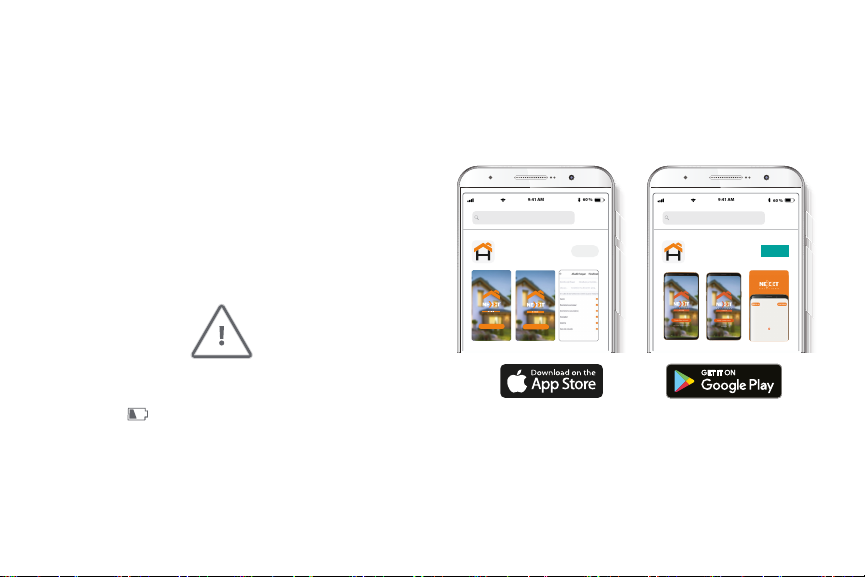
Installing the Nexxt Solutions
Home App
Download Nexxt Home app from Google Play or the Apple
App Store.
60 %
9:41 AM
Nexxt Home
Nexxt Solutions Home App
Cancel
GET
Accvent LLC
Login with existing account
Create New Account
SOLUTIONS
Iniciarsesión con cuenta existente
Crear Cuenta Nueva
SOLUTIONS
60 %
9:41 AM
Nexxt Home
Nexxt Solutions Home App
Cancel
INSTALL
Accvent LLC
CAUTION
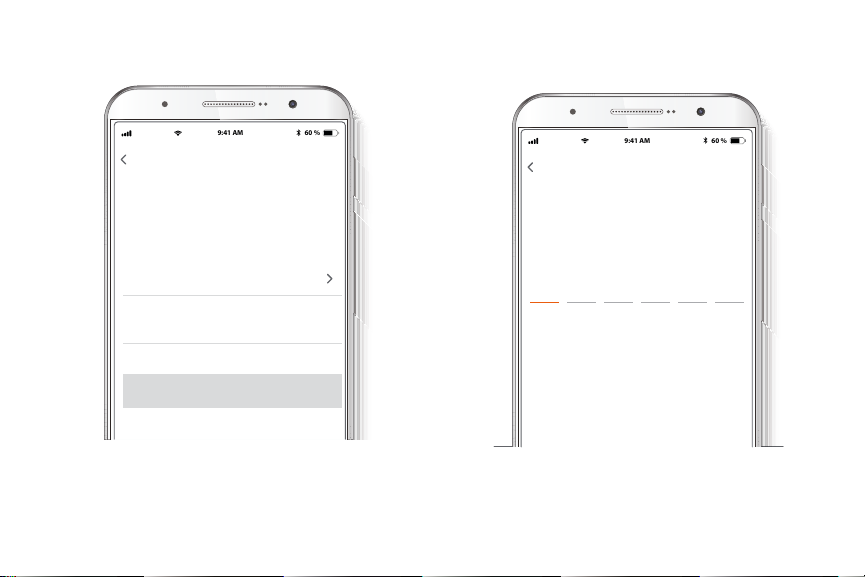
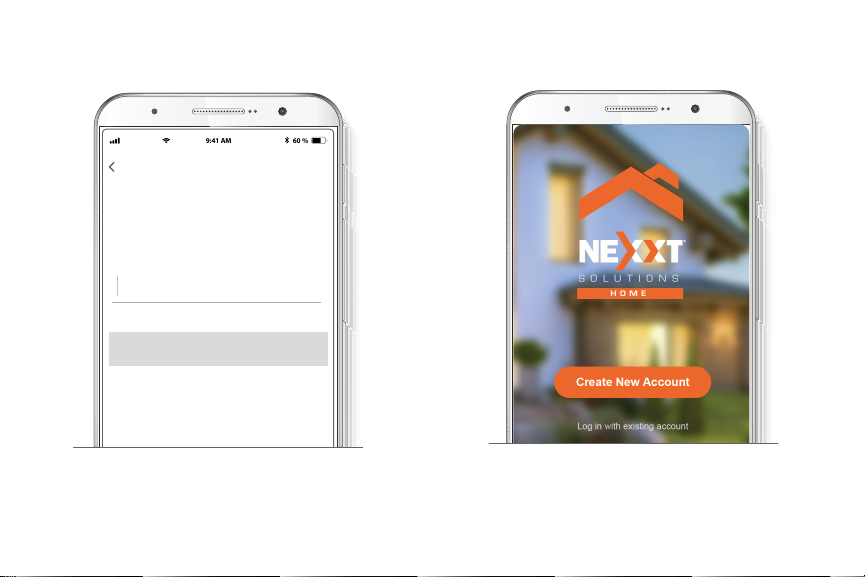
Step 1
Register by email. If you want to register by phone, select
Register by phone on the upper right-hand corner of the
screen.
60 %
9:41 AM
Register by phone
Register by email
United States of America
Email
Get authentication code
Step 2
Enter the verication code you received.
60 %
9:41 AM
Enter verication code
Verication code has been sent to your
Step 3
Create a new password and then select Completed.
60 %
9:41 AM
Set Password
Completed
6-20 characters, including letters and numbers
Step 4
The Nexxt Solutions Home account has been successfully
set up.
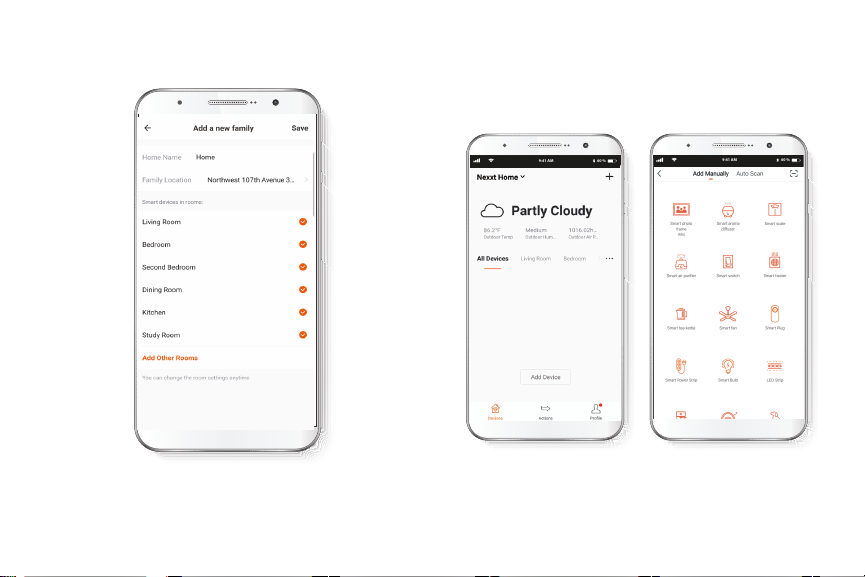
Step 5
Assign a Home Name and Family Location.
Select Add another room and name each room as needed.
Select Save to store your settings.
Add device
Step 1
Select Add device, followed by the smart scale.
60 %
9:41 AM
60 %
9:41 AM

Step 2
You must connect to a 2.4GHz WiFi network. Enter your
network password. Make sure you enter the correct
password, otherwise the device will not connect.
• Press and hold the reset button on the back of the scale.
60 %
9:41 AM
• The icon and the icon will appear alternatively on
the LCD, accompanied by a blinking Wi-Fi icon. This
indicates that the device has entered into the pairing
mode.
Note: If the Wi-Fi icon blinks slowly on the LCD, you can
click the Other mode option on the top right corner to
manually select AP Mode and pair the scale.

Step 3
On the app, press Conrm indicator is rapidly blinking.
Step 4
Device added successfully will be displayed. Click on
Done. Once the pairing is complete, the LED will turn o.
Once the pairing is complete, the icon will appear,
making the Wi-Fi symbol become steady on the LCD.
If the pairing process fails, then the Conf notication will be
shown instead.
60 %
9:41 AM
60 %
9:41 AM
60 %
9:41 AM
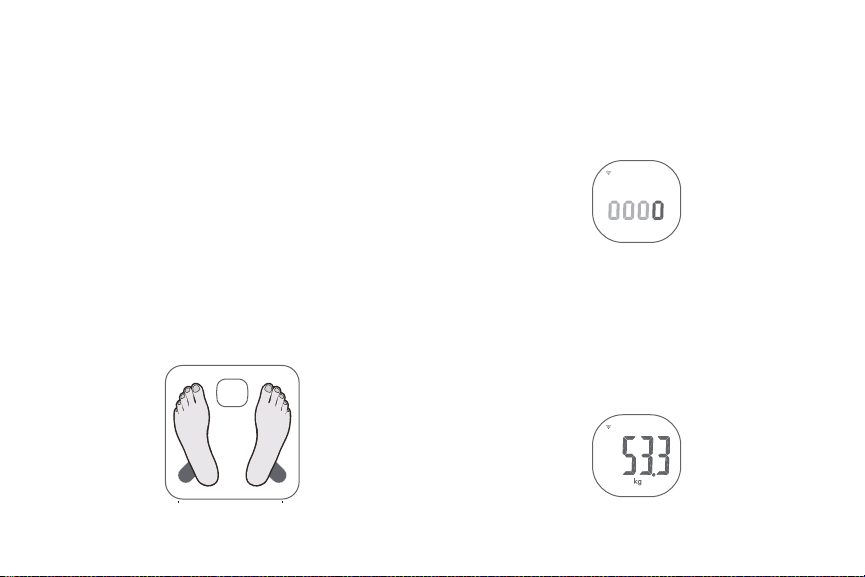
Step 1
Step on the platform barefoot.
Selecting the measuring unit
After adding the device successfully to your network, you
can select the measurement unit by pressing the unit
reset button located on the bottom of the scale. The
available options are: kilogram, pound or stone as your
measurement unit. This can be selected through the app as
well.
Starting a measurement
Step 2
Stand still and keep full contact with the electrodes until
the LCD stops displaying the 0000 sequence.
Step 3
Make sure your Wi-Fi connection is active, so the analysis of
your body composition can be sent wirelessly to the app.
Make sure to remain on the scale until the Data
transmission symbol disappears from the screen.
Table of contents
Languages:









