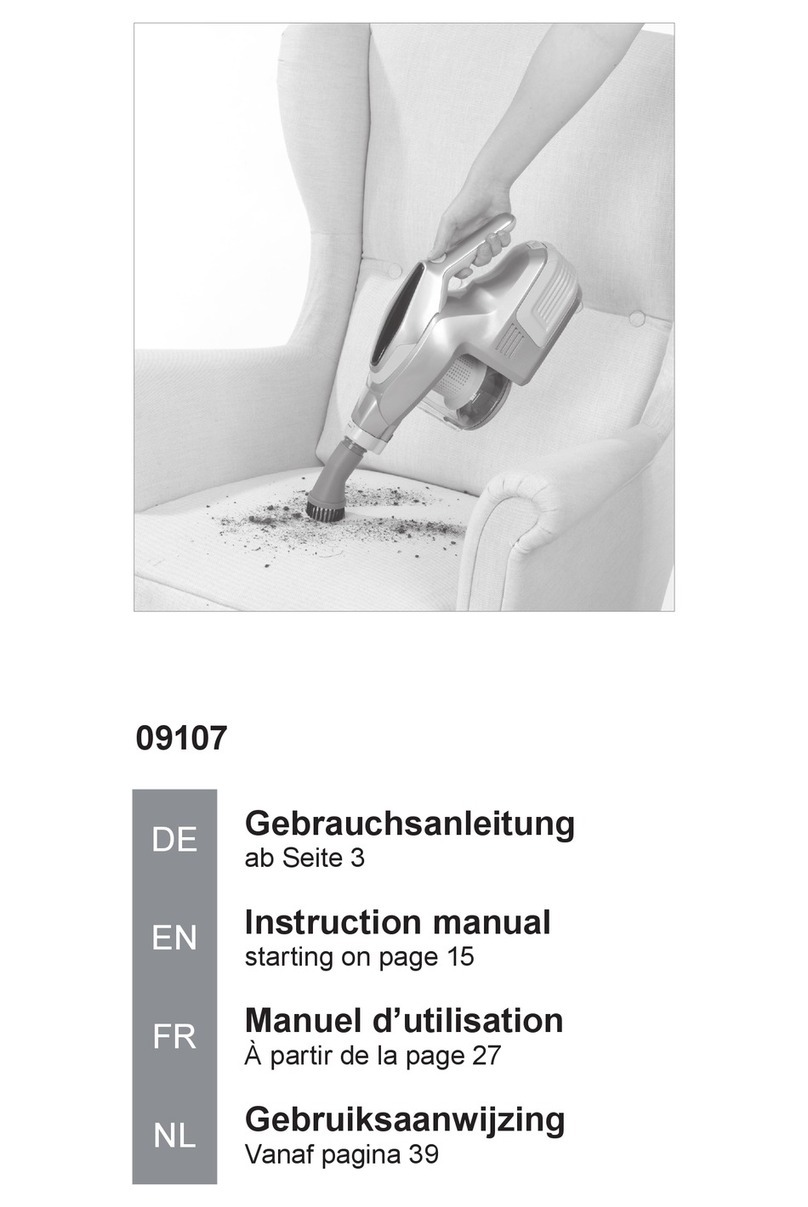
Makita CL104D User manual

CL104D
EN Cordless Cleaner INSTRUCTION MANUAL 7
UK Бездротовий очищувач ІНСТРУКЦІЯ З
ЕКСПЛУАТАЦІЇ 13
PL Odkurzacz Akumulatorowy INSTRUKCJA OBSŁUGI 20
RO Aspirator cu acumulator MANUAL DE INSTRUCŢIUNI 27
DE Akku-Staubsauger BEDIENUNGSANLEITUNG 33
HU Akkumulátoros porszívó HASZNÁLATI KÉZIKÖNYV 40
SK Bezdrôtový čistič NÁVOD NA OBSLUHU 46
CS Akumulátorový vysavač NÁVOD K OBSLUZE 52

1
1
1
2
1
1
2
1
2
1
1
Fig.1
Fig.2
Fig.3
Fig.4
Fig.5
Fig.6
Fig.7
Fig.8
2

1
2
1
2
3
1
1
1
1
Fig.9
Fig.10
Fig.11
Fig.12
Fig.13
Fig.14
Fig.15
Fig.16
3

1
2
1
2
3
1
1
1
Fig.17
Fig.18
Fig.19
Fig.20
Fig.21
Fig.22
Fig.23
Fig.24
4

1
1
2
1
1
2
Fig.29
Fig.25
Fig.26
Fig.27
Fig.28
Fig.30
Fig.31
Fig.32
5

1
12
1
1
2
1
12
1
Fig.33
Fig.34
Fig.35
Fig.36
Fig.37
Fig.38
Fig.39
Fig.40
6

7ENGLISH
ENGLISH (Original instructions)
WARNING
This appliance can be used by children aged from 8 years and
above and persons with reduced physical, sensory or mental capa-
bilities or lack of experience and knowledge if they have been given
supervision or instruction concerning use of the appliance in a safe
way and understand the hazards involved. Children shall not play
with the appliance. Cleaning and user maintenance shall not be
made by children without supervision.
SPECIFICATIONS
Model CL104D
Capacity 500 ml (for dust bag)
330 ml (for paper pack)
Continuous use 3 (Turbo) Approx. 10 min
2 (High) Approx. 15 min
1 (Low) Approx. 30 min
Overall length Without nozzle 446 mm
With nozzle 983 mm
Net weight 1.1 kg
Rated voltage D.C. 10.8 V
Replacement battery cartridge
(part number varies depending on country)
632C23-4, 632C25-0, 632C26-8
• Due to our continuing program of research and development, the specications herein are subject to change with-
out notice.
• Specications and battery cartridge may differ from country to country.
• Weight, with battery cartridge, according to EPTA-Procedure 01/2003
Symbols
The following show the symbols used for the equipment.
Be sure that you understand their meaning before use.
Read instruction manual.
Ni-MH
Li-ion
Only for EU countries
Do not dispose of electric equipment or
battery pack together with household waste
material!
In observance of the European Directives,
on Waste Electric and Electronic
Equipment and Batteries and Accumulators
and Waste Batteries and Accumulators
and their implementation in accordance
with national laws, electric equipment and
batteries and battery pack(s) that have
reached the end of their life must be col-
lected separately and returned to an envi-
ronmentally compatible recycling facility.
Intended use
The tool is intended for collecting dry dust.
IMPORTANT
SAFETY INSTRUCTIONS
When using an electrical appliance, basic precautions
should always be followed, including the following:
READ ALL INSTRUCTIONS
BEFORE USING THIS APPLIANCE.
WARNING - To reduce the risk of re, electric shock
or injury:
1. Do not expose to rain. Store indoors.
2.
Do not allow to be used as a toy. Close attention
is necessary when used by or near children.
3. Use only as described in this manual. Use only
manufacturer's recommended attachments.
4. Do not use with damaged battery. If appliance
is not working as it should, has been dropped,
damaged, left outdoors, or dropped into water,
return it to a service center.
5. Do not handle appliance with wet hands.

8ENGLISH
6.
Do not put any object into openings. Do not use
with any opening blocked; keep free of dust,
lint, hair, and anything that may reduce air ow.
7. Keep hair, loose clothing, ngers, and all parts
of body away from openings and moving parts.
8.
Turn off all controls before removing the battery.
9. Use extra care when cleaning on stairs.
10. Do not use to pick up ammable or combusti-
ble liquids, such as gasoline, or use in areas
where they may be present.
11. Use only the charger supplied by the manufac-
turer to recharge.
12.
Do not pick up anything that is burning or smok-
ing, such as cigarettes, matches, or hot ashes.
13. Do not use without lters in place.
14. Do not charge the battery outdoors.
Battery tool use and care
15. Recharge only with the charger specied by
the manufacturer. A charger that is suitable for
one type of battery pack may create a risk of re
when used with another battery pack.
16. Use power tools only with specically desig-
nated battery packs. Use of any other battery
packs may create a risk of injury and re.
17. When (the) battery pack is not in use, keep
it away from other metal objects, like paper
clips, coins, keys, nails, screws or other small
metal objects, that can make a connection
from one terminal to another.
18. Under abusive conditions, liquid may be
ejected from the battery; avoid contact. If con-
tact accidentally occurs, ush with water.
SAVE THESE INSTRUCTIONS.
This appliance is intended for household use.
ADDITIONAL SAFETY RULES
1. Read this instruction manual and the charger
instruction manual carefully before use.
2. Do not pick up the following materials:
— Hot materials such as lit cigarettes or
spark/metal dust generated by grinding/
cutting metal
— Flammable materials such as gasoline,
thinner, benzine, kerosene or paint
— Explosive materials like nitroglycerin
— Ignitable materials such as Aluminum,
zinc, magnesium, titanium, phosphorus
or celluloid
— Wet dirt, water, oil or the like
— Hard pieces with sharp edges, such as
wood chips, metals, stones, glasses,
nails, pins or razors
— Powder to clot such as cement or toner
— Conductive dust such as metal or carbon
— Fine particle like concrete dust
Such action may cause re, injury and/or prop-
erty damage.
3. Stop operation immediately if you notice any-
thing abnormal.
4. If you drop or strike the cleaner, check it care-
fully for cracks or damage before operation.
5. Do not charge the cleaner close to dangerous
ammable materials such as gasoline, gas,
paint or adhesives.
6. Do not charge the cleaner on papers, cloth,
carpet, vinyl, etc. This may cause a re.
7. Do not charge the cleaner in a dusty place.
8. Be sure no one is below when using the
cleaner in high locations.
9.
Do not bring close to stoves or other heat sources.
10. Do not block the intake hole or vent holes.
SAVE THESE INSTRUCTIONS.
IMPORTANT SAFETY
INSTRUCTIONS
FOR BUILT-IN BATTERY
1.
Before using built-in battery, read all instructions
and cautionary markings on (1) battery charger,
(2) battery, and (3) product using battery.
2. Do not disassemble built-in battery.
3. If operating time has become excessively
shorter, stop operating immediately. It may
result in a risk of overheating, possible burns
and even an explosion.
4.
If electrolyte gets into your eyes, rinse them out
with clear water and seek medical attention right
away. It may result in loss of your eyesight.
5. Do not short the built-in battery:
(1) Do not touch the terminals with any con-
ductive material.
(2) Avoid storing built-in battery in a con-
tainer with other metal objects such as
nails, coins, etc.
(3)
Do not expose built-in battery to water or rain.
A battery short can cause a large current
ow, overheating, possible burns and
even a breakdown.
6. Do not store the tool and built-in battery in
locations where the temperature may reach or
exceed 50°C (122°F).
7. Do not incinerate the built-in battery even if
it is severely damaged or is completely worn
out. The built-in battery can explode in a re.
8. Be careful not to drop or strike battery.
SAVE THESE INSTRUCTIONS.
Tips for maintaining maximum
battery life
1. Charge the built-in battery before completely
discharged.
Always stop tool operation and charge the
built-in battery when you notice less tool power.
2. Never recharge a fully charged built-in battery.
Overcharging shortens the battery service life.
3. Charge the built-in battery with room tempera-
ture at 10°C - 40°C (50°F - 104°F). Let a hot
built-in battery cool down before charging it.
4. Charge the battery cartridge once in every six
months if you do not use it for a long period of
time.

9ENGLISH
FUNCTIONAL
DESCRIPTION
CAUTION:
•
Always be sure that the tool is switched off
before adjusting or checking function on the tool.
Charging the built-in battery
CAUTION:
• Do not operate the cleaner during charging. It
may be damaged.
• Always disconnect the charging plug from the
cleaner after charging.
► Fig.1: 1. Charging connector
► Fig.2: 1. Battery power lamp
Use only the Makita charger DC1001 to charge this
cleaner. Use of the other type chargers may cause the
battery to burst, result in personal injury and damage.
Charge the cleaner when using it for the rst time or
uncharged for a long time. Connect the charging plug to
the charging connector, then plug in the charger to the
power receptacle. The battery power lamp lights up and
start charging. Charging takes approximately 3 hours. The
light goes out after the charging is complete. For more
details, refer to the instruction manual of battery charger.
Switch action
CAUTION:
• Always be sure that the dust bag or paper pack
is installed properly in the cleaner before use.
Improper installation may allow dust to enter the
motor, resulting in malfunction of the cleaner.
• Always switch off the cleaner after each use to
prevent damage to the cleaner and to extend
the service life of the batteries.
► Fig.3: 1. ON/speed change button 2. OFF button
To start the cleaner, simply push the ON/speed change
button. To switch off, push the OFF button.
You can change the cleaner speed in three steps by
pushing the ON/speed change button.
The rst push on this button is for high speed mode, the
second push for max speed mode and the third push
for normal speed. Each push on this button repeats the
high/max/normal speed cycle alternatively.
Battery power lamp
► Fig.4: 1. Battery power lamp
When the remaining battery capacity gets low, the
battery power lamp blinks.
When the remaining battery capacity gets much lower,
the tool stops and the battery power lamp lights up
about 10 seconds. At this time, charge the cleaner.
NOTE:
•
The time at which the battery power lamp start
blinking or lighting up depends on the temperature
at work place and the battery cartridge conditions.
ASSEMBLY
Disposing of Dust
CAUTION:
• Empty the cleaner before it becomes too full, or
the suction force weakens.
• Be sure to empty out the dust inside the cleaner
itself. Failure to do so may cause the sponge
lter to be clogged or the motor to be damaged.
• Never throw away the dust stopper because it
should be used whenever either the dust bag or
the paper pack is used.
1. Push the button to open the front cover. Opening
it until a click is heard allows a positive stop at that
position.
► Fig.5: 1. Front cover 2. Button
CAUTION:
• When closing the front cover, be careful not to
pinch your ngers.
► Fig.6: 1. Front cover 2. Front cover joint
NOTE:
• The front cover comes off when trying to open
the front cover more than 90°. If the front cover
comes off, install it into the front cover joint in
place.
2. Pull out both the orange-colored dust stopper and
dust bag together at the same time.
► Fig.7: 1. Dust stopper
3. Remove the dust stopper and empty the cleaner.
► Fig.8: 1. Dust stopper
► Fig.9
Dust bag and paper pack
Install either dust bag or paper pack before using
cleaner.
Use the dust stopper when installing either dust bag or
paper pack.
The dust bag can be used repeatedly by cleaning it out.
Paper pack is a throw-away type. Throw away the entire
paper pack without emptying when it has become full.
Installing dust bag
► Fig.10: 1. Upper side of dust stopper 2. Lower side
of dust stopper
Use the dust stopper when installing dust bag. Be
careful not to take the upper side for the lower side by
mistake because they are different each other.
1. Insert the protrusion of the dust bag into the
groove in the dust stopper as shown in the gure.
► Fig.11: 1. Dust stopper 2. Groove 3. Dust bag
2. There is no distinction between the upper and
lower sides of the dust bag. You may insert its
protrusion of any side into the lower groove of the
dust stopper.
► Fig.12: 1. Lower groove

10 ENGLISH
3. Overlap the frame of dust stopper with that of the
dust bag.
► Fig.13
4. Place the dust stopper and the dust bag together
into the cleaner cavity in the same direction of
arrow on the dust stopper. Insert them all the way
into the slots in the cleaner cavity.
► Fig.14: 1. Cleaner cavity
5. Place the entire cloth part of the dust bag inside
the tool itself.
► Fig.15: 1. Front cover
6. Close the front cover completely.
► Fig.16: 1. Front cover
Installing the paper pack
1. Unfold the entrance of the paper pack before
setting it on the dust stopper.
► Fig.17
► Fig.18: 1. Upper side of dust stopper 2. Lower side
of dust stopper
Use the dust stopper also when installing paper pack.
Be careful not to take the upper side for the lower side
by mistake because they are different each other.
2. Insert the protrusion of the paper pack into the
groove in the dust stopper as shown in the gure.
► Fig.19: 1. Dust stopper 2. Paper pack 3. Groove
3. There is no distinction between the upper and
lower sides of the paper pack. You may insert its
protrusion of any side into the lower groove of the
dust stopper.
► Fig.20: 1. Lower groove
4. Overlap the frame of dust stopper with that of the
paper pack.
► Fig.21
5. Place the dust stopper and the paper pack
together into the cleaner cavity in the same direc-
tion of arrow on the dust stopper. Insert them all
the way into the slots in the cleaner cavity.
► Fig.22: 1. Cleaner cavity
6. Place the entire container part of the paper pack
inside the tool itself.
► Fig.23: 1. Front cover
7. Close the front cover completely.
CAUTION:
• Install the dust stopper with the dust bag or
paper pack properly. Tool operation without
proper installation of them, or using broken
or ripped one, it may allow dust to get into the
motor. This may result in motor failure.
• Do not fold the cardboard at its opening when
installing the paper pack.
• Never throw away the dust stopper because it
needs to be used repeatedly whenever either
the dust bag or the paper pack is used.
• The paper pack for the cleaner is an important
component for maintaining the tool perfor-
mance. If you use the other genuine paper pack,
it may cause smokes or ignition.
OPERATION
► Fig.24
To connect attachments, such as nozzle, twist and
insert them to ensure secure connection during use. To
disconnect attachments, twist and remove them.
Cleaning (Suction)
Nozzle
► Fig.25: 1. Nozzle
Attach the nozzle to clean off tables, desks, furniture,
etc. Nozzle slips on easily.
Nozzle + Extension wand (Straight pipe)
► Fig.26: 1. Nozzle 2. Extension wand
The extension wand ts in between the nozzle and the
cleaner itself. This arrangement is convenient for clean-
ing a oor while standing erect.
Corner nozzle
► Fig.27: 1. Corner nozzle
Fit on the corner nozzle for cleaning corners and crev-
ices of a car or furniture.
Corner nozzle +Extension wand
(Straight pipe)
► Fig.28: 1. Corner nozzle 2. Extension wand
In tight quarters where the cleaner itself cannot
squeeze in, or in high places hard to reach, use this
arrangement.
MAINTENANCE
CAUTION:
• Always be sure that the tool is switched off
before attempting to perform inspection or
maintenance.
After use
► Fig.29
When storing or charging the cleaner, lock the nozzle
head, and hang it from a hook available in the market.
CAUTION:
• Putting the cleaner against the wall without a
hook may cause the cleaner to fall down and be
damaged.
► Fig.30
Cleaning
► Fig.31
From time to time wipe off the outside (cleaner body) of
the cleaner using a cloth dampened in soapy water.
Clean out also the suction opening, dust bag/paper
pack mounting area and the dust stopper.
Other manuals for CL104D
5
Table of contents
Languages:
Other Makita Vacuum Cleaner manuals

Makita
Makita DVC265 User manual

Makita
Makita VC3211H User manual

Makita
Makita DRC200 User manual

Makita
Makita XCV09 User manual

Makita
Makita VC3211M User manual

Makita
Makita CL107FD User manual

Makita
Makita DCL280F User manual

Makita
Makita 4013D User manual

Makita
Makita DVC261 User manual

Makita
Makita CL106FD User manual

Makita
Makita DVC861LPTX User manual

Makita
Makita DVC860L User manual

Makita
Makita 449 User manual

Makita
Makita DCL140 User manual

Makita
Makita VC008G User manual

Makita
Makita DVC866L User manual

Makita
Makita GCV01 User manual

Makita
Makita LC01ZX User manual

Makita
Makita BCL142 User manual

Makita
Makita DVC261 User manual