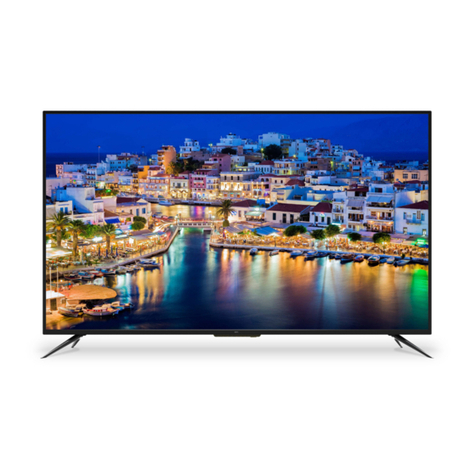
LG 39LN5100.APH User manual

OWNER’S MANUAL
LED TV
Please read this manual carefully before operating
your set and retain it for future reference.
LN510*
LN511*
LN512*
LN513*
LN515*
LN49**
P/NO : MFL67710802 (1301-REV00)
Printed in Korea
*LG LED TV applies LCD screen with LED backlights.
www.lg.com

2
ENG
ENGLISH
TABLE OF CONTENTS
WARNING
If you ignore the warning message, you may
be seriously injured or there is a possibility of
accident or death.
CAUTION
If you ignore the caution message, you may be
slightly injured or the product may be damaged.
NOTE
The note helps you understand and use the
product safely. Please read the note carefully
before using the product.
TABLE OF CONTENTS
3 SAFETY INSTRUCTIONS
8 INSTALLATION PROCEDURE
8 ASSEMBLING AND PREPARING
8 Unpacking
10 Parts and buttons
11 Lifting and moving the TV
12 Setting up the TV
12 - Attaching the stand
13 Mounting on a table
15 Mounting on a wall
16 - Attaching the shelf stand
17 - How to attach to masonry walls
18 Tidying cables
19 MAKING CONNECTIONS
19 Antenna connection
20 HDMI connection
20 Component connection
21 Composite connection
21 USB connection
22 Audio System connection
22 - External Stereo Connection
23 REMOTE CONTROL
24 WATCHING TV
24 Turning the TV on for the first time
24 Watching TV
24 Managing programmes
24 - Automatically setting up programme
25 - Manually setting up programme
26 - Editing your programme list
26 - Selecting a programme on the programme
list
26 Using additional options
26 - Adjusting aspect ratio
27 - Using the input list
28 ENTERTAINMENT
28 Connecting USB storage devices
29 Browsing files
30 Viewing photos
31 Listening to music
32 Viewing movies
34 DivX® VOD Guide
35 CUSTOMIZING TV SETTING
35 Accessing main menus
35 Customizing Settings
35 - SETUP Settings
36 - PICTURE Settings
38 - AUDIO Settings
39 - TIME Settings
40 - OPTION Settings
40 - LOCK Settings
41 TELETEXT
41 Switch On/Off
41 Simple Text
41 - Page selection
41 - Programming a colour button in LIST
mode
41 Fastext
41 - Page selection
41 Special Teletext Function
42 MAINTENANCE
42 Cleaning your TV
42 - Screen, frame, cabinet and stand
42 - Power cord
42 TROUBLESHOOTING
43 SPECIFICATIONS
46 LICENSES

3
ENGENGLISH
SAFETY INSTRUCTIONS
WARNING
Do not place the TV and
remote control in the
following environments:
- A location exposed to
direct sunlight
- An area with high humidity
such as a bathroom
- Near any heat source
such as stoves and other
devices that produce heat
- Near kitchen counters or
humidifiers where they can
easily be exposed to steam
or oil
- An area exposed to rain or
wind
- Near containers of water
such as vases
Otherwise, this may result in
fire, electric shock, malfunction
or product deformation.
Do not place the product
where it might be exposed to
dust.
This may cause a fire
hazard.
Mains Plug is the
TV connecting/
disconnecting device to AC
mains electric supply. This
plug must remain readily
attached and operable when
TV is in use.
Do not touch the power plug
with wet hands. Additionally,
if the cord pin is wet or
covered with dust, dry the
power plug completely or
wipe dust off.
You may be electrocuted
due to excess moisture.
Make sure to connect Mains
cable to compliant AC mains
socket with Grounded earth
pin. (Except for devices
which are not grounded
on earth.) Otherwise
possibility you may be
electrocuted or injured.
Insert power cable plug
completely into wall socket
otherwise if not secured
completely into socket, fire
ignition may break out.
Ensure the power cord does
not come into contact with
hot objects such as a heater.
This may cause a fire or an
electric shock hazard.
Do not place a heavy object,
or the product itself, on
power cables.
Otherwise, this may result in
fire or electric shock.
Bend antenna cable between
inside and outside building
to prevent rain from flowing
in.
This may cause water
damaged inside the Product
and could give an electric
shock.
When mounting TV onto wall
make sure to neatly install
and isolate cabling from
rear of TV as to not create
possibility of electric shock /
fire hazard.
Do not plug too many
electrical devices into a
single multiple electrical
outlet.
Otherwise, this may result in
fire due to over-heating.
Do not drop the product
or let it fall over when
connecting external devices.
Otherwise, this may result
in injury or damage to the
product.
SAFETY INSTRUCTIONS
Please read these safety precautions carefully before using the product.

4
ENG
ENGLISH
SAFETY INSTRUCTIONS
Keep the packing anti-
moisture material or vinyl
packing out of the reach of
children.
Anti-moisture material is
harmful if swallowed. If
swallowed by mistake, force
the patient to vomit and
visit the nearest hospital.
Additionally, vinyl packing
can cause suffocation. Keep
it out of the reach of children.
Do not let your children climb
or cling onto the TV.
Otherwise, the TV may
fall over, which may cause
serious injury.
Dispose of used batteries
carefully to protect a child
from eating them.
Please seek Doctor- Medical
Attention immediately if child
consumes batteries.
Do not insert any metal
objects/conductors (like
a metal chopstick/cutlery/
screwdriver) between power
cable plug and input Wall
Socket while it is connected
to the input terminal on the
wall. Additionally, do not
touch the power cable right
after plugging into the wall
input terminal.
You may be electrocuted.
(Depending on model)
Do not put or store
inflammable substances
near the product. There is
a danger of combustion/
explosion or fire due to
careless handling of the
inflammable substances.
Do not drop metallic objects
such as coins, hair pins,
chopsticks or wire into the
product, or inflammable
objects such as paper and
matches. Children must pay
particular attention.
Electrical shock, fire or injury
can occur. If a foreign object
is dropped into the product,
unplug the power cord and
contact the service centre.
Do not spray water on the
product or scrub with an
inflammable substance
(thinner or benzene). Fire or
electric shock accident can
occur.
Do not allow any impact,
shock or any objects to fall
into the unit, and do not drop
anything onto the screen.
You may be injured or the
product can be damaged.
Never touch this product or
antenna during a thunder or
lighting storm.
You may be electrocuted.
Never touch the wall outlet
when there is leakage of
gas, open the windows and
ventilate.
It may cause a fire or a burn
by a spark.
Do not disassemble, repair
or modify the product at your
own discretion.
Fire or electric shock
accident can occur.
Contact the service centre
for check, calibration or
repair.
If any of the following
occur, unplug the product
immediately and contact
your local service centre.
- The product has been
impacted by shock
- The product has been
damaged
- Foreign objects have
entered the product
- The product produced
smoke or a strange smell
This may result in fire or
electric shock.

5
ENGENGLISH
SAFETY INSTRUCTIONS
Unplug the TV from AC
mains wall socket if you do
not intend to use the TV
for a long period of time.
Accumulated dust can cause
fire hazard and insulation
deterioration can cause
electric leakage/shock/fire.
Apparatus shall not be
exposed to dripping or
splashing and no objects
filled with liquids, such as
vases, shall be placed on
the apparatus.
CAUTION
Install the product where no
radio wave occurs.
There should be enough
distance between an outside
antenna and power lines
to keep the former from
touching the latter even
when the antenna falls.
This may cause an electric
shock.
Do not install the product
on places such as unstable
shelves or inclined surfaces.
Also avoid places where
there is vibration or where
the product cannot be fully
supported.
Otherwise, the product may
fall or flip over, which may
cause injury or damage to
the product.
If you install the TV on a
stand, you need to take
actions to prevent the
product from overturning.
Otherwise, the product may
fall over, which may cause
injury.
If you intend to mount the product to a wall,
attach VESA standard mounting interface
(optional parts) to the back of the product. When
you install the set to use the wall mounting
bracket (optional parts), fix it carefully so as not
to drop.
Only use the attachments / accessories
specified by the manufacturer.
When installing the antenna,
consult with a qualified
service technician. If not
installed by a qualified
technician, this may create
a fire hazard or an electric
shock hazard.
We recommend that you
maintain a distance of
at least 2 to 7 times the
diagonal screen size when
watching TV.
If you watch TV for a long
period of time, this may
cause blurred vision.
Only use the specified type
of battery.
This could cause damage to
the remote control.
Do not mix new batteries
with old batteries.
This may cause the batteries
to overheat and leak.
Batteries should not be exposed to excessive
heat.eg keep away from direct Sunlight, open
fireplace and electric heaters.
Do not place non-rechargeable batteries in
charging device.
Make sure there are no
objects between the remote
control and its sensor.
Signal from Remote Control
can be interrupted due to
external/internal lighting eg
Sunlight, fluorescent lighting.
If this occurs turn off lighting
or darken viewing area.
When connecting external
devices such as video game
consoles, make sure the
connecting cables are long
enough.
Otherwise, the product
may fall over, which may
cause injury or damage the
product.
Do not turn the product
On/Off by plugging-in or
unplugging the power plug to
the wall outlet. (Do not use
the power plug for switch.)
It may cause mechanical
failure or could give an
electric shock.

6
ENG
ENGLISH
SAFETY INSTRUCTIONS
Please follow the installation
instructions below to
prevent the product from
overheating.
- The distance between the
product and the wall should
be more than 10 cm.
- Do not install the product in
a place with no ventilation
(e.g., on a bookshelf or in
a cupboard).
- Do not install the product
on a carpet or cushion.
- Make sure the air vent is
not blocked by a tablecloth
or curtain.
Otherwise, this may result in
fire.
Take care not to touch the
ventilation openings when
watching the TV for long
periods as the ventilation
openings may become hot.
This does not affect the
operation or performance of
the product.
Periodically examine the cord of your appliance,
and if its appearance indicates damage or
deterioration, unplug it, discontinue use of the
appliance, and have the cord replaced with
an exact replacement part by an authorized
servicer.
Prevent dust collecting on
the power plug pins or outlet.
This may cause a fire
hazard.
Protect the power cord from
physical or mechanical
abuse, such as being
twisted, kinked, pinched,
closed in a door, or walked
upon. Pay particular
attention to plugs, wall
outlets, and the point where
the cord exits the appliance.
Do not press strongly upon
the panel with a hand or
sharp object such as nail,
pencil or pen, or make a
scratch on it, as it may
cause damage to screen.
Avoid touching the screen or
holding your finger(s) against
it for long periods of time.
Doing so may produce some
temporary or permanent
distortion/damage to screen.
When cleaning the product
and its components, unplug
the power first and wipe it
with a soft cloth. Applying
excessive force may cause
scratches or discolouration.
Do not spray with water or
wipe with a wet cloth. Never
use glass cleaner, car or
industrial shiner, abrasives
or wax, benzene, alcohol
etc., which can damage the
product and its panel.
Otherwise, this may result in
fire, electric shock or product
damage (deformation,
corrosion or breakage).
As long as this unit is connected to the AC wall
outlet, it is not disconnected from the AC power
source even if you turn off this unit by SWITCH.
When unplugging the cable,
grab the plug and unplug it,
by pulling at the plug. Don’t
pull at the cord to unplug the
power cord from the power
board, as this could be
hazardous.
When moving the product,
make sure you turn the
power off first. Then, unplug
the power cables, antenna
cables and all connecting
cables.
The TV set or power cord
may be damaged, which
may create a fire hazard or
cause electric shock.
When moving or unpacking
the product, work in pairs
because the product is
heavy.
Otherwise, this may result in
injury.

7
ENGENGLISH
SAFETY INSTRUCTIONS
Contact the service centre
once a year to clean the
internal parts of the product.
Accumulated dust can cause
mechanical failure.
Refer all servicing to
qualified service personnel.
Servicing is required when
the apparatus has been
damaged in any way, such
as power supply cord or
plug is damaged, liquid has
been spilled or objects have
fallen into the apparatus,
the apparatus has been
exposed to rain or moisture,
does not operate normally,
or has been dropped.
If the product feels cold to
the touch, there may be
a small “flicker” when it is
turned on. This is normal,
there is nothing wrong with
product.
The panel is a high
technology display product
with resolution of two million
to six million pixels. You
may see tiny black dots and/
or brightly coloured dots
(red, blue or green) at a
size of 1 ppm on the panel.
This does not indicate a
malfunction and does not
affect the performance and
reliability of the product.
This phenomenon also
occurs in third-party
products and is not subject
to exchange or refund.
You may find different
brightness and colour of the
panel depending on your
viewing position(left/right/
top/down).
This phenomenon occurs
due to the characteristic
of the panel. It is not
related with the product
performance, and it is not
malfunction.
Displaying a still image (e.g., broadcasting
channel logo, on-screen menu, scene from a
video game) for a prolonged time may cause
damage to the screen, resulting in retention of
the image, which is known as image sticking.
The warranty does not cover the product for
image sticking.
Avoid displaying a fixed image on your
television’s screen for a prolonged period (2
or more hours for LCD, 1 or more hours for
Plasma).
Also, if you watch the TV at a ratio of 4:3 for
a long time, image sticking may occur on the
borders of the panel.
This phenomenon also occurs in third-party
products and is not subject to exchange or
refund.
Generated Sound
“Cracking” noise: A cracking noise that occurs
when watching or turning off the TV is generated
by plastic thermal contraction due to tempera-
ture and humidity. This noise is common for
products where thermal deformation is required.
Electrical circuit humming/panel buzzing: A
low level noise is generated from a high-speed
switching circuit, which supplies a large amount
of current to operate a product. It varies depend-
ing on the product.
This generated sound does not affect the
performance and reliability of the product.

8
ENG
ENGLISH
INSTALLATION PROCEDURE / ASSEMBLING AND PREPARING
NOTE
Image shown may differ from your TV.
Your TV’s OSD (On Screen Display) may differ slightly from that shown in this manual.
The available menus and options may differ from the input source or product model that you are using.
New features may be added to this TV in the future.
The TV can be placed in standby mode in order to reduce the power consumption. And the TV should be turned
off if it will not be watched for some time, as this will reduce energy consumption.
The energy consumed during use can be significantly reduced if the level of brightness of the picture is reduced,
and this will reduce the overall running cost.
INSTALLATION PROCEDURE
1 Open the package and make sure all the accessories are included.
2 Attach the stand to the TV set.
3 Connect an external device to the TV set.
ASSEMBLING AND PREPARING
Unpacking
Check your product box for the following items. If there are any missing accessories, contact the local dealer where you
purchased your product. The illustrations in this manual may differ from the actual product and item.
CAUTION
Do not use any unapproved items to ensure the safety and product life span.
Any damages or injuries by using unapproved items are not covered by the manufacturer’s warranty.
Some models have a thin film attached on to the screen and this must not be removed.
NOTE
The items supplied with your product may vary depending on the model.
Product specifications or contents of this manual may be changed without prior notice due to upgrade of product
functions.
For an optimal connection, HDMI cables and USB devices should have bezels less than 10 mm thick and 18 mm
width. Use an extension cable that supports USB 2.0 if the USB cable or USB memory stick does not fit into your
TV’s USB port.
A
B
A
B
*A
<
=
10 mm
*B
<
=
18 mm

9
ENGENGLISH
ASSEMBLING AND PREPARING
Remote control and
batteries (AAA)
(See p.23)
Owner’s manual Cable holder
(Depending on model)
(See p.18)
Power Cord
Stand Screws
3EA, P5 x 25
4EA, M4 x 14
(Only LN510*, LN511*,
LN512*, LN513*)
(See p.12)
Stand Screws
4EA, P5 x 25
4EA, M4 x 14
(Only LN515*)
(See p.12)
Stand Rack Screws
3EA, M4 x 8
(Only LN515*)
(See p.16)
Desk-mount Screw
1EA
(See p.13)
Wall Plate
(Only LN515*)
(See p.16)
Wall mount screws
3EA, P5 x 69.5
(Only LN515*)
(See p.16)
Wall mount anchors
3EA
(Only LN515*)
(See p.17)
Stand Body /
Stand Base
(Only LN510*, LN511*,
LN512*, LN513*)
(See p.12)
Stand Body /
Stand Base
(Only LN515*)
(See p.12, 16)

10
ENG
ENGLISH
ASSEMBLING AND PREPARING
Parts and buttons
Button Description
H
Scrolls through the saved programmes.
H
Adjusts the volume level.
H
Selects the highlighted menu option or confirms an input.
SAccesses the main menu, or saves your input and exits the menus.
H
Changes the input source.
Turns the power on or off.
SETTINGS
INPUT
OK
buttons
Screen
Speakers
Remote control sensor
Power indicator
This manual suits for next models
34
Table of contents
Other LG LED TV manuals


LG
LG 65NANO99TNA Parts list manual

LG
LG 55UJ6309.AEU User manual

LG
LG NANO76 Series User manual

LG
LG 65NANO99 Series User manual

LG
LG 65QNED75SRA User manual

LG
LG 32LM627 Series User manual

LG
LG 75UH8550 User manual

LG
LG 32LH59 ZA Series User manual

LG
LG MT49 Series User manual

LG
LG 43LF541 Series User manual