
Compressed Air Alliance DEW 1 Series User manual
www.compressedairalliance.com 1
User Manual
Dew Point Sensor -
W Series
Model: DEW

Dew Point Sensors –W Series User Manual v1
www.compressedairalliance.com 2
Table of Contents
Notices...........................................................................................................................................3
Warnings .......................................................................................................................................3
About Dew Point Sensors............................................................................................................5
Specifications –W Series .............................................................................................................6
Dew Point Sensor Pack................................................................................................................7
Installation Overview ...................................................................................................................8
Installation ....................................................................................................................................9
Using the Display........................................................................................................................16
Commuication Settings .............................................................................................................22
Warranty......................................................................................................................................23
Calibration...................................................................................................................................23
Trouble Shooting........................................................................................................................24
Commissioning Report ..............................................................................................................27

Dew Point Sensors –W Series User Manual v1
www.compressedairalliance.com 3
Notices
Please read this manual in full and
carefully observe the notes and
instructions before and during
installation, operation and
maintenance. The manufacturer cannot
be held liable for any damage which
occurs as a result of noncompliance
with this manual.
Do not tamper with device. Should
the device be tampered with in any
manner other than a procedure which
is described and specified in this
manual, the warranty is cancelled and
the manufacturer is exempt from
liability.
The product is designed exclusively
for the described application. Use of
this product in conditions not specified
in this manual or, contrary to the
instructions provided by the
manufacturer, is considered improper
handling of the product and will void
your warranty. The manufacturer will
not be held liable for any damages
resulting from improper use of the
product.
This manual should be read carefully by
relevant personnel and the end user.
This manual should be kept with the
product and be made available as
needed. Once you install or use the
product, you accept that you have
read, understood and complied with
this manual.
Compressed Air Alliance endeavours to
make the content of this manual
correct, but is not responsible for
omissions or errors and the
consequences caused. In case of any
doubts or questions regarding this
manual or the product, please contact
Compressed Air Alliance.
Warnings
Ignoring the warnings can lead to
serious injury and/or cause damage!
When handling, operating or carrying
out maintenance on this product,
personnel must employ safe working
practices and observe all local health &
safety requirements and regulations.
Improper operation or maintenance of
this product could be dangerous and
result in an accident causing damage to
machinery or injury or death.
The manufacturer cannot anticipate
every possible circumstance which may
represent a potential hazard. The
warnings in this manual cover the most
common potential hazards and are
therefore not all-inclusive. If the user
employs an operating procedure, an
item of equipment or a method of
working which is not specifically
recommended by the manufacturer
they must ensure that the product will
not be damaged or made unsafe and
that there is no risk to persons or
property.
NEVER CHANGE ORIGINAL
COMPONENTS WITH ALTERNATIVES.

Dew Point Sensors –W Series User Manual v1
www.compressedairalliance.com 4
Compressed Air
Safety
Any contact with quickly escaping air
or bursting parts of the compressed
air system can lead to serious injuries
or even death.
•Do not exceed the maximum
permitted pressure.
•Only use pressure rated
installation materials and parts.
•Avoid getting hit by escaping air
or bursting parts.
•The system must be pressure-
less during maintenance work.
Electrical Safety
Any contact with energised parts of
the product, may lead to an electrical
shock which can lead to serious
injuries or even death. The user shall
take all measures necessary to
protect against electrical shock.
Consider all regulations for electrical
installations.
The system must be disconnected
from any power supply during
maintenance work.
Any electrical work on the system is
only allowed by authorised qualified
personal.
Storage and transportation
•Make sure that the
transportation temperature of
the sensor is between
-10°C to 60°C (14°F to 140°F).
•Please make sure that the
storage temperature of the
sensor is between -10°C to 50°C
(14°F to 122°F) and the humidity
is <90%, no condensation. Avoid
direct UV and solar radiation
during storage.
Cleaning
If you need to clean the product it is
recommended to use a clean, dry
cloth. For stubborn marks, use
distilled water or isopropyl alcohol
only.
Please note: contamination on the
sensor tip will affect calibration and
accuracy of the sensor. Removal of
the contamination may not fix the
issue.
Disposal
Electronic devices are recyclable
material and do not belong in the
household waste. The product,
accessories and its packing material
must be disposed according to local
statutory requirements.

Dew Point Sensors –W Series User Manual v1
www.compressedairalliance.com 5
About Dew Point Sensors
When it comes to monitoring
compressed air and gas systems,
nothing offers a better payback than
a dew point sensor. Once you have
moisture in your system, everything
becomes a problem. If you have ever
had this occur, you'll know the
problem occurred days before you
discovered it and it took even longer
to dry out after the issue was fixed.
Most people don't think of dew point
sensors as providing efficiency, but
wet compressed air or gases will do
irreparable damage to components,
create reliability issues throughout
your entire plant and allow bacteria,
rust and corrosion to build up in your
system. Moisture issues are
extremely difficult to rectify and
component failures will go on for
years.
If you have a system running a
desiccant dryer or with a specified
purity requirement, then you are
already aware that dew point is a
critical component of your system
and therefore should be monitored
continuously.
Indicators on refrigerant dryers
don’t measure dew point
The indicator on your refrigerant
dryer is exactly that, an indicator, it is
not measuring the dew point
entering your plant. It is only
measuring the temperature of the
refrigerant gas. Any number of issues
before and after your dryer can lead
to the dew point deteriorating and
will not be shown on the dryer
indicator.
Compared to your compressed air or
gas system, dew point sensors are
cheap, easy to install and have low
maintenance requirements. They are
the most cost effective sensor
purchase you are ever likely to make.
Benefits of monitoring dew point
•Improve system reliability
•Reduce product contamination
risks
•Reduce system maintenance
•Reduce operating and energy
costs
•Reduce the risk of rust and
corrosion build up
•Improve dryer reliability
•Improve filter life and
performance
•Reduce the risk of bacteria,
fungus and yeast build up
•Alerts you to changes in dryer
performance before moisture
appears in your plant
•Easy to install and low
maintenance
•Suitable for temporary or
permanent installations.

Dew Point Sensors –W Series User Manual v1
www.compressedairalliance.com 6
Specifications –W Series
DEWx1xxxx
DEWx2xxxx
DEWx3xxxx
Technology
Polymer
Alumin-Oxide
Quartz
Dryer Type
Refrigerant, Desiccant or Membrane dryers up to 4 Mpa
(600psi)
Gases
Air, Argon, Carbon Dioxide, Carbon Monoxide, Helium,
Hydrogen, Nitrogen, Oxygen
Accuracy
Dew Point: ±3°C
Temperature: ±0.5°C
Pressure: ±0.3% FS (at 23°C)
The accuracy of the sensor is affected by on-site conditions.
Contaminants such as oil, high humidity or other impurities can
affect the calibration and accuracy of the sensor.
Minimum gas flow
> 1 L/min
Measurement Ranges
Dew Point
Measurement
-60°C to +60°C
-76°F to 140°F
-80°C to +20°C
-112°F to +68°F
-110°C to +0°C
-166°F to +32°F
Gas Relative
Humidity
0 to 95% RH
Pressure
Measurement
0 to 40 bar or
0 to 16 bar if using the integrated pressure sensor
Gas Temperature
Measurement
-40°C to +100°C
-40°F to +212°F
Outputs
Output
No output –stand alone unit only.
Power
Power Supply
Standard wall socket, 110-240vAC
Other Information
Dew Point Sensors –W Series User Manual v1
www.compressedairalliance.com 7
DEWx1xxxx
DEWx2xxxx
DEWx3xxxx
Options
Integrated pressure sensor
Display
11cm (4.3”) LCD colour touch screen
Ambient
Temperature
-30°C to +70°C
-22°F to +158°F
Dimensions
320 mm L x 158 mm W X 95 mm D
12.6” L x 6.2” W x 3.7” D
Casing
Plastic
Installation Type
Permanent or temporary installation
Calibration
Frequency
Every 2 years provided the sensor is not exposed to relative
humidity above 85%
Dew Point Sensor Pack
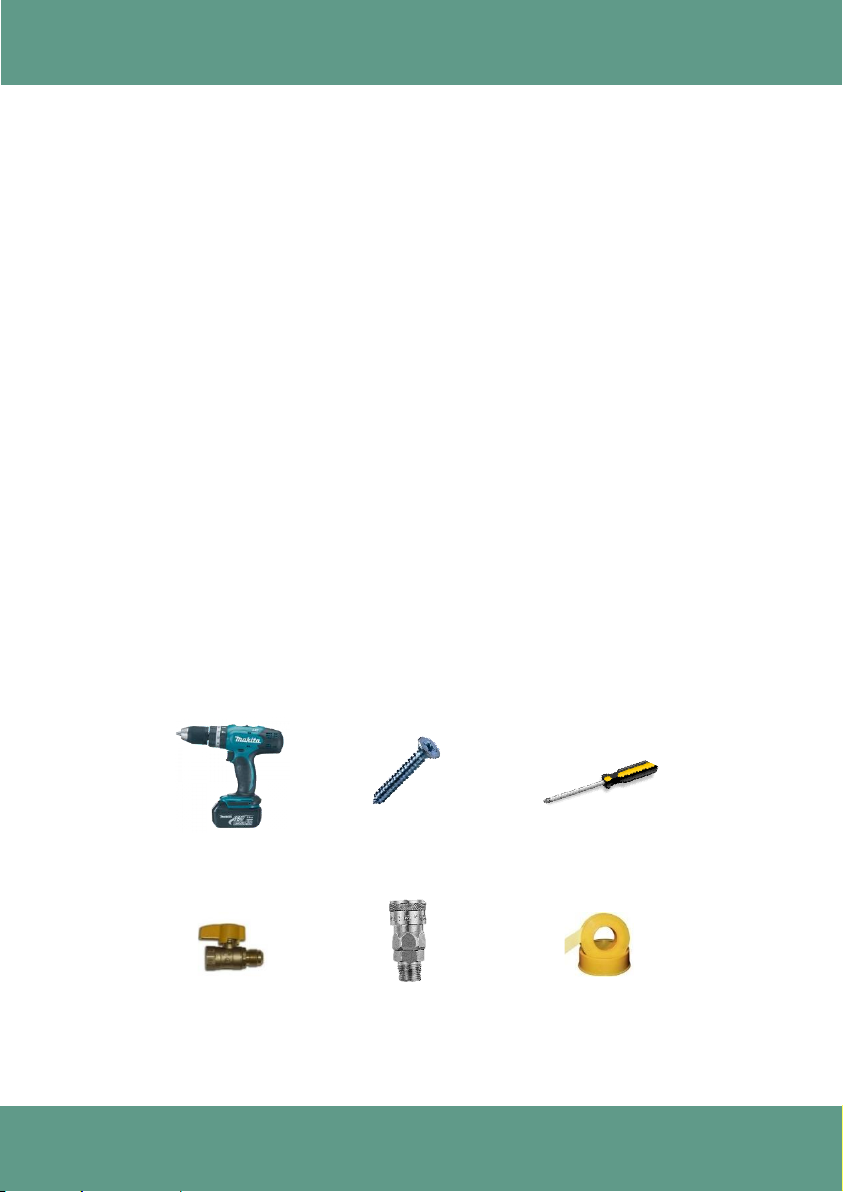
Each dew point sensor comes with:
✓Wall mount dew point sensor
✓6 mm PTFE tube with nitto fitting. Tube length: 1.5 meters (5 foot) long
oA longer tube can be provided upon request, but it will slow the sensor’s
response time.
Dew Point Sensors –W Series User Manual v1
www.compressedairalliance.com 8
Installation Overview
Step 1 –Attach dew point monitor to a suitable location.
•The dew point monitor must be installed on a solid, vertical surface (eg a
wall or post), near a power supply.
Step 2 –Create a connection point on the pipe, eg a ball valve, nozzle or nipple.
•The dew point monitor must be connected to dry side of system (ie after a
dryer or in gases with relative humidity below 80%).
•Do NOT create a connection point on the bottom of a pipe or in a location
that allows moisture to gather in the dew point monitor.
Step 3 –Connect dew point monitor to the pipe.
Step 4 –Connect power to the dew point monitor and turn on power.
Step 5 –Set alarm.
Step 6 –Fill out the Commissioning Report (last page of this manual)
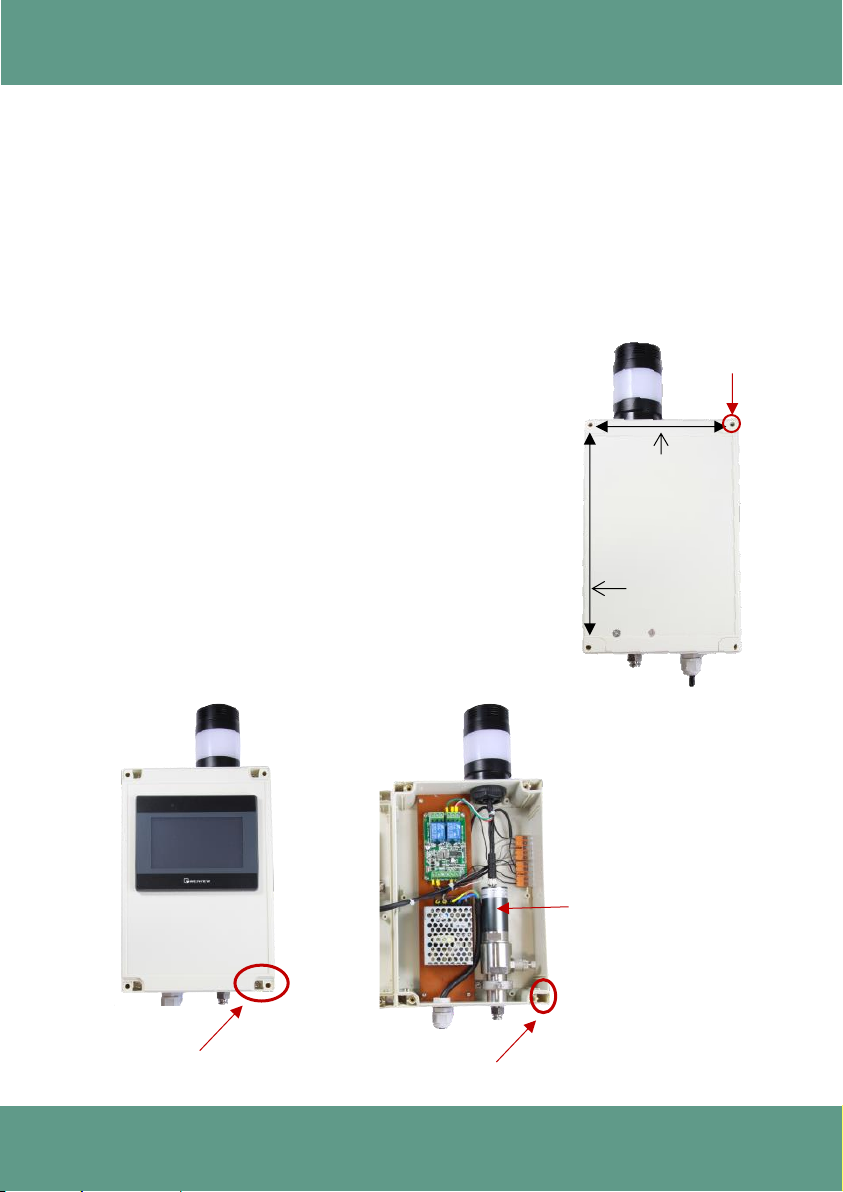
Tools and Equipment needed for installation
(not included with Dew Point Sensor Pack)
Ball Valve
(optional)
Screw Driver
Drill
Thread Tape /
Sealant
Screws
Nitto coupling
(optional)

Dew Point Sensors –W Series User Manual v1
www.compressedairalliance.com 9
Installation
WARNING! Incorrect installation can damage the dew point monitor or
cause it to work incorrectly.
Notes
•Before installing the product, make sure it is rated for your system (refer
to the “Specifications” section).
oUse of the product outside specified ranges or operating parameters can
lead to malfunctions and may damage the product or system.
•The dew point monitor must be disconnected from any power supply
during installation and maintenance work.
•The dew point monitor must be installed on a solid, vertical surface (eg a wall or
post).
•Do not use this product in explosive areas.
•Do not use this product outdoors. The dew point monitor is only suitable for
indoor applications.
•Always use the correct tools (eg screw driver, spanner / wrench) to install the
product.
•Only use pressure rated materials and parts when installing and maintaining
the product.
•Do not disassemble the product.
•Please observe local and national regulations before/during installation and
operation.
•The product must be installed properly and calibrated regularly, otherwise it
may lead to inaccurate measurement values.
•Response times: The dew point sensor may take up to 24 hours to stablise.
Once stablised, response times will be a few seconds or less.
Dew Point Sensors –W Series User Manual v1
www.compressedairalliance.com 10
Step 1 –Attach dew point monitor to suitable location
The dew point monitor must be installed on a solid, vertical surface (eg a wall or
post). Make sure the dew point monitor is installed near a power socket.
The dew point monitor must be connected to dry gas (gas humidity should be less
than 80% relative humidity (RH)).
There are 4 mounting holes on the back of the dew point monitor. You access these
inside the cabinet.
•Drill 4 holes to match dimensions shown below.
oHorizontal spacing: 146 mm (5.7”)
oVertical spacing: 226 mm (8.9”)
•Remove caps from each corner of the front panel.
•Unscrew front panel and open.
•Attach dew point monitor to a solid, vertical surface
using screws.
oFix firmly to prevent loosening or shaking
•Close and secure / screw front panel. Insert caps in
each corner.
226 mm (8.9”)
(Vertical)
146 mm (5.7”)
(Horizontal)
Back of Dew
Point Monitor
Mounting
hole
Remove caps and
unscrew front panel
Mounting holes
Dew Point Sensor
This manual suits for next models
2
Table of contents
Other Compressed Air Alliance Accessories manuals













