
blackloud SOUNDOT User manual

User Manual - 1
User Manual
User Manual - 2
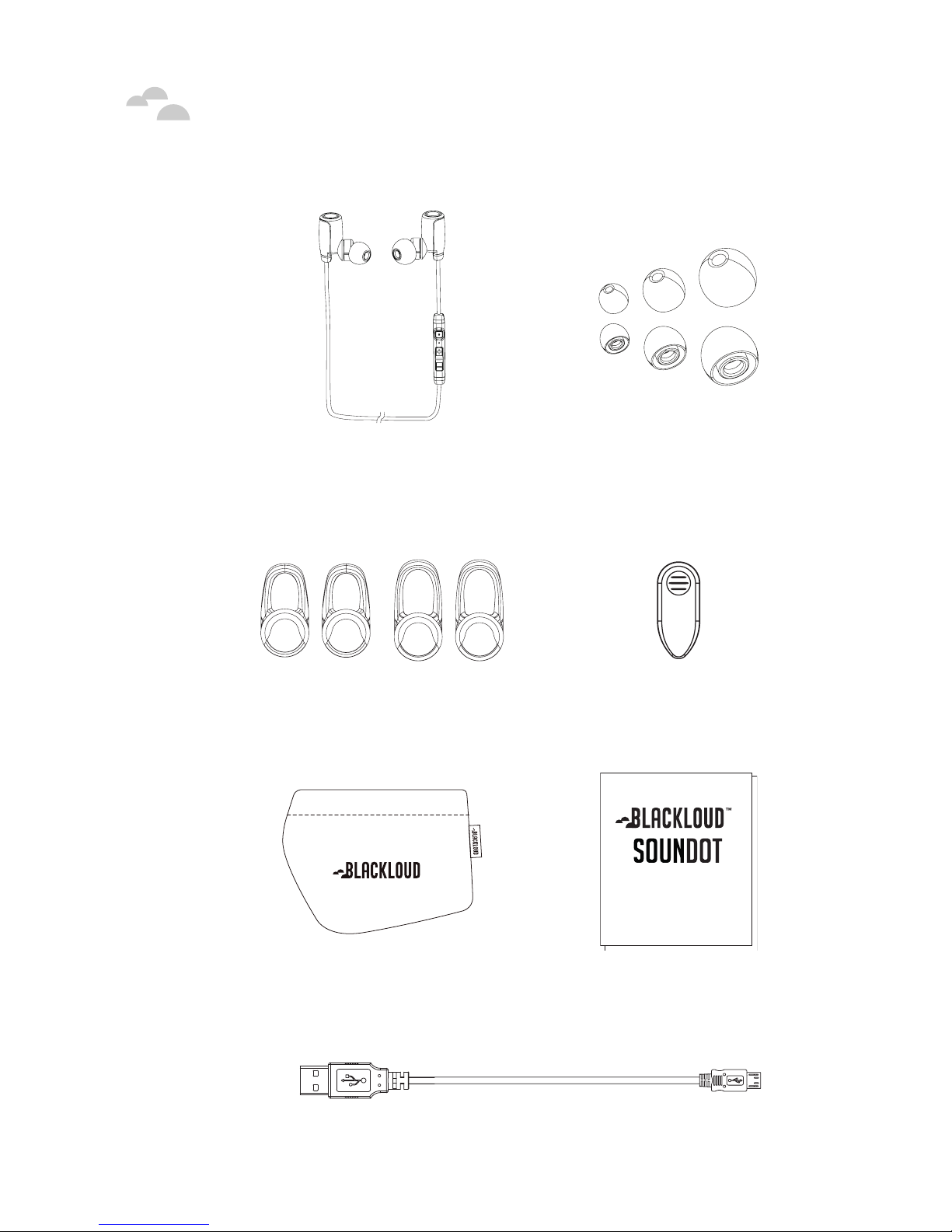
Package Contents
SOUNDOT Earbuds
(with Microphone and
Control Module)
Earbud Cushions
(3 pairs in Small, Medium,
and Large)
Earbud Stabilizers
(2 pairs in Medium and Large)
Attachable Clip
Quick Guide
Carrying Pouch Quick Guide and Safety
Document
Charging Cable (Micro-USB)
PackageContents
User Manual - 3
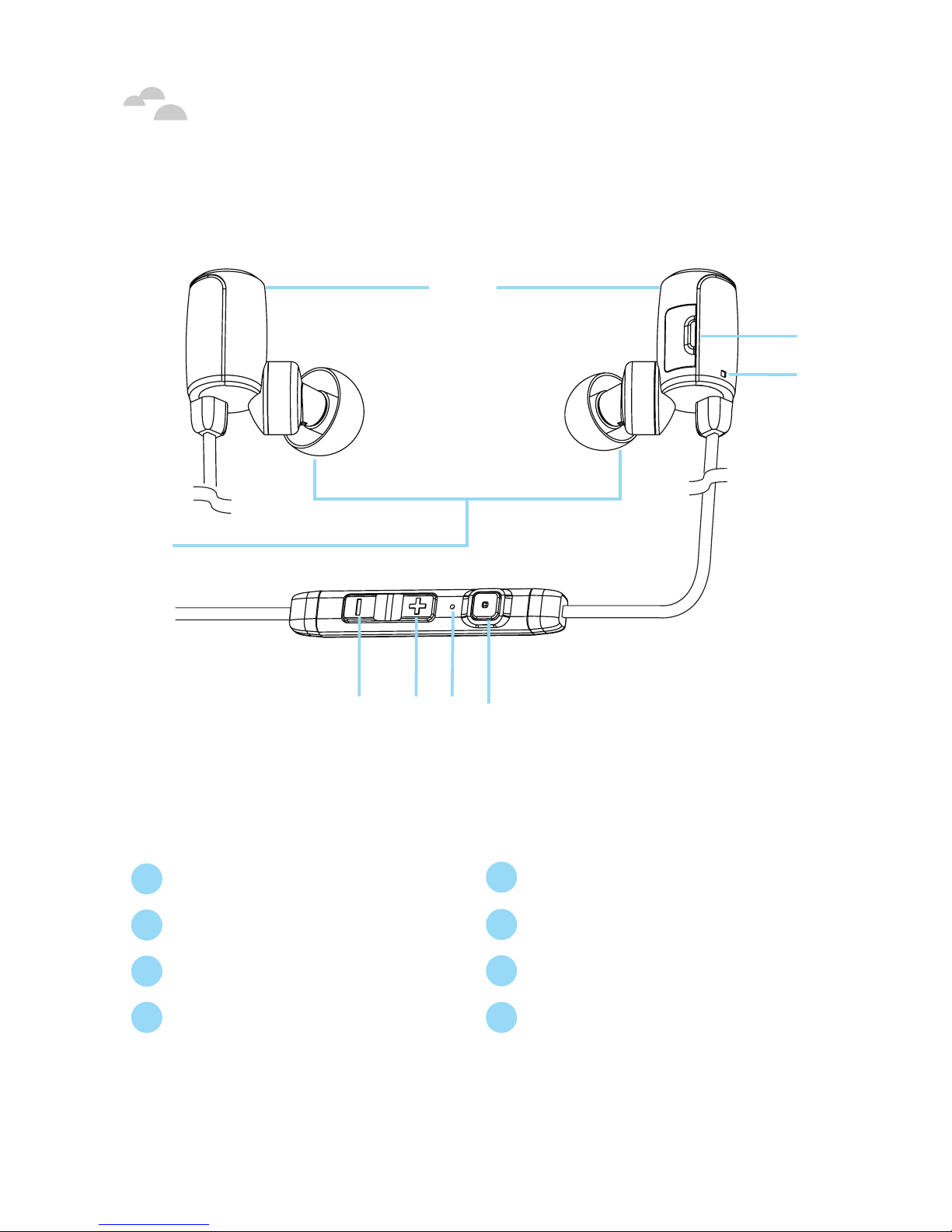
Your SOUNDOT Earbuds
1Magnetic Heads 5Volume Down Button
2Charging Port (Micro-USB) 6Volume Up Button
3Status Indicator LED 7Microphone
4Earbud Cushions 8Power/Function Button
Left Right
Controller
4
1
5 6 7 8
2
3
YourSOUNDOT Earbuds
User Manual - 4
ChargingYour Earbuds
Although your SOUNDOT earbuds come with a partially charged
battery, it is recommended that you fully charge your earbuds before
first use.
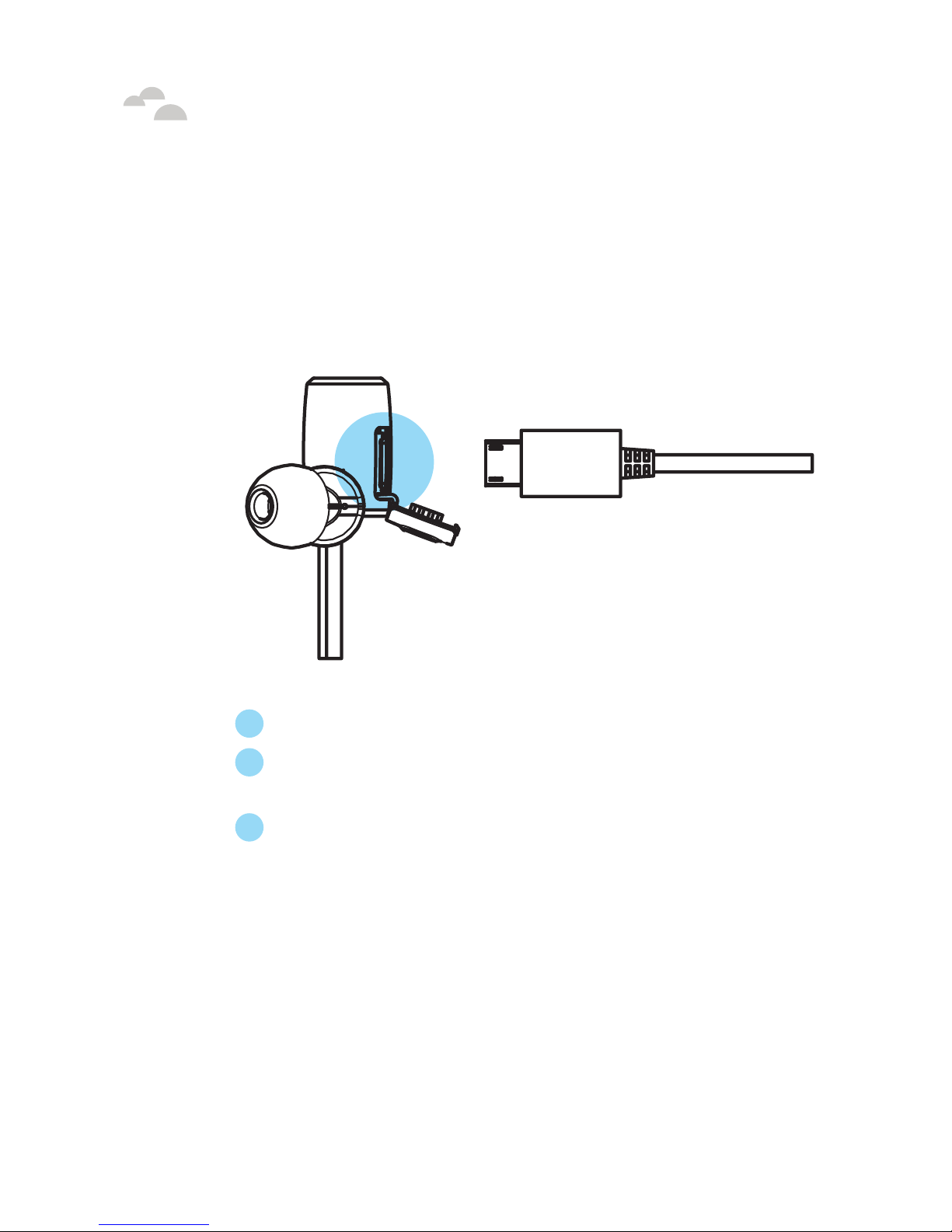
To charge your SOUNDOT earbuds:
1Open the charging port cover on the right earbud.
2Connect the charging cable to the right earbud and either a PC or
a dedicated USB charger.
3Onceyour SOUNDOT earbuds start charging thestatus
indicatorLED will light upasolid red color.When your
SOUNDOT earbuds are fully charged thestatus indicator will
turn asolid blue color.
NOTE: On average your SOUNDOT earbuds takes about 2.5 hours for
* IMPORTANT: Charge your SOUNDOT earbuds using only the provided
cable, as other chargers can damage the battery.
a full charge.
ChargingYourEarbuds

User Manual - 5
ChargingYour Earbuds
Checking Battery Level
You can check the battery level for your SOUNDOT earbuds with
the status indicator LED*.
To check the battery level:
1Press the power/function, volume up, and volume down buttons
simultaneously.
2The status indicator will flash red and blue simultaneously.
The battery level will be indicated by the number of flashes, as
described in the table below:
Number of
Flashes Battery Level
5 100% - 81%
4 80% - 61%
3 60% - 41%
2 40% or below
NOTE: When the battery level is below 40% you will hear a “Battery Low”
voice prompt from your earbuds every 10 minutes.
*You cannot check the battery level for your earbuds when you are
listening to music or in the middle of a phone call.
For iOS devices you can also check your battery level via a battery
level meter visible on the device’s display. For Android and other non-
iOS devices, support for a battery level meter will be available via free
apps found in the device’s respective app store.
User Manual - 6
PairingYour SOUNDOT Earbuds
Before you start using your SOUNDOT earbuds, you must first pair it
with the Bluetooth®-enabled device you want to connect it to (such as
a smartphone, PC, or digital music player).
To pair your SOUNDOT earbuds with a device:
1Enable Bluetooth on the device you want to pair your SOUNDOT
earbuds to.
NOTE: Consult your device’s user manual for instructions on enabling
Bluetooth.
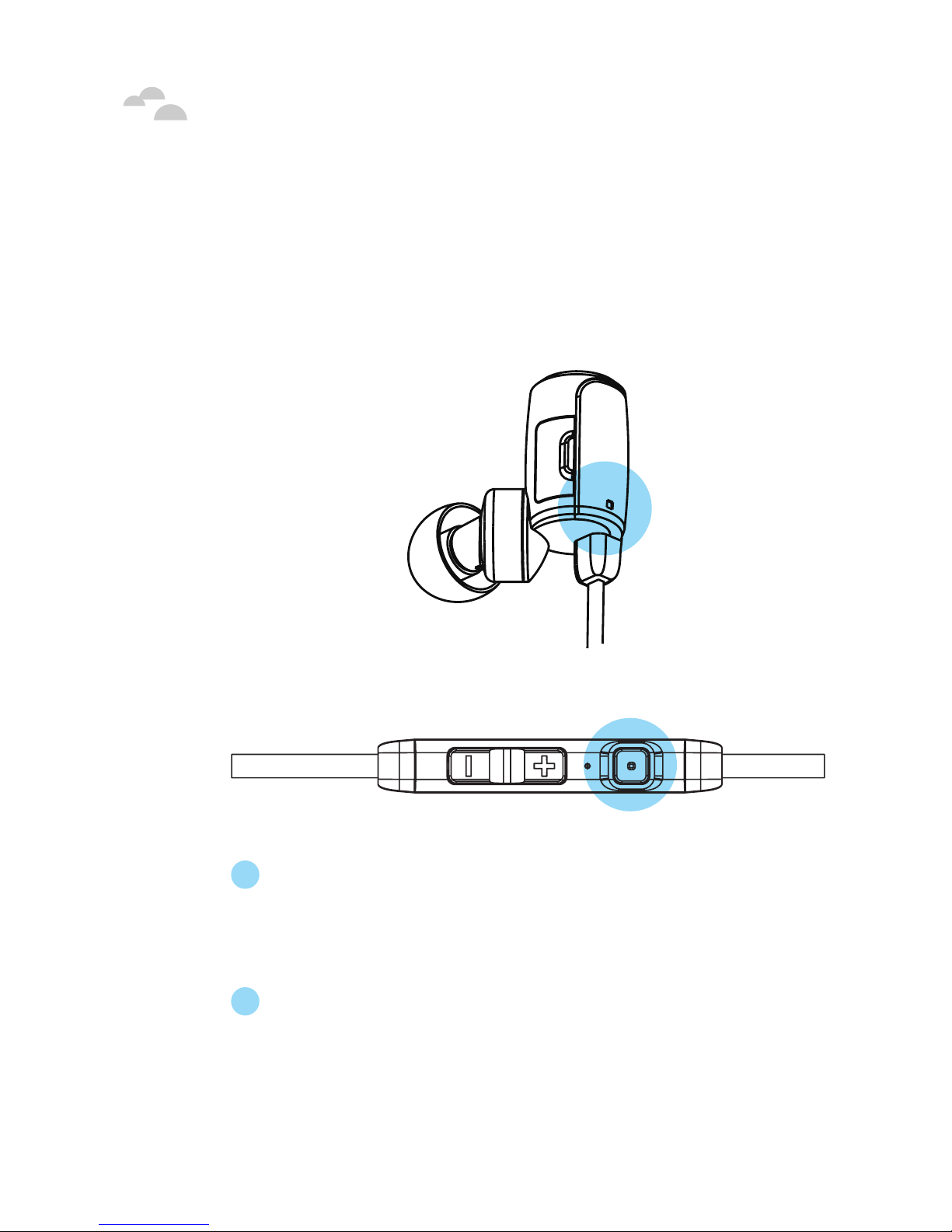
2[FOR INITIAL PAIRING] Press and hold the power/function button
on your SOUNDOT earbuds for about 4 seconds until the status
indicator LED flashes blue/red alternately and you hear the
“Hello” then the “Pairing” voice prompts from your earbuds. Your
SOUNDOT earbuds are now in pairing mode.
PairingYourSOUNDOT Earbuds

User Manual - 7
PairingYour SOUNDOT Earbuds
[FOR SUBSEQUENT PAIRINGS] Press and hold the power/
function button on your SOUNDOT earbuds for about 8 seconds
until the status indicator LED flashes blue/red alternately and
you hear the “Pairing” voice prompt from your earbuds. Your
SOUNDOT earbuds are now in pairing mode.
NOTE1: If left inactive in pairing mode your SOUNDOT earbuds will
automatically power off after 3 minutes.
NOTE2: You must enter pairing mode from a powered-off state.
Pressing and holding the power/function button for more than 4
seconds from a powered-on state will turn the earbuds off.
3Search for your SOUNDOT earbuds (“SOUNDOT v1.0”*) in the
device’s list of available connections. Once you have found your
SOUNDOT earbuds in the list of available connections select them
and accept any confirmation messages.
*The name for your SOUNDOT earbuds in the list of available
connections may vary depending on the model purchased.
4Once your SOUNDOT earbuds have been successfully paired with
the device the status indicator will flash blue and you will hear a
tone from your earbuds.
Your SOUNDOT earbuds can store pairing information for up to eight
devices. To pair additional devices to your SOUNDOT earbuds ensure
that your SOUNDOT earbuds are not concurrently connected to any
device, then repeat the steps outlined above.
NOTE: If your SOUNDOT earbuds have already stored pairing information
for eight devices and you pair a ninth device, the stored information for the
very first device will be deleted.
User Manual - 8
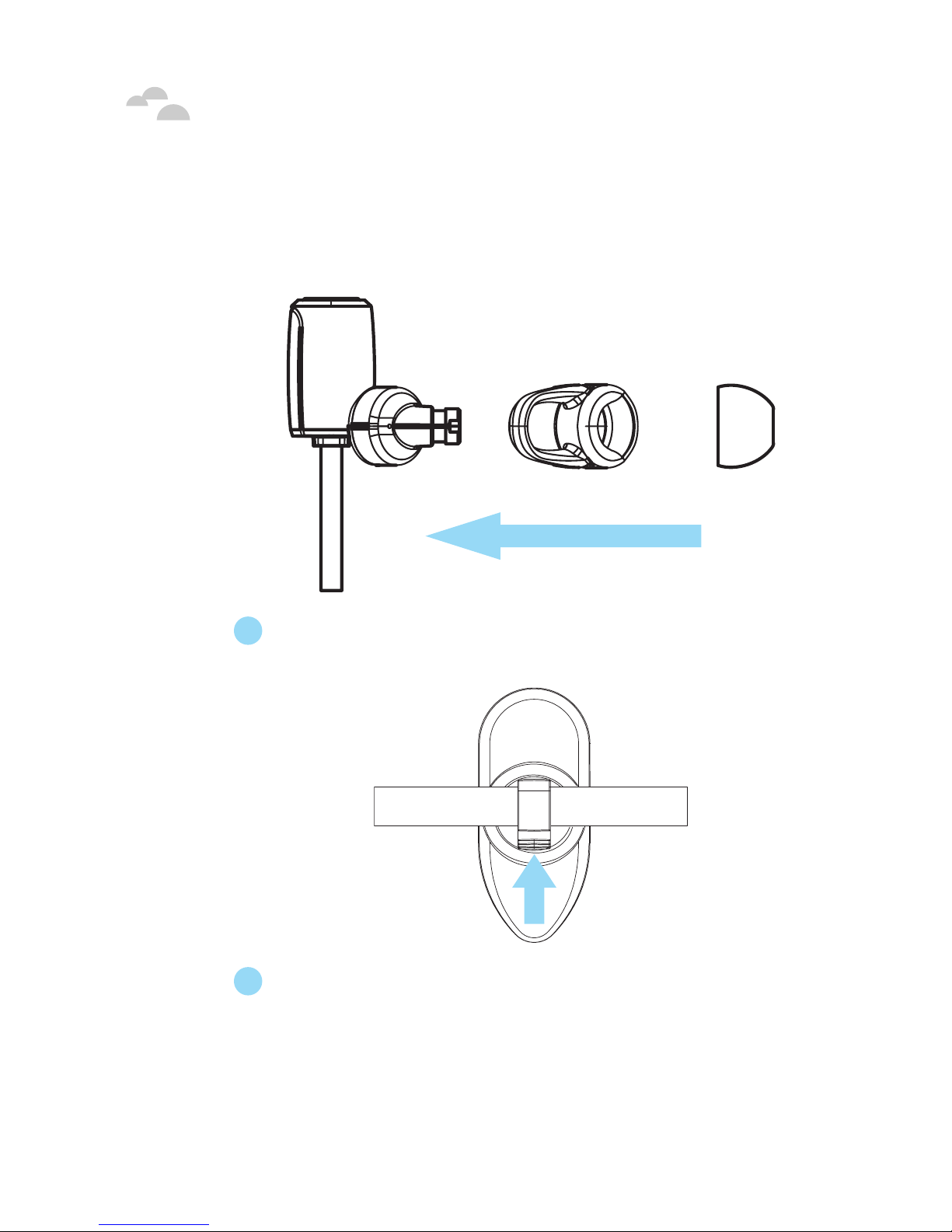
WearingYour SOUNDOT Earbuds
To ensure a secure and comfortable fit when wearing your
SOUNDOT earbuds:
1Select and install the suitable stabilizers (optional) and cushions
on the earbuds.
2(Optional) Attach the clip onto the earbuds’ wire.
WearingYourSOUNDOT Earbuds
User Manual - 9
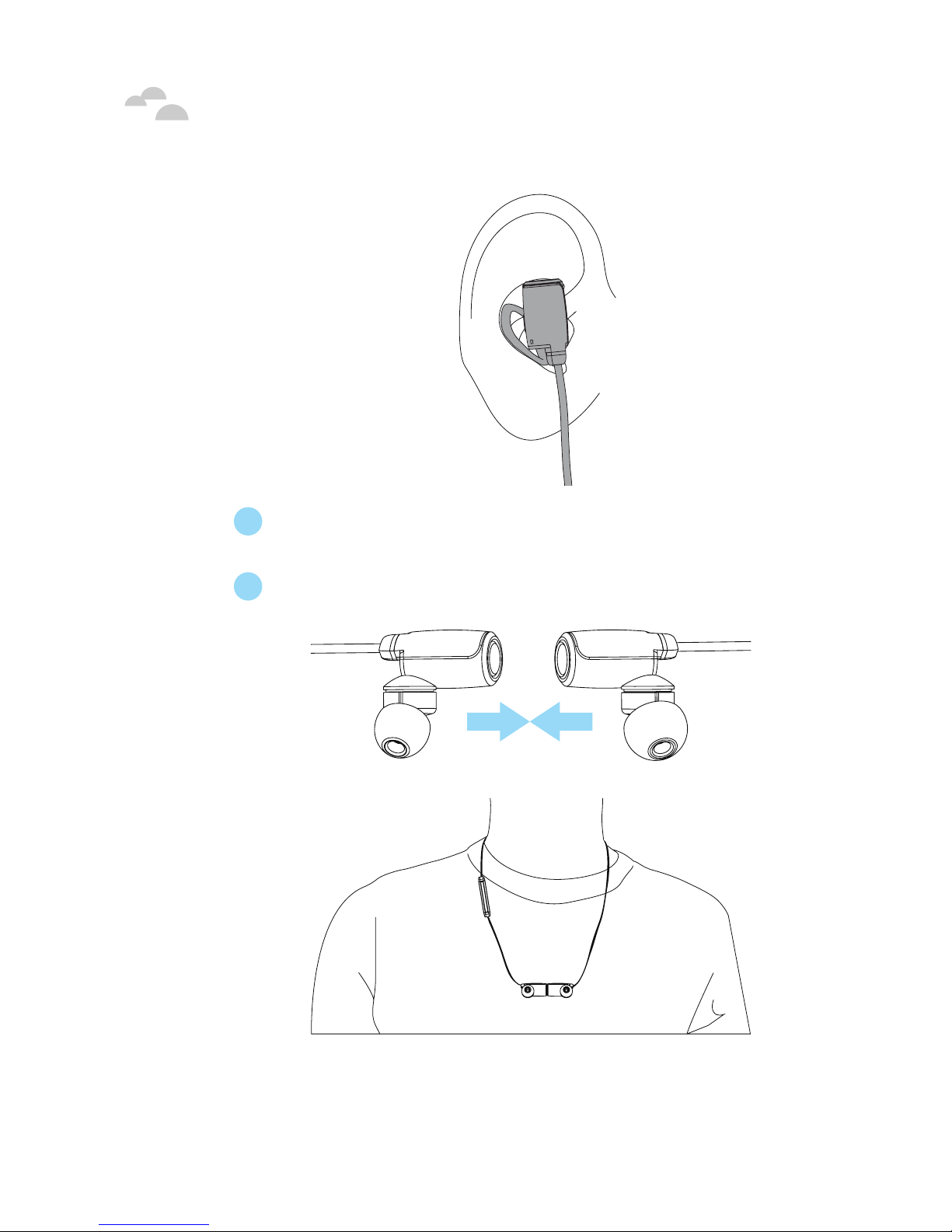
WearingYour SOUNDOT Earbuds
3Rotate the stabilizers and place the earbuds into each ear so that
they are positioned comfortably.
4Place the earbuds’ wire around the back of your neck.
When your SOUNDOT earbuds are not in use you can connect the
magnetic heads together and drape the earbuds comfortably around
your neck.

User Manual - 10
Powering On
Once you have successfully paired your SOUNDOT earbuds to a
Bluetooth-enabled device your SOUNDOT earbuds will automatically
connect with that device once they are powered on.
To power on your SOUNDOT earbuds:
1Press and hold the power/function button for about four seconds.
Once the status indicator LED flashes blue and you hear the
“Hello” voice prompt from your earbuds, your earbuds have
powered on.
NOTE: If you have stored pairing information for multiple devices
and more than one of those devices have Bluetooth enabled, your
SOUNDOT earbuds will automatically connect with the most recently
paired device and will also enable multipoint connection. For more
information see “ Multipoint Connections ”.
PoweringOn
Other manuals for SOUNDOT
1
Table of contents


